
Last updated on
Oct 19, 2026

Get the free Parks & Recreation Indoor Facility Reservation Form
We are not affiliated with any brand or entity on this form

Fill out
Complete the form online in a simple drag-and-drop editor.

eSign
Add your legally binding signature or send the form for signing.

Share
Share the form via a link, letting anyone fill it out from any device.

Export
Download, print, email, or move the form to your cloud storage.
Why pdfFiller is the best tool for your documents and forms


End-to-end document management
From editing and signing to collaboration and tracking, pdfFiller has everything you need to get your documents done quickly and efficiently.
Accessible from anywhere
pdfFiller is fully cloud-based. This means you can edit, sign, and share documents from anywhere using your computer, smartphone, or tablet.
Secure and compliant
pdfFiller lets you securely manage documents following global laws like ESIGN, CCPA, and GDPR. It's also HIPAA and SOC 2 compliant.
What is Indoor Facility Reservation
The Parks & Recreation Indoor Facility Reservation Form is an application used by residents in Cleveland Heights, Ohio, to reserve indoor recreational facilities managed by the Department of Parks & Recreation.
pdfFiller scores top ratings on review platforms




Who needs Indoor Facility Reservation?
Explore how professionals across industries use pdfFiller.

Indoor Facility Reservation is needed by:
-
Local residents seeking indoor facility rentals
-
Event planners organizing community events
-
Nonprofit organizations arranging activities
-
Schools hosting events or meetings
-
Businesses planning corporate gatherings
-
Senior groups looking for activity spaces
Comprehensive Guide to Indoor Facility Reservation
What is the Parks & Recreation Indoor Facility Reservation Form?
The Parks & Recreation Indoor Facility Reservation Form is a crucial document for those wishing to secure space for events in Cleveland Heights, Ohio. This form allows residents and organizations to reserve various recreation facilities such as community centers, gyms, and other indoor spaces managed by the Department of Parks & Recreation. Filling out this form is essential for organizing community activities and gatherings to ensure everyone can enjoy the amenities available in Cleveland Heights parks.
This reservation process guarantees that renters will have access to the facilities they need for their planned events while helping the city manage its resources effectively.
Purpose and Benefits of the Parks & Recreation Indoor Facility Reservation Form
The primary purpose of the Parks & Recreation Indoor Facility Reservation Form is to facilitate event planning by providing a systematic way for community members and organizations to secure indoor spaces. Renting a facility leads to various benefits including the ability to ensure a space for events, social gatherings, or meetings, relieving users from the uncertainty of venue availability.
The form simplifies the reservation process by outlining the necessary steps, making it easier for renters to navigate through booking community center spaces.
-
Secures dedicated space for events and activities.
-
Streamlines the reservation process for users.
-
Benefits a wide range of organizations and community members.
Key Features of the Parks & Recreation Indoor Facility Reservation Form
The form includes several important fields designed to capture essential information for successful reservations. Users will fill out details such as the event date, estimated attendees, and the type of organization making the reservation. Additionally, it incorporates clauses that protect both the city and the renter, including a waiver and indemnification agreement.
The required initial payments, covering the security deposit and half of the rental fee, are also highlighted within the form. Understanding these features ensures applicants can complete their rental agreement form smoothly.
-
Event date and time details.
-
Estimated number of attendees.
-
Type of organization making the reservation.
-
Required initial payment information.
Eligibility Criteria for the Parks & Recreation Indoor Facility Reservation Form
Eligibility to submit the Parks & Recreation Indoor Facility Reservation Form varies for individuals and organizations seeking to rent facilities. Typically, residents of Cleveland Heights and local non-profit organizations qualify to use this form. Other community members may also be eligible based on specific regulations.
Applicants must meet certain age requirements or membership criteria if applicable, facilitating diverse community involvement in reserving facilities.
-
Residency in Cleveland Heights.
-
Membership or affiliation with a recognized organization.
-
Compliance with age prerequisites, if any.
Information You'll Need to Gather Before Filling Out the Form
Before starting the reservation process, it is beneficial for renters to gather all necessary information needed to fill out the Parks & Recreation Indoor Facility Reservation Form. This includes comprehensive contact details, specific event information, and any supporting documents.
Accurate input of this information is crucial for the timely processing of reservations and avoiding delays during the application phase.
-
Contact details of the renter.
-
Event specifics including date and location.
-
Supporting documents, if required.
How to Fill Out the Parks & Recreation Indoor Facility Reservation Form Online (Step-by-Step)
Completing the Parks & Recreation Indoor Facility Reservation Form is straightforward, especially with platforms like pdfFiller. Here's a step-by-step guide to streamline the process:
-
Access the form via pdfFiller.
-
Fill in your details in the specified fields, such as your name and event information.
-
Add the estimated number of attendees and the type of organization.
-
Review your entries for accuracy before submitting.
-
Utilize the option to save and edit your responses if needed.
-
Submit the form once all data is finalized.
Submission Methods for the Parks & Recreation Indoor Facility Reservation Form
Once the Parks & Recreation Indoor Facility Reservation Form is completed, users have multiple submission options available. You can choose to submit the form either online, via email, or in person at designated city offices. Understanding the deadlines associated with each method is vital for timely processing, along with the required payment methods.
After submission, renters should keep track of their confirmation and follow any necessary steps related to their application.
-
Online submission via pdfFiller.
-
Email submission for quick processing.
-
In-person submission at local government offices.
Security and Compliance for the Parks & Recreation Indoor Facility Reservation Form
Users can rest assured about data security when filling out the Parks & Recreation Indoor Facility Reservation Form through pdfFiller. The platform employs robust security measures such as encryption to protect sensitive information collected during the reservation process.
Compliance with data protection regulations, including HIPAA and GDPR, further reinforces users' confidence in how their personal information is managed and retained.
-
256-bit encryption protecting user data.
-
Compliance with HIPAA and GDPR regulations.
-
Dedicated measures for privacy and data protection.
Sample of a Completed Parks & Recreation Indoor Facility Reservation Form
To aid users, a sample completed Parks & Recreation Indoor Facility Reservation Form is available, showcasing how to fill in the fields accurately. Common mistakes made by applicants are also illustrated in the sample, serving as valuable learning points.
Understanding the importance of completing each field correctly significantly reduces processing delays and contributes to a smoother application experience.
-
Example of filled-out fields such as event date and contact information.
-
Common errors illustrated in the sample form.
Empowering Your Event Planning with pdfFiller
Utilizing pdfFiller to fill out the Parks & Recreation Indoor Facility Reservation Form enhances the entire experience. The platform offers not just access to form-filling but additional features like editing and eSigning, making it a comprehensive solution for rentals.
By leveraging these capabilities, users can effectively manage their reservation applications, ensuring their event planning needs are met efficiently. Start using pdfFiller today for a seamless reservation experience.
How to fill out the Indoor Facility Reservation
-
1.To access the Parks & Recreation Indoor Facility Reservation Form on pdfFiller, first navigate to the pdfFiller website and use the search feature to locate the form.
-
2.Once you have found the form, click on it to open it in the pdfFiller interface, allowing you to view and edit the document directly.
-
3.Before filling out the form, gather the necessary information, including your name, contact details, organization (if applicable), event specifics, and the projected attendance numbers.
-
4.Begin by filling in your personal details such as your name, today's date, address, city, state, and zip code in the designated fields using the text boxes provided.
-
5.Next, enter your phone number and email address to ensure the Parks & Recreation Department can contact you regarding your reservation.
-
6.Then, specify the type of organization you represent, if any, and provide the dates for your event.
-
7.Input the estimated number of attendees, start time, and end time using the time selectors available.
-
8.Describe the planned activity and the setup style you prefer for the event, providing any additional requirements such as equipment if necessary.
-
9.Once all fields are completed, review the form carefully to ensure all information is accurate and complete.
-
10.To finalize the form, make sure to sign where indicated, acknowledging the waiver and release of liability, and agreements for indemnification.
-
11.Save your completed form by using the save or download function on pdfFiller, allowing you to keep a copy for your records.
-
12.If ready to submit your form, follow the submission instructions provided by pdfFiller, ensuring to send it to the appropriate department with your required payment details.

Who can fill out the Parks & Recreation Indoor Facility Reservation Form?
The form can be filled out by any local resident or organization looking to reserve indoor facilities managed by the Cleveland Heights Department of Parks & Recreation.
What is the deadline for submitting the form?
The final payment and form submission should be completed at least two days before your rental date to ensure your reservation is confirmed.
How do I submit the Indoor Facility Reservation Form?
You can submit the completed form either by email or in person at the Parks & Recreation Department, depending on their specific submission guidelines.
Are there any documents required with the form?
Along with the completed form, a security deposit and half of the rental fee are typically required at the time of submission, as indicated in the instructions.
What common mistakes should I avoid when filling out the form?
Ensure all required fields are filled out accurately and completely, and double-check the event details and payment requirements before submission to avoid delays.
How long does it take to process the reservation once the form is submitted?
Processing times may vary, but it's advisable to allow several days for confirmation after submitting the form and payment.
Can I modify my reservation after submitting the form?
Any changes to your reservation might require a new form submission, so it's best to contact the Parks & Recreation Department directly for assistance.
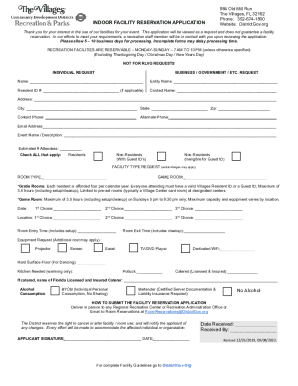
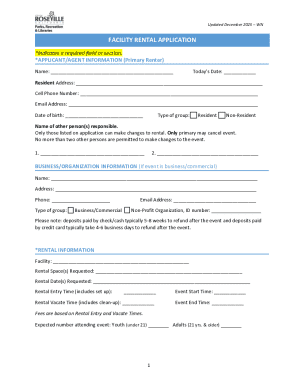
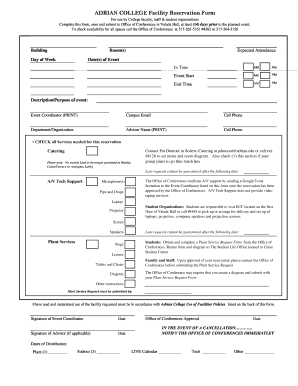
Related Forms




Get the latest insights from our blog



If you believe that this page should be taken down, please follow our DMCA take down process
here
.
This form may include fields for payment information. Data entered in these fields is not covered by PCI DSS compliance.