
Last updated on
Oct 27, 2026

Get the free Building and Picnic Shelter Rental Form
We are not affiliated with any brand or entity on this form

Fill out
Complete the form online in a simple drag-and-drop editor.

eSign
Add your legally binding signature or send the form for signing.

Share
Share the form via a link, letting anyone fill it out from any device.

Export
Download, print, email, or move the form to your cloud storage.
Why pdfFiller is the best tool for your documents and forms


End-to-end document management
From editing and signing to collaboration and tracking, pdfFiller has everything you need to get your documents done quickly and efficiently.
Accessible from anywhere
pdfFiller is fully cloud-based. This means you can edit, sign, and share documents from anywhere using your computer, smartphone, or tablet.
Secure and compliant
pdfFiller lets you securely manage documents following global laws like ESIGN, CCPA, and GDPR. It's also HIPAA and SOC 2 compliant.
What is Shelter Rental Form
The Building and Picnic Shelter Rental Form is a permit application used by individuals or organizations to rent facilities from the City of Greenville's Recreation and Parks Department.
pdfFiller scores top ratings on review platforms




Who needs Shelter Rental Form?
Explore how professionals across industries use pdfFiller.

Shelter Rental Form is needed by:
-
Residents looking to hold events in parks
-
Organizations planning group gatherings
-
Event planners seeking venue rentals
-
Schools needing facilities for activities
-
Community groups organizing public events
Comprehensive Guide to Shelter Rental Form
What is the Building and Picnic Shelter Rental Form?
The Building and Picnic Shelter Rental Form is designed for individuals and organizations seeking to rent facilities from the City of Greenville's Recreation and Parks Department. This form serves a crucial purpose in managing park rental applications and ensuring smooth transactions. It encompasses essential fields such as renter's information, rental details, and event specifics necessary for securing a reservation.
Included in the form are vital sections that guide users in providing their name, contact information, type of event, desired location, date, time, and expected attendance. These details help streamline the rental process and allow for effective planning and coordination with city officials.
Purpose and Benefits of the Building and Picnic Shelter Rental Form
Filling out the Building and Picnic Shelter Rental Form is essential for anyone wishing to rent city facilities. The primary benefit lies in securing preferred dates and locations, which can often fill up quickly, especially during peak seasons. This form also ensures adherence to local regulations, protecting both the renters' rights and the city’s interests.
When used for personal gatherings or organizational events, this form serves as a formal agreement that clarifies expectations and obligations, distinguishing between different types of facility rental applications. By utilizing the appropriate event permit form, renters can avoid misunderstandings, making the process more efficient.
Key Features of the Building and Picnic Shelter Rental Form
The Building and Picnic Shelter Rental Form comes equipped with several key features that enhance usability:
-
Sections for event details, rental fees, and rules and regulations.
-
Fillable nature, making it easy to complete online.
-
Signature lines for both the renter and a city representative, ensuring official approval.
These features simplify the submission process, allowing renters to accurately convey their needs and comply with city regulations more easily.
Who Needs the Building and Picnic Shelter Rental Form?
Individuals and organizations looking to reserve facilities require the Building and Picnic Shelter Rental Form. The form is necessary for various scenarios, including community events, family gatherings, and corporate functions. By completing this form, renters ensure compliance with local regulations, which can significantly impact the success of their events.
This form is particularly crucial for groups planning larger gatherings where compliance with safety and capacity guidelines needs verification.
How to Fill Out the Building and Picnic Shelter Rental Form Online (Step-by-Step)
Filling out the Building and Picnic Shelter Rental Form online is straightforward, especially when using pdfFiller. Here’s a step-by-step guide to help:
-
Access the pdfFiller platform and locate the Building and Picnic Shelter Rental Form.
-
Begin by entering the renter's name, contact details, and organization name if applicable.
-
Input event details such as the location, date, time, and purpose.
-
Specify the expected number of attendees and any special requests.
-
Review all information to ensure accuracy before submission.
Gathering necessary information beforehand will facilitate a smooth completion of the form.
Required Documents and Supporting Materials
To accompany the Building and Picnic Shelter Rental Form, certain documents and information may be required. Renters should ensure all fields are correctly filled based on guidelines provided within the form. Additionally, specific events might necessitate supporting materials such as:
-
Insurance documents to guarantee coverage for the event.
-
Permits needed for particular activities, ensuring compliance with local regulations.
Being prepared with these documents enhances the likelihood of successful form submission and reservation approval.
Submission Methods and Delivery of the Building and Picnic Shelter Rental Form
This form can be submitted through various methods, including online and in-person options. Renters should note essential deadlines for submission to avoid potential delays in their reservation process. It’s crucial to confirm receipt of the completed form and to track its processing status to ensure everything is in order.
Common Errors and How to Avoid Them
While filling out the Building and Picnic Shelter Rental Form, common mistakes can occur. Renters should be aware of common errors such as:
-
Incomplete fields, which can lead to processing delays.
-
Incorrectly entered dates or times that conflict with availability.
To avoid issues, double-check's all entries for accuracy and completeness before submission.
Security and Compliance for the Building and Picnic Shelter Rental Form
When utilizing pdfFiller to complete the Building and Picnic Shelter Rental Form, users can be assured of the security of personal information. pdfFiller employs 256-bit encryption and complies with security standards such as SOC 2 Type II, HIPAA, and GDPR. This focus on data protection is vital when handling sensitive documents, ensuring that renters' information is safeguarded throughout the process.
Utilize pdfFiller for a Smooth Rental Process
pdfFiller offers a seamless experience for completing the Building and Picnic Shelter Rental Form. Users can take advantage of its editing, eSign, and saving features to streamline the rental process. The platform's user-friendly interface and easy access to forms simplify the overall experience, making the rental agreement process more efficient.
How to fill out the Shelter Rental Form
-
1.Access the Building and Picnic Shelter Rental Form on pdfFiller by searching its name in the search bar or locating it in the government's forms section.
-
2.Once opened, familiarize yourself with the layout. Use the navigation tools to scroll through the document and locate the fields you need to fill out.
-
3.Before starting, ensure you have all necessary details handy, such as your name, organization, contact information, desired facility, event date and time, purpose of the event, and an expected number of attendees.
-
4.Begin completing the form by clicking into each field and typing your information. Use pdfFiller’s checkboxes for options where applicable, making sure to select or fill in what applies to your situation.
-
5.Double-check that all details are accurate and complete. Ensure that you have filled out sections regarding event details, permits, services requested, and any associated fees.
-
6.Once all fields are completed, review the form thoroughly to confirm that no information is missing or incorrect before finalizing it.
-
7.To save your progress or submit the form, navigate to the save or download options in pdfFiller. You can save it to your device, email it, or print it directly from the platform.

Who can fill out the Building and Picnic Shelter Rental Form?
This form can be filled out by individuals or organizations interested in renting facilities from the City of Greenville’s Recreation and Parks Department for events.
What information is required to complete the form?
You'll need details such as your name, organization, contact information, desired facility, event date and time, purpose, and number of attendees when completing the form.
How do I submit the completed form?
You can submit the completed form electronically through pdfFiller by using the email option, or you can download and print it to mail or hand-deliver to the appropriate department.
Is there a fee associated with renting a facility?
Yes, there may be fees for renting facilities. Check the fees section provided on the form or contact the City of Greenville’s Recreation and Parks Department for detailed information.
How long does it take to process the rental application?
Processing times may vary. It is best to submit your application as early as possible, preferably several weeks in advance, to allow time for approval.
Can I modify my rental request after submission?
If you need to make changes, contact the City of Greenville’s Recreation and Parks Department directly as soon as possible to discuss potential modifications to your rental agreement.
Are there restrictions for events rented through this form?
Yes, renters must adhere to the rules and regulations outlined in the form regarding facility use, such as restrictions on noise levels, event types, and capacity limits.
Related Forms
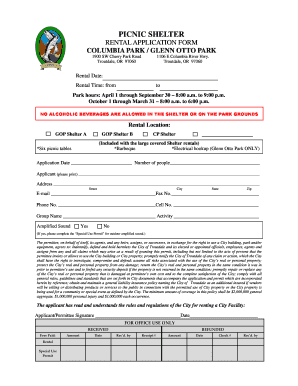


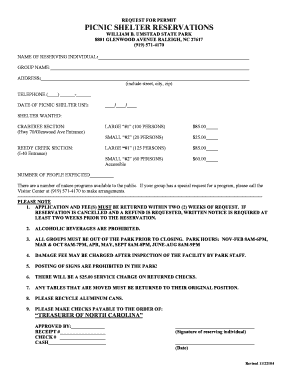


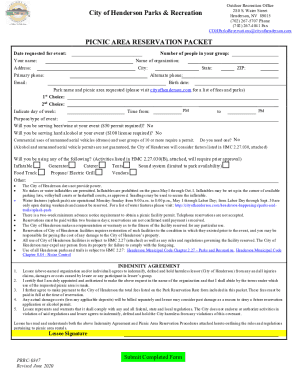

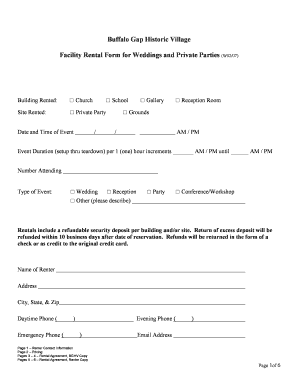
Get the latest insights from our blog


If you believe that this page should be taken down, please follow our DMCA take down process
here
.
This form may include fields for payment information. Data entered in these fields is not covered by PCI DSS compliance.