
Last updated on
Oct 7, 2026

Get the free Self Declaration for Tax Treaty Benefits
We are not affiliated with any brand or entity on this form

Fill out
Complete the form online in a simple drag-and-drop editor.

eSign
Add your legally binding signature or send the form for signing.

Share
Share the form via a link, letting anyone fill it out from any device.

Export
Download, print, email, or move the form to your cloud storage.
Why pdfFiller is the best tool for your documents and forms


End-to-end document management
From editing and signing to collaboration and tracking, pdfFiller has everything you need to get your documents done quickly and efficiently.
Accessible from anywhere
pdfFiller is fully cloud-based. This means you can edit, sign, and share documents from anywhere using your computer, smartphone, or tablet.
Secure and compliant
pdfFiller lets you securely manage documents following global laws like ESIGN, CCPA, and GDPR. It's also HIPAA and SOC 2 compliant.
What is Tax Treaty Declaration
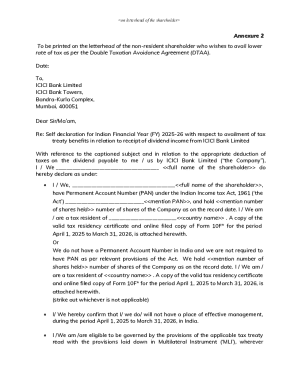
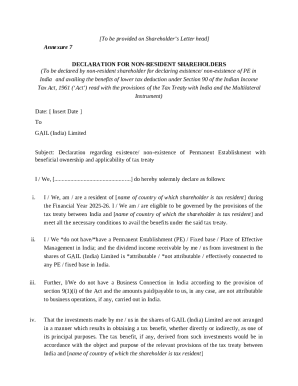
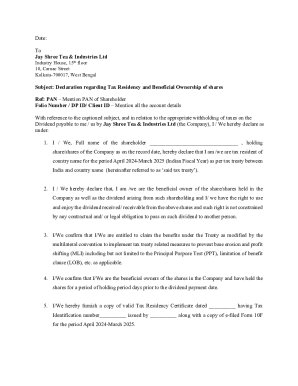
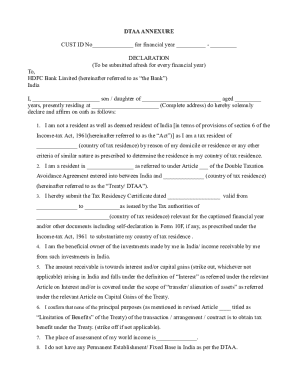
The Self Declaration for Tax Treaty Benefits is a form used by shareholders to declare their tax residency for eligibility on dividend income tax treaty benefits in India.
pdfFiller scores top ratings on review platforms




Who needs Tax Treaty Declaration?
Explore how professionals across industries use pdfFiller.

Tax Treaty Declaration is needed by:
-
Shareholders intending to claim tax treaty benefits
-
Individuals filing for dividend income in the Indian Financial Year 2025-26
-
Tax consultants assisting clients with tax residency certifications
-
Entities requiring tax residency verification for compliance
-
Financial institutions handling dividend distributions in India
Comprehensive Guide to Tax Treaty Declaration
What is the Self Declaration for Tax Treaty Benefits?
The Self Declaration for Tax Treaty Benefits is crucial for shareholders seeking to establish their tax residency. This form enables them to declare their eligibility for tax treaty benefits, particularly concerning dividend income during the Indian Financial Year 2025-26. Understanding the implications of this declaration is essential as it directly affects withholding tax rates on dividends received. Shareholders must pay attention to their tax residency status, as it plays a vital role in the execution of this form.
Purpose and Benefits of Declaring Tax Treaty Benefits
Declaring tax treaty benefits is necessary to minimize withholding tax on dividends. By completing this declaration, shareholders can assert their right to tax benefits, which can lead to significant savings on dividend income. Specifically, it plays a critical role in determining reduced withholding tax rates operated through treaties between countries. This form not only supports compliance with tax regulations but also protects shareholders from double taxation.
Who Needs the Self Declaration for Tax Treaty Benefits?
The Self Declaration for Tax Treaty Benefits must be completed by eligible shareholders, especially those holding shares that generate dividend income. Beneficial ownership is a critical factor, as only those who actualize the income are permitted to submit the form. Situations such as cross-border investments necessitate the completion of this declaration to benefit from preferential tax treatments under applicable treaties.
Eligibility Criteria for Tax Treaty Benefits
To complete the Self Declaration for Tax Treaty Benefits, shareholders must meet specific eligibility criteria. Required documentation includes a PAN (Permanent Account Number) and a tax residency certificate, which prove one’s tax residency status. It is paramount to provide accurate and truthful information; inaccuracies can lead to complications and potential penalties when tax authorities review this declaration. The eligibility criteria are designed to ensure that only qualifying shareholders benefit from tax treaty provisions.
How to Fill Out the Self Declaration for Tax Treaty Benefits Online (Step-by-Step)
Filling out the Self Declaration for Tax Treaty Benefits is a straightforward process when using pdfFiller. Follow these steps:
-
Access the form online through pdfFiller’s platform.
-
Carefully enter the required information, including your folio number and international tax identification number.
-
Review the completed form for accuracy to avoid mistakes.
-
Sign the form either digitally or traditionally, ensuring validity.
PDF editing tools like pdfFiller facilitate easy form completion, which enhances accuracy and efficiency.
Common Errors to Avoid When Submitting the Tax Treaty Benefits Form
When completing the Self Declaration for Tax Treaty Benefits, shareholders should be aware of common errors that can complicate the submission process. Frequent mistakes include:
-
Entering incorrect identification numbers such as PAN or folio numbers.
-
Failing to provide the necessary supporting documents like the tax residency certificate.
-
Overlooking required signatures or incorrectly formatting fields.
Double-checking all fields and validating information prior to submission can prevent these common pitfalls, ensuring smooth processing of the form.
How to Sign the Self Declaration for Tax Treaty Benefits
Signing the Self Declaration for Tax Treaty Benefits is essential for its validity. Shareholders can choose between a digital signature, which is secure and convenient, or a wet signature. To eSign documents with pdfFiller, simply follow the platform’s user-friendly steps, which help in verifying the identity while securing the document. This step not only affirms the shareholder's authorization but also strengthens the legitimacy of the submission.
Submission Methods for the Self Declaration for Tax Treaty Benefits
Shareholders have various acceptable methods to submit the Self Declaration for Tax Treaty Benefits. This may include online submission through designated platforms, postal services, or in-person delivery. It is important to be aware of processing times, which can vary depending on the method chosen. Tracking submission status through the chosen delivery route will ensure that shareholders stay informed regarding the processing of their declaration.
What Happens After You Submit the Self Declaration for Tax Treaty Benefits?
After submitting the Self Declaration for Tax Treaty Benefits, shareholders can expect to receive confirmation of receipt from the tax authority. This confirmation verifies that the form has been successfully submitted and is in processing. Should any inaccuracies arise, shareholders may be provided with instructions on how to correct or amend their submissions, ensuring compliance with tax regulations and transparency in their declarations.
Maximize Your Experience with pdfFiller for Your Tax Treaty Benefits Form
Utilizing pdfFiller can remarkably enhance your experience when completing the Self Declaration for Tax Treaty Benefits. The platform offers comprehensive features including editing capabilities, the ability to create fillable forms, and secure eSigning functionalities. With a commitment to data protection, pdfFiller employs 256-bit encryption and complies with stringent compliance standards, ensuring that sensitive documents, such as tax declarations, remain secure and private.
How to fill out the Tax Treaty Declaration
-
1.Start by accessing pdfFiller and logging into your account. If you do not have an account, create one to proceed.
-
2.In the dashboard, use the search bar to find 'Self Declaration for Tax Treaty Benefits'. Click on the form to open it.
-
3.Once the form is open, navigate through the fillable fields. Carefully enter your Personal Identification Number (PAN) and your folio number where required.
-
4.Prepare your tax residency certificate and beneficial ownership details before filling out the form. Gather all relevant documents to ensure accurate information.
-
5.Fill in each field methodically. Double-check the entered information, especially names and identification numbers, to avoid potential errors.
-
6.Once you have completed all required fields, review the form for thoroughness. Ensure that all necessary disclosures are accurate.
-
7.After confirming all entries are correct, find the signature field. Use pdfFiller’s e-signature tool to sign the document directly in the interface.
-
8.To finalize, save your changes using the 'Save' option. You can then download a PDF copy for your records.
-
9.If needed, use the 'Submit' feature to send the form directly to the concerned tax authority or designated recipient through pdfFiller.

Who is eligible to use the Self Declaration for Tax Treaty Benefits?
Shareholders who seek to declare their tax residency and are eligible for tax treaty benefits related to dividend income in India for the 2025-26 fiscal year can use this form.
Is there a deadline for submitting this form?
Deadlines for submission typically align with tax return deadlines. Ensure you submit the form well before the tax filing deadline for the fiscal year 2025-26 to avoid any penalties.
Where do I submit the completed Self Declaration for Tax Treaty Benefits?
Once completed, the form should be submitted to the relevant tax authority or governing body that requires the declaration. You may also need to provide it to financial institutions handling your dividends.
What supporting documents are required with this form?
You will need to provide your Tax Residency Certificate, details regarding your PAN, folio number, and any proof confirming beneficial ownership, alongside the completed declaration.
What are common mistakes to avoid when filling out this form?
Ensure that your PAN and eligibility details are accurately entered. Avoid missing signature and check for any blank fields that require information to prevent processing delays.
What is the processing time for this form?
The processing time varies based on the authority reviewing your form. Typically, it can take a few weeks. It's advisable to follow up with the relevant office after submission.
Related Forms





Get the latest insights from our blog


If you believe that this page should be taken down, please follow our DMCA take down process
here
.
This form may include fields for payment information. Data entered in these fields is not covered by PCI DSS compliance.