
Last updated on
Oct 10, 2026

Get the free Pre-Exercise Health Screening Form
We are not affiliated with any brand or entity on this form

Fill out
Complete the form online in a simple drag-and-drop editor.

eSign
Add your legally binding signature or send the form for signing.

Share
Share the form via a link, letting anyone fill it out from any device.

Export
Download, print, email, or move the form to your cloud storage.
Why pdfFiller is the best tool for your documents and forms


End-to-end document management
From editing and signing to collaboration and tracking, pdfFiller has everything you need to get your documents done quickly and efficiently.
Accessible from anywhere
pdfFiller is fully cloud-based. This means you can edit, sign, and share documents from anywhere using your computer, smartphone, or tablet.
Secure and compliant
pdfFiller lets you securely manage documents following global laws like ESIGN, CCPA, and GDPR. It's also HIPAA and SOC 2 compliant.
What is Health Screening Form
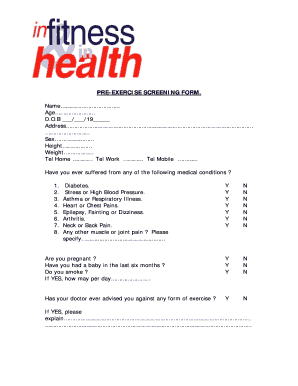
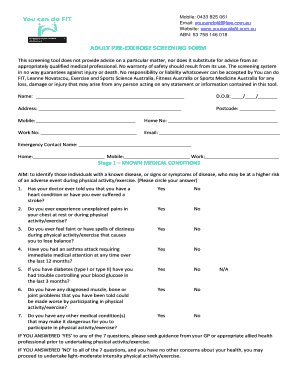
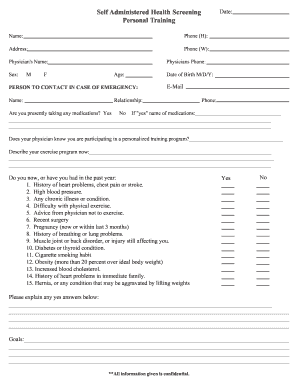
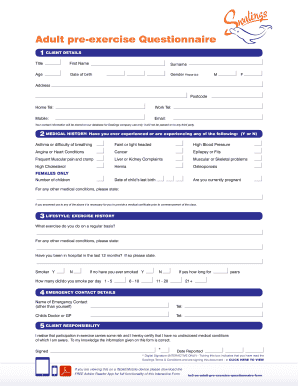
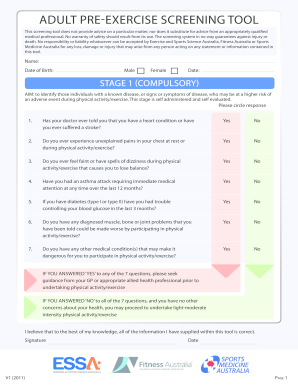
The Pre-Exercise Health Screening Form is a medical consent document used by individuals to assess their health status before participating in physical activities.
pdfFiller scores top ratings on review platforms




Who needs Health Screening Form?
Explore how professionals across industries use pdfFiller.

Health Screening Form is needed by:
-
Individuals looking to engage in exercise programs
-
Fitness trainers and coaches seeking participant health information
-
Healthcare professionals assessing patient readiness for physical activities
-
Event coordinators requiring health clearances for participants
-
Sports teams to ensure athlete safety
-
Gyms and fitness centers to screen new members
Comprehensive Guide to Health Screening Form
Understanding the Pre-Exercise Health Screening Form
The Pre-Exercise Health Screening Form is designed to assess an individual’s health status before engaging in physical activities. Its primary objectives are to evaluate medical history and identify any conditions that may necessitate professional advice. Assessing your health status prior to exercise is crucial for safety, ensuring that individuals do not inadvertently put themselves at risk by participating in activities that may exacerbate existing health issues.
Benefits of the Pre-Exercise Health Screening Form
This form offers several significant advantages. Firstly, it aids individuals in identifying potential health risks that may arise from exercising without prior checks. Additionally, obtaining medical clearance is a critical step in maintaining safety during exercise, allowing participants to engage in physical activities with confidence.
Key Features of the Pre-Exercise Health Screening Form
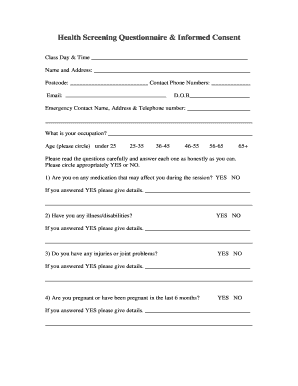
The Pre-Exercise Health Screening Form includes important components designed to gather comprehensive health information. Key features include:
-
Questions regarding medical history and current health conditions.
-
Sections dedicated to family medical history.
-
Fillable sections for personal information and signature requirements.
These elements collectively ensure thorough documentation of an individual's health, providing fitness instructors with the necessary information to ensure safety.
Who Should Use the Pre-Exercise Health Screening Form
This form is essential for various individuals, particularly those who are beginning a new exercise regime or have existing medical conditions. Personal trainers and fitness instructors should also utilize this form to promote participant safety by understanding health backgrounds. It acts as a safeguard for all involved, ensuring everyone is aware of any potential risks.
How to Fill Out the Pre-Exercise Health Screening Form Online
To fill out the Pre-Exercise Health Screening Form digitally, follow these simple steps:
-
Access the form on pdfFiller.
-
Carefully read and answer each question, ensuring accuracy.
-
Complete all required fields and sign where indicated.
-
Review your entries to avoid common errors.
This seamless process enables individuals to manage their health assessments efficiently and effectively.
Submitting the Pre-Exercise Health Screening Form
Once the form is completed, it can be submitted through various methods. You may choose to deliver it electronically or opt for physical printing and mailing. It is also critical to retain a copy of the submitted form for your records, ensuring you have access to your health information when needed.
Understanding the Importance of Confidentiality and Security
When handling sensitive health data, confidentiality and security are paramount. pdfFiller implements robust security measures, including encryption and compliance with HIPAA and GDPR regulations. These practices ensure that your health information is handled with the utmost care, maintaining privacy and protection throughout the submission process.
What Happens After You Submit the Form
After submitting your Pre-Exercise Health Screening Form, several steps follow. You may need to schedule follow-up consultations or may receive medical clearance for exercise activities. It is advisable to track the status of your submitted forms, ensuring that you stay informed about your health assessments and clearance outcomes.
Download and Save the Pre-Exercise Health Screening Form
Users can easily download the Pre-Exercise Health Screening Form in multiple formats. Available options include:
-
PDF for universal access and printing.
-
DOCX for editing and customization.
After downloading, remember to save your completed forms securely on personal devices, safeguarding your health information from unauthorized access.
Take Control of Your Health Today!
By choosing pdfFiller for your Pre-Exercise Health Screening Form, you gain access to a user-friendly platform that simplifies the form-filling process. With comprehensive features designed for ease of use, getting started with pdfFiller is straightforward and efficient, helping you take proactive steps toward managing your health.
How to fill out the Health Screening Form
-
1.To begin, visit pdfFiller's website and search for the Pre-Exercise Health Screening Form using their search bar.
-
2.Once you locate the form, click on it to open the fillable document in the pdfFiller interface.
-
3.Before filling out the form, gather necessary information such as medical history, family health background, and current health status.
-
4.Review each question carefully and check the appropriate boxes based on your health conditions. If answering 'YES' to any questions, be prepared to consult a healthcare professional for clearance.
-
5.Use the text fields to provide any additional relevant information as prompted by the form.
-
6.Once you've completed the form, double-check all your entries to ensure accuracy and completeness.
-
7.Finalize the form by signing electronically in the designated signature line, confirming your consent and understanding.
-
8.After signing, save your work by clicking on the save option to store your completed form in your pdfFiller account.
-
9.You can then download the form to your device or submit it directly through pdfFiller, ensuring it reaches the necessary recipients.

Who is eligible to complete the Pre-Exercise Health Screening Form?
Anyone planning to participate in physical activities or exercise programs is encouraged to complete this form. It is particularly beneficial for individuals with pre-existing health conditions or those new to exercise.
Is there a deadline for submitting the health screening form?
While specific deadlines may vary depending on the event or program, it is generally recommended to complete the form prior to any exercise participation to ensure safety and health clearance.
How do I submit the Pre-Exercise Health Screening Form once completed?
You can submit the completed form through pdfFiller by choosing the submission method outlined by your healthcare provider, fitness program, or organization requiring the form.
Are there any supporting documents required with the Pre-Exercise Health Screening Form?
Typically, no additional documents are needed; however, if you answer ‘YES’ to any health questions, a doctor's clearance may be required before engaging in physical activities.
What common mistakes should I avoid when filling out the form?
Common mistakes include failing to provide complete health history, not reviewing answers for accuracy, and neglecting to sign the document. Always ensure thoroughness when completing the form.
How quickly will my information be processed after submission?
Processing times can vary based on the organization or provider. It’s best to check with them directly to understand how long it will take to review your health screening form.
What should I do if I have questions while filling out the form?
If you have questions, refer to the form’s instructions or reach out to a healthcare professional for clarification to ensure accurate completion.
Related Forms




Get the latest insights from our blog


If you believe that this page should be taken down, please follow our DMCA take down process
here
.
This form may include fields for payment information. Data entered in these fields is not covered by PCI DSS compliance.