
Last updated on
Oct 10, 2026

Get the free Non-Disclosure Agreement (NDA) Template
We are not affiliated with any brand or entity on this form

Fill out
Complete the form online in a simple drag-and-drop editor.

eSign
Add your legally binding signature or send the form for signing.

Share
Share the form via a link, letting anyone fill it out from any device.

Export
Download, print, email, or move the form to your cloud storage.
Why pdfFiller is the best tool for your documents and forms


End-to-end document management
From editing and signing to collaboration and tracking, pdfFiller has everything you need to get your documents done quickly and efficiently.
Accessible from anywhere
pdfFiller is fully cloud-based. This means you can edit, sign, and share documents from anywhere using your computer, smartphone, or tablet.
Secure and compliant
pdfFiller lets you securely manage documents following global laws like ESIGN, CCPA, and GDPR. It's also HIPAA and SOC 2 compliant.
What is NDA Template
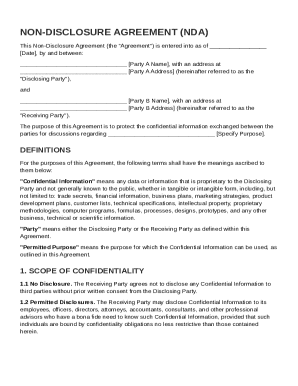
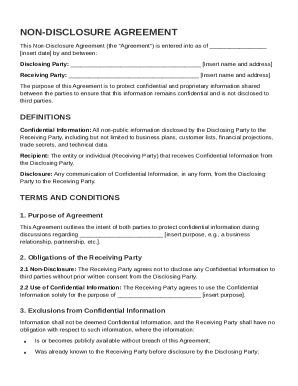
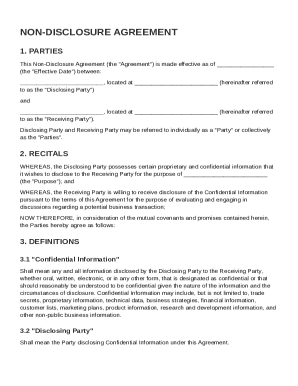
The Non-Disclosure Agreement (NDA) Template is a legal document used by individuals and businesses to protect confidential information shared between parties.
pdfFiller scores top ratings on review platforms




Who needs NDA Template?
Explore how professionals across industries use pdfFiller.

NDA Template is needed by:
-
Businesses sharing proprietary information
-
Freelancers and contractors working with companies
-
Investors seeking sensitive business insights
-
Research and development teams collaborating on projects
-
Legal professionals drafting agreements
Comprehensive Guide to NDA Template
What is a Non-Disclosure Agreement (NDA) Template?
A Non-Disclosure Agreement (NDA) Template is a legal document designed to protect confidential information shared between parties. Its primary function is to create a binding commitment that confidential details will remain private, safeguarding sensitive information from unauthorized access. This agreement is essential for various interactions, whether in business or personal scenarios.
There are two main types of NDAs: unilateral and mutual. A unilateral NDA involves one party disclosing confidential information, while a mutual NDA entails both parties sharing sensitive details. Proper execution of the agreement necessitates signatures from all involved parties to ensure mutual acknowledgment of the terms.
Purpose and Benefits of the Non-Disclosure Agreement (NDA) Template
The NDA template serves multiple critical purposes for individuals and organizations. First and foremost, it protects proprietary information and trade secrets, which are vital for competitive advantage. Without this protection, sensitive data may be exposed, leading to potential losses.
Moreover, legal ramifications can arise from breaches of confidentiality if an NDA is not in place. This agreement not only enforces confidentiality but also fosters trust among business partners and clients, establishing a professional foundation for future collaborations.
Key Features of the Non-Disclosure Agreement (NDA) Template
An effective NDA template includes several key components essential for its functionality. These sections typically feature the parties' information, a clear definition of what constitutes confidential information, and the obligations of each party involved.
-
Customization options, allowing users to select the type of NDA and its specific purpose.
-
A fillable form structure that simplifies the completion process, making it user-friendly.
Who Needs a Non-Disclosure Agreement (NDA) Template?
Many individuals and businesses may find an NDA template beneficial. For instance, businesses sharing sensitive information with vendors or partners require this document to protect their interests. Startups discussing ideas or strategies with potential investors are also prime candidates for using an NDA.
Additionally, professionals engaged in negotiations or collaborative projects benefit from a mutual NDA, which enhances the confidentiality of shared information.
How to Fill Out the Non-Disclosure Agreement (NDA) Template Online
Filling out the NDA template online involves several straightforward steps that ensure accuracy and compliance. First, users must input their names and the purpose of the agreement in the designated fields. Next, it’s crucial to check the appropriate boxes related to the type of NDA being executed.
-
Review the document thoroughly for any errors or omissions.
-
Ensure that all necessary details are filled in before submission.
Review and Validation Checklist for Your Non-Disclosure Agreement (NDA) Template
To ensure the integrity of the NDA after completion, users should follow a review checklist. This includes checking for common errors that may compromise the document's validity. Particularly, both parties must sign and date the agreement to make it binding.
-
Verify any state-specific requirements that may apply.
-
Confirm that all essential sections of the NDA are complete and accurate.
How to Sign and Finalize Your Non-Disclosure Agreement (NDA) Template
The signing process of an NDA can involve various signature types. Digital signatures allow for quicker execution, while wet signatures may be required in specific scenarios. Users should follow clear instructions to obtain the necessary signatures from all parties involved.
Additionally, utilizing platforms like pdfFiller offers security features such as 256-bit encryption, enhancing the document's safety during the signing process.
Where to Submit the Non-Disclosure Agreement (NDA) Template
After completing the NDA, users must understand the submission process. Options may include directly sending the document to involved parties or filing it with relevant institutions depending on the nature of the NDA.
-
Be aware of any relevant deadlines that may affect the validity of the agreement.
-
Understand the consequences of failing to submit the NDA correctly.
Security and Compliance When Handling NDAs
Handling NDAs requires a strong emphasis on security and compliance to protect sensitive information. pdfFiller employs strict security measures, including 256-bit encryption, to ensure confidentiality is maintained throughout the document process.
Implementing best practices for data privacy and compliance with regulations is essential when managing legal agreements. These practices help prevent unauthorized access and ensure that sensitive materials are treated appropriately.
Start Using the Non-Disclosure Agreement (NDA) Template Today
Using the NDA template through pdfFiller streamlines the process of creating legally binding documents. Users can leverage the platform's features to easily access, fill out, and manage their NDAs efficiently. This system simplifies the complexity of legal documentation, allowing users to focus on what matters most in their professional endeavors.
How to fill out the NDA Template
-
1.To get started, access pdfFiller and log in or create an account if you don’t have one.
-
2.Search for 'Non-Disclosure Agreement (NDA) Template' in the document library.
-
3.Click on the form to open it in the editor interface.
-
4.Begin by reviewing the form fields, which are clearly labeled and fillable.
-
5.Collect necessary information beforehand, including the names and addresses of the parties involved and the purpose of the NDA.
-
6.Fill in the blank fields with accurate information. Input the names of both parties, their addresses, and specify the type of NDA, either unilateral or mutual.
-
7.Define the confidential information you intend to protect in the designated section.
-
8.Carefully read through each section, ensuring all obligations and time periods are understood and appropriately filled.
-
9.Once all fields are completed, review the form to ensure there are no mistakes or omissions.
-
10.Use pdfFiller's tools to add electronic signatures in the signature fields. Each party must sign for the agreement to be valid.
-
11.After signing, save the form, download it for your records, or easily share it via email directly from pdfFiller.

Who is eligible to use the Non-Disclosure Agreement (NDA) Template?
Any individual or business looking to protect confidential information through a legally binding agreement can use this NDA template.
Is there a deadline for completing the Non-Disclosure Agreement?
There is no strict deadline, but it's essential to complete it before sharing any sensitive information to ensure protection.
What should I do with the NDA after filling it out?
After completing the NDA, both parties must sign it. You can then save, download, or email the signed copy to all involved.
What common mistakes should I avoid when using the NDA template?
Avoid leaving fields blank, mislabeling parties, or failing to clearly define confidential information, as these errors can undermine the NDA's effectiveness.
Can I customize the NDA template to fit my specific needs?
Yes, you can customize the NDA template by adding specific clauses or modifying sections, but ensure any changes comply with legal standards.
Are there any fees associated with accessing the NDA template on pdfFiller?
Accessing the NDA template may involve subscription fees on pdfFiller, depending on your account type. Be sure to check their pricing plans.
What is the processing time for the NDA once it is signed?
The processing time is immediate once both parties sign the NDA. You can then finalize the document for immediate use.
Related Forms



Get the latest insights from our blog


If you believe that this page should be taken down, please follow our DMCA take down process
here
.
This form may include fields for payment information. Data entered in these fields is not covered by PCI DSS compliance.