
Last updated on
Oct 13, 2026

Get the free Common Data Set 2018-2019
We are not affiliated with any brand or entity on this form

Fill out
Complete the form online in a simple drag-and-drop editor.

eSign
Add your legally binding signature or send the form for signing.

Share
Share the form via a link, letting anyone fill it out from any device.

Export
Download, print, email, or move the form to your cloud storage.
Why pdfFiller is the best tool for your documents and forms


End-to-end document management
From editing and signing to collaboration and tracking, pdfFiller has everything you need to get your documents done quickly and efficiently.
Accessible from anywhere
pdfFiller is fully cloud-based. This means you can edit, sign, and share documents from anywhere using your computer, smartphone, or tablet.
Secure and compliant
pdfFiller lets you securely manage documents following global laws like ESIGN, CCPA, and GDPR. It's also HIPAA and SOC 2 compliant.
What is CDS 2018-2019
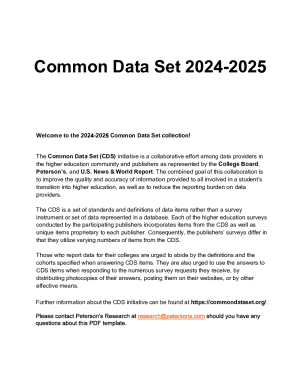
The Common Data Set 2018-2019 is a standardized educational document used by institutions to report enrollment and persistence data.
pdfFiller scores top ratings on review platforms




Who needs CDS 2018-2019?
Explore how professionals across industries use pdfFiller.

CDS 2018-2019 is needed by:
-
Educational institutions, like Boise State University
-
Institutional research representatives
-
Enrollment management officers
-
Accrediting bodies
-
Students and prospective students
-
State and federal education regulators
Comprehensive Guide to CDS 2018-2019
What is the Common Data Set 2?
The Common Data Set is a collaborative effort among higher education institutions to provide consistent data on key indicators. It serves as a comprehensive resource for comparing critical metrics such as graduation rates and enrollment statistics. This data is particularly significant for schools like Boise State University, aiding both transparency and institutional planning.
In essence, the Common Data Set encompasses a variety of components, including detailed enrollment figures and retention rates, which contribute to a clearer understanding of institutional performance in higher education.
Purpose and Benefits of the Common Data Set 2
Educational institutions utilize the Common Data Set to standardize reporting, ensuring that statistics are comparable across the board. By enhancing transparency, this dataset serves as a valuable tool for prospective students and researchers alike.
Moreover, it assists in institutional research and policy-making, allowing universities to analyze trends and make informed decisions based on accurate education statistics.
Key Features of the Common Data Set 2
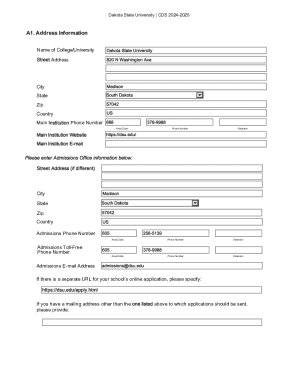
The Common Data Set includes several critical sections and fields, such as 'Name,' 'Title,' and 'Mailing Address.' These fields are essential for identifying the data submitter and ensuring accurate data entry.
-
Enrollment statistics, detailing both undergraduate and graduate enrollment numbers
-
Persistence data reflecting student retention over time
-
General instructions for both completion and submission of the form
Each section is designed to facilitate a smooth reporting process, making it easier for institutions to capture and share important data.
Who Needs to Complete the Common Data Set 2?
The Common Data Set is primarily completed by institutional representatives tasked with data reporting. This includes administrators and members of academic departments who rely on accurate data to inform policy decisions and strategic planning.
Timely submission of this data is crucial for ensuring that institutions like Boise State University can maintain up-to-date enrollment statistics and respond effectively to stakeholder needs.
How to Fill Out the Common Data Set 2 Online (Step-by-Step)
To complete the Common Data Set online, follow these steps using pdfFiller:
-
Access the Common Data Set form on pdfFiller.
-
Fill out the required fields, including 'Name,' 'Title,' and other relevant sections.
-
Utilize pdfFiller's editing features to make sure all data is accurate.
-
Save the completed form and prepare it for submission.
By leveraging pdfFiller’s tools, users can ensure that their entries are precise and well-organized.
Common Errors and How to Avoid Them
When filling out the Common Data Set, several common errors can occur. Users often overlook mandatory fields or misinterpret the requirements needed for data entry.
-
Double-check all entries for accuracy before submission
-
Verify that all required fields are properly filled out
-
Use pdfFiller's validation features to spot potential errors
By staying vigilant and making use of the tools available, users can minimize mistakes and enhance the quality of their submissions.
What Happens After You Submit the Common Data Set 2?
After submitting the Common Data Set, institutions receive a confirmation of receipt. This confirmation often includes details on the processing timeline.
Users can expect feedback or notifications regarding required corrections within a specified period. To track the status of their submission, resources are available that outline the follow-up procedures.
Security and Compliance for the Common Data Set 2
Security measures are paramount when completing the Common Data Set. pdfFiller employs various features, including encryption, to safeguard sensitive data during submission.
Compliance with regulations such as HIPAA and GDPR is a priority, ensuring that user information remains confidential throughout the process. Data integrity is maintained, providing peace of mind to institutions and users alike.
How pdfFiller Enhances Your Experience with the Common Data Set 2
Utilizing pdfFiller offers several advantages for completing the Common Data Set. Features such as eSigning, document conversion, and easy sharing capabilities streamline the entire process.
Users have reported positive experiences, noting how pdfFiller simplifies not just this specific form, but a variety of related documents. Those interested in optimizing their form completion processes are encouraged to explore the full range of options available on pdfFiller.
How to fill out the CDS 2018-2019
-
1.Access pdfFiller and search for 'Common Data Set 2018-2019' to locate the form.
-
2.Open the form in pdfFiller by clicking on it in the search results.
-
3.Gather required information before starting, such as enrollment numbers and graduation rates.
-
4.Navigate to each fillable field, starting with 'Name:' and enter your details.
-
5.Use the dropdowns or checkboxes provided to complete sections on enrollment statistics.
-
6.Refer to the instructions embedded within the form for guidance while filling it out.
-
7.Once you've completed all fields, review your entries for accuracy and completeness.
-
8.Use the 'Review' feature on pdfFiller to double-check information before finalizing.
-
9.Save your progress frequently to avoid losing data, using the save option in the top menu.
-
10.After finalization, download the completed form or submit it directly through pdfFiller if required.
-
11.Ensure compliance by submitting the form by the deadline set by your institution or governing body.

Who is eligible to submit the Common Data Set?
Eligibility to submit the Common Data Set usually depends on the position held at an educational institution, typically institutional representatives or designated enrollment officers.
What is the deadline for completing the Common Data Set?
The Common Data Set should be completed by October 15th of each reporting year to align with annual data collection requirements.
How do I submit the completed Common Data Set?
Completed forms can be submitted electronically through designated channels set by the institution or emailed to the appropriate departmental office as per institutional guidelines.
Are there any required supporting documents needed with the Common Data Set?
Generally, supporting documentation is not required. However, ensure all data reported is verified for accuracy, as it must reflect the institution's actual enrollment and graduation data.
What common mistakes should I avoid when completing the Common Data Set?
Common mistakes include inaccurate data entry, failing to double-check enrollment statistics, and submitting after the deadline, which could affect institutional reporting.
How long does it take to process the Common Data Set once submitted?
Processing times may vary, but typically, institutions review submissions within a few weeks, especially if additional clarification is needed on specific data points.
What specific concerns might arise with the Common Data Set?
Concerns may include inaccuracies in reported data, understanding specific field requirements, or compliance with institutional policies on data reporting.
Related Forms


Get the latest insights from our blog


If you believe that this page should be taken down, please follow our DMCA take down process
here
.
This form may include fields for payment information. Data entered in these fields is not covered by PCI DSS compliance.