
Last updated on
Oct 17, 2026

Get the free Diagnostic Appointment Request Form
We are not affiliated with any brand or entity on this form

Fill out
Complete the form online in a simple drag-and-drop editor.

eSign
Add your legally binding signature or send the form for signing.

Share
Share the form via a link, letting anyone fill it out from any device.

Export
Download, print, email, or move the form to your cloud storage.
Why pdfFiller is the best tool for your documents and forms


End-to-end document management
From editing and signing to collaboration and tracking, pdfFiller has everything you need to get your documents done quickly and efficiently.
Accessible from anywhere
pdfFiller is fully cloud-based. This means you can edit, sign, and share documents from anywhere using your computer, smartphone, or tablet.
Secure and compliant
pdfFiller lets you securely manage documents following global laws like ESIGN, CCPA, and GDPR. It's also HIPAA and SOC 2 compliant.
What is Diagnostic Appointment Form
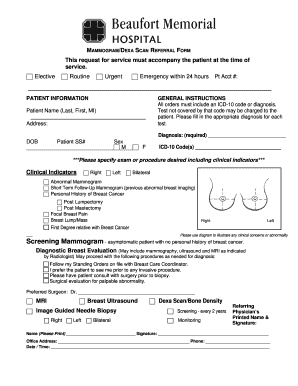
The Diagnostic Appointment Request Form is a medical document used by patients and healthcare providers to schedule diagnostic appointments such as mammograms and Dexa scans.
pdfFiller scores top ratings on review platforms




Who needs Diagnostic Appointment Form?
Explore how professionals across industries use pdfFiller.

Diagnostic Appointment Form is needed by:
-
Patients seeking diagnostic tests and consultations
-
Referring physicians needing to authorize medical assessments
-
Healthcare facilities scheduling appointments for patients
-
Medical office administrators managing patient records
-
Insurance providers verifying appointment authorizations
Comprehensive Guide to Diagnostic Appointment Form
What is the Diagnostic Appointment Request Form?
The Diagnostic Appointment Request Form is essential for patients seeking various diagnostic services, including mammograms, Dexa scans, and genetic counseling. This healthcare diagnostic form is designed to facilitate the appointment process by gathering necessary patient information. Both patients and their referring physicians must complete this form to ensure accurate and efficient scheduling.
Patients are responsible for providing details such as their symptoms and personal information. Referring M.D.s are required to review and sign the form before submission. Utilizing this mammogram request form can significantly streamline the process of obtaining important examinations.
Purpose and Benefits of the Diagnostic Appointment Request Form
The main purpose of the Diagnostic Appointment Request Form is to simplify the scheduling of diagnostic appointments for patients and healthcare providers. By using this medical appointment form, both parties can benefit from an organized approach to collecting essential medical information, which improves efficiency.
One key advantage is the ease of providing vital personal and medical details, ensuring that healthcare providers have the required information for optimal care. This form serves as a crucial bridge between patients and their referring physicians.
Key Features of the Diagnostic Appointment Request Form
This form includes several unique features that enhance user experience. Fillable fields for patient name, birthdate, and symptoms allow for straightforward data entry. The requirement for a signature from the referring physician ensures accountability and validation of the information provided.
-
Patient name and birthdate entries
-
Checkboxes for various symptoms
-
Signature line for referring physicians
These aspects make the New York diagnostic form user-friendly and efficient, allowing for quick processing of requests.
Who Needs the Diagnostic Appointment Request Form?
The Diagnostic Appointment Request Form is essential for patients who are seeking diagnostic services through a referring physician. Patients must work closely with their healthcare providers to ensure the form is filled out correctly.
Referring physicians bear the responsibility of completing and signing this form, aiding in the appointment scheduling process. This genetic counseling form assists in creating a clear line of communication between the patient and the healthcare team.
How to Fill Out the Diagnostic Appointment Request Form Online (Step-by-Step)
Filling out the Diagnostic Appointment Request Form online is straightforward. Follow these step-by-step instructions to ensure accuracy:
-
Open the online form and enter your personal details, including your name and birthdate.
-
Check the boxes that correspond to your symptoms.
-
Submit the completed form to your referring physician for their signature.
Before submission, it's crucial to review all provided information to ensure it is accurate. Double-checking your details reduces the likelihood of delays in processing.
Common Errors and How to Avoid Them
When completing the Diagnostic Appointment Request Form, it’s important to avoid common mistakes that could delay your appointment. Frequent errors include missing signatures and incorrect personal information.
To minimize errors, carefully review your entries and validate each required field before submitting the form. This proactive approach can help ensure a smooth appointment scheduling experience.
Submission Methods for the Diagnostic Appointment Request Form
Users can submit the completed Diagnostic Appointment Request Form through various methods. Understanding these options can facilitate timely processing:
-
Online submission through the patient portal
-
In-person delivery to the healthcare provider's office
-
Faxing the form directly to the designated department
Each submission method may have specific instructions, so be sure to follow the necessary steps for successful processing.
What Happens After You Submit the Diagnostic Appointment Request Form?
Upon submission of the Diagnostic Appointment Request Form, users can expect to receive a confirmation of receipt. Follow-up communications may occur, providing information regarding appointment scheduling and any necessary preparations.
Being aware of the timeline post-submission can help ease any anxieties about the diagnostic process and ensure that you know what to expect next.
Why Choose pdfFiller for Your Diagnostic Appointment Request Form?
pdfFiller offers several advantages for completing the Diagnostic Appointment Request Form. Features like eSigning, editing capabilities, and secure handling of sensitive information enhance the overall user experience.
Moreover, pdfFiller complies with HIPAA and GDPR regulations, ensuring that your documents remain secure throughout the process. This patient portal form provides a reliable and efficient solution for managing your healthcare documentation needs.
Get Started with Your Diagnostic Appointment Request Form Today!
Utilizing pdfFiller to fill out your Diagnostic Appointment Request Form is a straightforward process. With tools designed to simplify form completion, you can easily access and manage your documents.
Start using pdfFiller today for immediate access to the diagnostic appointment form and enjoy a seamless fulfillment experience.
How to fill out the Diagnostic Appointment Form
-
1.Access the Diagnostic Appointment Request Form by navigating to pdfFiller's website and searching for the form name in the templates section.
-
2.Open the form in the pdfFiller editor where you will find interactive fields ready for entry.
-
3.Before starting to fill out the form, gather necessary information including patient personal details such as name, birthdate, and phone number, as well as details about the symptoms and preferred appointment location.
-
4.Begin filling in the fields sequentially by clicking on each required section. Enter the patient’s personal information accurately, ensuring all details are current.
-
5.For symptoms, check the appropriate boxes that apply to the patient’s condition. Select the preferred location for the appointment from the available options provided.
-
6.Ensure the referring physician's name is entered correctly and that there’s space for their signature at the end of the form.
-
7.Once all fields are completed, review the information entered for accuracy, making any necessary edits before finalizing.
-
8.After confirming the details, save the completed form. Use the download option in pdfFiller to save a copy to your device or submit it directly through the submission feature.

Who is eligible to use the Diagnostic Appointment Request Form?
Patients who require diagnostic tests, such as mammograms or Dexa scans, must have this form completed by a referring physician to ensure proper authorization.
What is the deadline for submitting this form before an appointment?
While specific deadlines may vary, it is advisable to submit the form as early as possible to allow sufficient time for scheduling the appointment.
How do I submit the completed Diagnostic Appointment Request Form?
The completed form can be submitted electronically through pdfFiller’s platform, or you can print it and send it via fax or mail to the respective healthcare facility.
Are there any supporting documents required with this form?
Generally, no additional documents are needed, but it's advisable to have insurance information ready if required by your healthcare provider.
What are common mistakes to avoid when filling out this form?
Ensure all required fields are filled out completely and accurately, including the referring physician's signature. Double-check for any spelling errors in personal information.
How long does it take to process the Diagnostic Appointment Request Form?
Processing times can vary by healthcare provider, but typically allow 24 to 48 hours for the form to be processed before receiving a scheduling confirmation.
What should I do if I have concerns about my appointment after submitting this form?
Contact the healthcare facility directly using the contact information provided on their website or any correspondence received once the appointment is scheduled.
Related Forms






Get the latest insights from our blog


If you believe that this page should be taken down, please follow our DMCA take down process
here
.
This form may include fields for payment information. Data entered in these fields is not covered by PCI DSS compliance.