
Last updated on
Oct 20, 2026

Get the free Form 1099-LS Life Insurance Sale
We are not affiliated with any brand or entity on this form

Fill out
Complete the form online in a simple drag-and-drop editor.

eSign
Add your legally binding signature or send the form for signing.

Share
Share the form via a link, letting anyone fill it out from any device.

Export
Download, print, email, or move the form to your cloud storage.
Why pdfFiller is the best tool for your documents and forms


End-to-end document management
From editing and signing to collaboration and tracking, pdfFiller has everything you need to get your documents done quickly and efficiently.
Accessible from anywhere
pdfFiller is fully cloud-based. This means you can edit, sign, and share documents from anywhere using your computer, smartphone, or tablet.
Secure and compliant
pdfFiller lets you securely manage documents following global laws like ESIGN, CCPA, and GDPR. It's also HIPAA and SOC 2 compliant.
What is 1099-LS
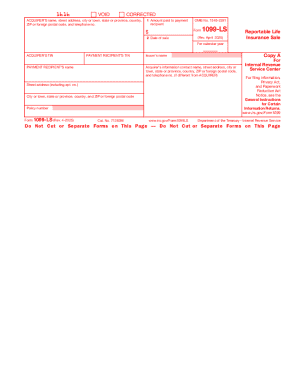
The Form 1099-LS is a federal tax document utilized by U.S. taxpayers to report life insurance sales to the IRS.
pdfFiller scores top ratings on review platforms




Who needs 1099-LS?
Explore how professionals across industries use pdfFiller.

1099-LS is needed by:
-
Individuals involved in the sale of life insurance policies
-
Tax professionals preparing individual tax returns
-
Insurance companies processing life insurance sales
-
Accountants managing clients' tax obligations
-
Financial advisors assisting in tax-reportable transactions
-
Estate planners documenting life insurance transactions
Comprehensive Guide to 1099-LS
What is Form 1099-LS: Life Insurance Sale?
The Form 1099-LS is a critical document issued by the IRS specifically for reporting life insurance sales. This form serves as an essential tool for tax reporting, making it crucial for stakeholders involved in such transactions. Acquirers of life insurance policies must accurately complete and submit this form to fulfill their tax obligations and ensure compliance with IRS regulations.
Understanding the definition and significance of Form 1099-LS helps acquirers, recipients, and tax professionals realize the importance of timely submissions. The key stakeholders in this context include the acquirer of the policy and the payment recipient, both of whom play vital roles in the submission process.
Purpose and Benefits of Completing Form 1099-LS
Filing the Form 1099-LS is essential for maintaining accurate tax records. Accurate reporting benefits both the acquirers and recipients by providing clarity and transparency regarding the sale of life insurance policies. This form not only helps individuals and entities stay compliant with tax laws but also reduces potential confusion during tax preparation.
Common scenarios that necessitate the use of Form 1099-LS include sales of life insurance policies where the acquirer receives a substantial amount, affecting their tax situation. By contributing to proper tax reporting, this form helps mitigate the risks associated with inaccurate information or overlooked transactions.
Who Needs to Fill Out Form 1099-LS?
Understanding who should fill out Form 1099-LS is crucial for compliance. Individuals and entities that qualify as acquirers or payment recipients must be aware of their responsibilities regarding this form. Generally, an acquirer is defined as the entity purchasing the life insurance, while the payment recipient is the policyholder or their estate.
This form is mandatory in circumstances where significant amounts are paid for the sale of a life insurance policy. Proper eligibility criteria ensure that all parties involved clearly understand their obligations.
Key Sections of Form 1099-LS: Understanding The Fields
The Form 1099-LS comprises several key fields that require attention during completion. Major fields include the acquirer’s name, amount paid, and the date of sale. Each of these fields plays a vital role in ensuring accurate reporting to the IRS.
-
Providing accurate Taxpayer Identification Numbers (TINs) is crucial for compliance.
-
The policy number must be clearly stated to avoid discrepancies.
-
Common errors often arise from typos in these critical fields.
How to Fill Out Form 1099-LS Online Using pdfFiller
Filling out Form 1099-LS can be efficiently accomplished using pdfFiller. Users can follow a straightforward process to complete the form online. Start by logging into the pdfFiller platform and selecting the form template you need.
-
Access the 1099-LS form template on pdfFiller.
-
Input required details such as the acquirer’s and payment recipient’s information.
-
Ensure all fields are filled accurately to avoid submission issues.
-
Utilize features like saving and editing to manage your document efficiently.
-
Finalize your form by electronically signing it before submission.
Submission Process for Form 1099-LS
The submission process for Form 1099-LS should be clearly understood to avoid potential issues. There are various methods to submit the completed form, including online submission through designated IRS portals and traditional mail.
It is essential to adhere to filing deadlines to avoid penalties. Users should be aware of what confirmation and tracking processes entail after submitting their forms to ensure that all submissions are successfully received by the IRS.
Consequences of Not Filing or Late Filing Form 1099-LS
Failing to file or filing Form 1099-LS late can lead to significant penalties. Such neglect can negatively impact tax returns and even trigger potential audits by the IRS.
Timely and accurate filings are crucial in maintaining compliance with tax regulations. Awareness of the risks associated with neglecting this form emphasizes its importance in tax reporting.
Security of Sensitive Information in Form 1099-LS
Managing sensitive information while filling out Form 1099-LS is of utmost importance. pdfFiller implements robust security measures, including advanced encryption protocols, to protect user data throughout the submission process.
-
Utilizing encryption to secure submitted documents.
-
Compliance with regulations like HIPAA and GDPR ensures user trust.
-
Adhering to best practices for data protection is recommended for a secure experience.
Real-life Example of a Completed Form 1099-LS
Providing a visual reference of a filled-out Form 1099-LS can significantly enhance understanding. An illustrated example highlights key fields and common entries, offering insights into proper completion.
Users can learn about common errors to avoid by exploring filled-out forms, effectively reducing the likelihood of mistakes during their submissions.
Maximize Your Filing Experience with pdfFiller
Using pdfFiller for completing and submitting Form 1099-LS can streamline the entire process. It provides various editing and submission tools that simplify the form-filling experience.
Not only does pdfFiller offer user-friendly features, but it also supports a range of additional services that can assist users throughout their tax filing journey.
How to fill out the 1099-LS
-
1.To access the Form 1099-LS on pdfFiller, visit the pdfFiller website and use the search bar to find 'Form 1099-LS'. Click on the appropriate link to open the form.
-
2.Once the form is loaded, navigate through the fields. Hover over each section to see helpful tips and instructions that pdfFiller provides.
-
3.Before filling out the form, gather all necessary information such as the acquirer's and recipient's details, tax identification numbers (TINs), and specifics of the policy involved in the sale.
-
4.Carefully input the required details into the form's fields. Ensure that all entries are accurate and correspond to the information gathered.
-
5.After filling out the form, take the time to review each section. Verify all data is correctly entered, as mistakes could lead to issues during tax processing.
-
6.Once reviewed, you can finalize the form by clicking on the 'Finish' button. pdfFiller allows you to store a copy of your form online or print it for your records.
-
7.To save, download, or submit your completed Form 1099-LS through pdfFiller, choose the desired option on the toolbar at the top. You can export it as a PDF or send it directly to the IRS if e-filing is supported.

Who needs to file Form 1099-LS?
Individuals or entities that have acquired or sold life insurance policies must file Form 1099-LS to report the sale to the IRS. This primarily applies to those in a financial or insurance role.
What information is required to fill out Form 1099-LS?
Key information includes the acquirer's name, payment recipient’s TIN, total amount paid, the date of the sale, and the policy number. Make sure you have all details organized before filling out the form.
When is the deadline to submit Form 1099-LS?
Form 1099-LS must be submitted to the IRS by January 31 of the year following the transaction. It's recommended to complete it in a timely manner to avoid penalties.
How do I submit Form 1099-LS?
You can submit Form 1099-LS to the IRS via e-filing or by mailing a paper form. If filing online, confirm that you have complied with any electronic filing requirements set by the IRS.
What are common mistakes to avoid on Form 1099-LS?
Some common mistakes include incorrect TINs, missing payment details, and not submitting by the deadline. Always double-check your entries before finalizing.
Is it necessary to notarize Form 1099-LS?
No, Form 1099-LS does not require notarization. However, ensure accuracy and completeness, as it must meet IRS standards for tax forms.
How can I obtain a copy of Form 1099-LS?
You can download Form 1099-LS as a PDF from the IRS website or use a platform like pdfFiller to fill it out electronically and save your copy.
Related Forms





Get the latest insights from our blog



If you believe that this page should be taken down, please follow our DMCA take down process
here
.
This form may include fields for payment information. Data entered in these fields is not covered by PCI DSS compliance.