
Last updated on
Oct 20, 2026

Get the free 2025 Tax Organizer
We are not affiliated with any brand or entity on this form

Fill out
Complete the form online in a simple drag-and-drop editor.

eSign
Add your legally binding signature or send the form for signing.

Share
Share the form via a link, letting anyone fill it out from any device.

Export
Download, print, email, or move the form to your cloud storage.
Why pdfFiller is the best tool for your documents and forms


End-to-end document management
From editing and signing to collaboration and tracking, pdfFiller has everything you need to get your documents done quickly and efficiently.
Accessible from anywhere
pdfFiller is fully cloud-based. This means you can edit, sign, and share documents from anywhere using your computer, smartphone, or tablet.
Secure and compliant
pdfFiller lets you securely manage documents following global laws like ESIGN, CCPA, and GDPR. It's also HIPAA and SOC 2 compliant.
What is 2025 Tax Organizer
The 2025 Tax Organizer is a tax form used by U.S. taxpayers to compile personal and financial information necessary for filing federal income tax returns.
pdfFiller scores top ratings on review platforms




Who needs 2025 Tax Organizer?
Explore how professionals across industries use pdfFiller.

2025 Tax Organizer is needed by:
-
Individual taxpayers preparing their federal income tax returns
-
Freelancers needing an organized tax preparation system
-
Families with dependents seeking to maximize tax deductions
-
Small business owners tracking income and expenses for tax purposes
-
Tax professionals assisting clients in their tax filing process
-
Students or recent graduates filing their taxes for the first time
Comprehensive Guide to 2025 Tax Organizer
What is the 2025 Tax Organizer?
The 2025 Tax Organizer is a crucial document utilized by U.S. taxpayers during the tax filing process. Its primary purpose is to assist individuals in compiling personal and financial information required for federal income tax returns. By organizing this data, taxpayers can streamline their tax preparation and ensure they meet all necessary requirements.
This organizer is invaluable for those looking to maintain accuracy in their filings, reducing the chances of errors and facilitating a smoother submission process. As a tax preparation form, it encompasses various sections designed to aid in the assembly of essential documents and figures needed for accurate reporting.
Purpose and Benefits of Using the 2025 Tax Organizer
The 2025 Tax Organizer serves as a comprehensive guide for taxpayers, assisting them in the preparation and submission of their taxes. By utilizing this form, individuals can experience notable benefits, including enhanced accuracy in their calculations and a significant reduction in the time spent collecting necessary documentation.
-
Improves data organization for seamless tax filing.
-
Minimizes chances of errors, ensuring compliance with tax regulations.
-
Saves time by providing a structured format for financial information.
-
Aids in documenting changing financial situations effectively.
Key Features of the 2025 Tax Organizer
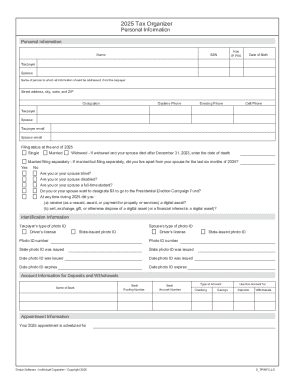
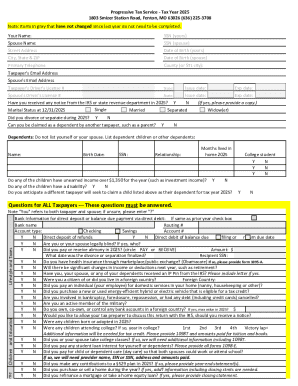
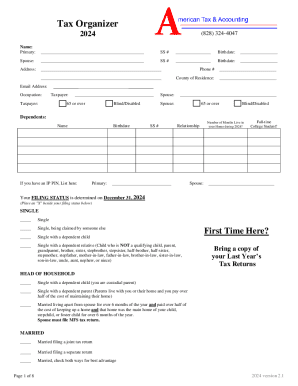
The 2025 Tax Organizer consists of several main sections, each designed to capture essential information. Key features include areas designated for personal information, dependent details, and comprehensive income details. Each section contains fillable fields and checkboxes that facilitate efficient data entry, enhancing the user experience.
-
Personal information section for taxpayer identity details.
-
Dependent information to ensure accuracy in claims.
-
Income details that allow for correct reporting.
-
Fillable fields designed to simplify information input.
Who Should Use the 2025 Tax Organizer?
This organizer is intended for a broad audience, including individual taxpayers and small business owners. First-time filers will find it particularly relevant as it guides them through the complexities of tax preparation. Additionally, those who have faced changes in their financial situations can benefit from the structured approach provided by this form.
Ultimately, anyone needing assistance to organize their tax-related information can make effective use of the 2025 Tax Organizer. Its user-friendly design ensures that various users, regardless of experience level, can accurately complete their tax obligations.
How to Fill Out the 2025 Tax Organizer Online (Step-by-Step)
Filling out the 2025 Tax Organizer online is a straightforward process that can be efficiently executed using pdfFiller’s platform. Here is a step-by-step guide to help you navigate the process:
-
Open the 2025 Tax Organizer template on pdfFiller.
-
Enter your personal information in the designated fields.
-
Fill out the dependent information accurately.
-
Document all income details thoroughly.
-
Review the information entered for any errors.
-
Save the completed form securely on the platform.
Ensure you have all necessary documents on hand before you begin to streamline the data collection process.
Common Errors and How to Avoid Them When Using the 2025 Tax Organizer
While filling out the 2025 Tax Organizer, many users encounter common pitfalls that can lead to errors in their tax submissions. To help prevent these mistakes, consider the following tips:
-
Double-check all personal information for accuracy.
-
Ensure dependent information aligns with claimed deductions.
-
Be attentive to income details, verifying amounts from documents.
-
Utilize the fillable fields correctly to avoid incomplete sections.
By being mindful of these common errors and following field-by-field instructions, you can enhance the accuracy of your tax filing.
How to Upload and Save the Completed 2025 Tax Organizer PDF
Once you have completed the 2025 Tax Organizer, it is essential to save the filled form securely on the pdfFiller platform. Here are the steps for proper document handling:
-
Navigate to the 'Save' option once your form is complete.
-
Select the preferred storage option on pdfFiller.
-
Implement secure document handling practices to protect sensitive information.
Securing your tax information is crucial, especially in light of compliance standards that govern sensitive data management.
Submission Methods and Where to Submit the 2025 Tax Organizer
After completing the tax organizer, there are several methods for submitting the document. Common submission methods include:
-
Electronic submission through e-filing services.
-
Mailing the form to the appropriate tax authority.
Be sure to adhere to submission deadlines, as failure to submit on time can result in penalties. Keeping track of potential fees or additional requirements is also essential for a smooth filing experience.
What Happens After You Submit the 2025 Tax Organizer?
After submitting your 2025 Tax Organizer, it undergoes a review process by the tax authorities. This timeline can vary, and you will need to track the status of your submission. Be aware that failing to file or submitting late can have consequences, including potential penalties or delays in processing.
Using pdfFiller to Boost Your Tax Preparation Process
Utilizing pdfFiller’s features can significantly enhance your tax preparation experience. The platform provides a host of tools designed to streamline the tax filing process, from editing forms to secure document sharing.
Users can benefit from pdfFiller's ease of use, robust security measures, and comprehensive document management capabilities, making it a valuable resource during tax season.
How to fill out the 2025 Tax Organizer
-
1.Access and open the 2025 Tax Organizer form on pdfFiller by searching for the form name in the platform's search bar. If you have a direct link, simply click it to get started.
-
2.Once open, familiarize yourself with the layout of the form. Navigate through the sections using the sidebar or scroll down the document, ensuring you view all fillable fields.
-
3.Gather necessary documents before starting. This includes your Social Security Number, income statements, and any documentation related to deductions or credits relevant to your tax situation.
-
4.In the personal information section, input your name, SSN, address, and any filing status checkboxes you qualify for using pdfFiller's fillable fields. Make sure to double-check your entries for accuracy.
-
5.Proceed to fill out the dependent information section by adding details about your dependents, if applicable. This section may also have fields for Social Security Numbers and dates of birth.
-
6.Input your income details by locating the appropriate section on the form and providing the relevant amounts from your income statements. Use the guidelines provided to ensure you report accurately.
-
7.Once all fields are completed, review the entire form in pdfFiller for any missed sections or errors. Utilize the review tools available in the platform to assist in this process.
-
8.After confirming that all entries are complete and correct, you can save your progress or finalize the form. Choose to download, print, or submit electronically through the options available on pdfFiller.

Who is eligible to use the 2025 Tax Organizer?
The 2025 Tax Organizer is available for U.S. taxpayers, including individuals and couples, who need to compile personal and financial information for their federal income tax returns.
What documents do I need to fill out the 2025 Tax Organizer?
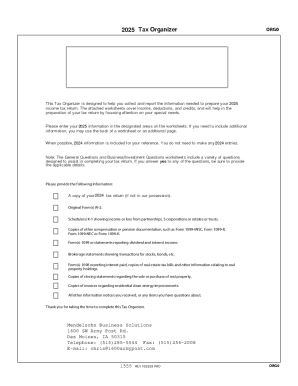
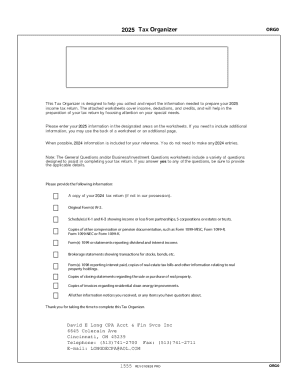
You will need your Social Security Number, income statements such as W-2s or 1099s, and any documentation regarding deductions or credits you wish to claim on your taxes.
Where can I submit the completed 2025 Tax Organizer?
Upon completing the 2025 Tax Organizer, you may download and print it for submission or utilize e-filing options available through tax professional services or IRS websites.
What is the deadline for filing taxes using the 2025 Tax Organizer?
Typically, the deadline for filing federal income tax returns is April 15, unless this date falls on a weekend or holiday, in which case it may be extended.
Are there any fees associated with processing the 2025 Tax Organizer?
Filing the form itself typically does not incur a fee; however, consider potential fees from tax preparation services or if using specialized software for e-filing.
Can I update the form once I've started filling it out?
Yes, pdfFiller allows you to save your work and return to it later. You can update or revise entries as needed before finalizing the document.
What common mistakes should I avoid when completing the 2025 Tax Organizer?
Common mistakes include incorrect Social Security Numbers, missing income sources, and overlooking filing status checkboxes. Double-check all entries for accuracy before submission.
Related Forms





Get the latest insights from our blog



If you believe that this page should be taken down, please follow our DMCA take down process
here
.
This form may include fields for payment information. Data entered in these fields is not covered by PCI DSS compliance.