
Last updated on
Oct 20, 2026

Get the free 2026-2027 Low Income Verification Form
We are not affiliated with any brand or entity on this form

Fill out
Complete the form online in a simple drag-and-drop editor.

eSign
Add your legally binding signature or send the form for signing.

Share
Share the form via a link, letting anyone fill it out from any device.

Export
Download, print, email, or move the form to your cloud storage.
Why pdfFiller is the best tool for your documents and forms


End-to-end document management
From editing and signing to collaboration and tracking, pdfFiller has everything you need to get your documents done quickly and efficiently.
Accessible from anywhere
pdfFiller is fully cloud-based. This means you can edit, sign, and share documents from anywhere using your computer, smartphone, or tablet.
Secure and compliant
pdfFiller lets you securely manage documents following global laws like ESIGN, CCPA, and GDPR. It's also HIPAA and SOC 2 compliant.
What is Low Income Verification
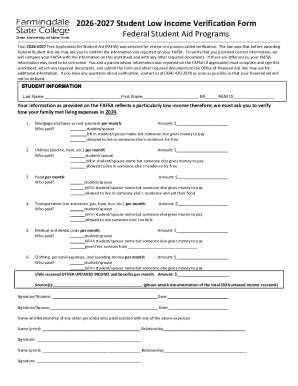
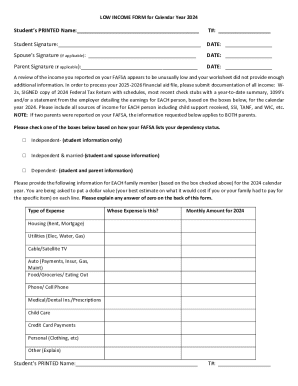
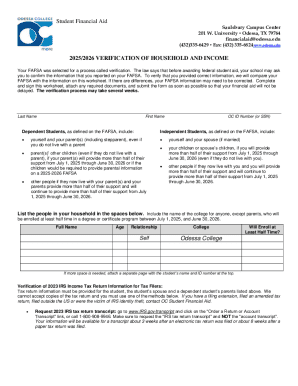
The 2026-2027 Low Income Verification Form is a financial aid document used by students and their parents to verify financial information for FAFSA applications.
pdfFiller scores top ratings on review platforms




Who needs Low Income Verification?
Explore how professionals across industries use pdfFiller.

Low Income Verification is needed by:
-
Students applying for financial aid
-
Parents of dependent students
-
Financial aid administrators
-
Educational institutions requiring verification
-
Individuals seeking verification of low income
Comprehensive Guide to Low Income Verification
What is the 2 Low Income Verification Form?
The 2 Low Income Verification Form is crucial in the financial aid process, helping to validate the income information provided on the FAFSA. By verifying income, institutions ensure that students receive appropriate financial assistance. Key fields included in the form are the Ramapo ID # and Social Security Number, which are essential for accurate identification. Using the 2 low income verification form effectively facilitates the processing of financial aid applications.
Purpose and Benefits of the 2 Low Income Verification Form
Both students and parents need to fill out the 2 Low Income Verification Form to clarify their financial situations. Filling out this form enhances the likelihood of securing financial aid while providing a better understanding of eligibility. Required income details include tax filings and untaxed income, which are critical for assessing financial need. This form acts as a financial aid verification form, which is essential for low-income individuals seeking assistance.
Who Needs the 2 Low Income Verification Form?
Qualifying applicants include both dependent and independent students. Dependent students usually require their parents or guardians to complete the form, while independent students handle it themselves. The completion of the 2 Low Income Verification Form plays a vital role in determining eligibility for financial assistance. Understanding these criteria is essential to properly submit a student financial aid form.
How to Fill Out the 2 Low Income Verification Form Online (Step-by-Step)
-
Visit the online portal and locate the 2 Low Income Verification Form.
-
Gather necessary documents, such as your Social Security Number and income details.
-
Complete all sections of the form, ensuring accuracy in every field.
-
Proceed to the digital signing section, where you can eSign the document.
-
Submit the completed form online to the appropriate financial aid office.
Field-by-Field Instructions for the 2 Low Income Verification Form
This section breaks down each part of the form, ensuring you understand the required information. Key fields include details about untaxed income and living expenses, which help clarify your financial situation. Common mistakes to avoid include inaccuracies in Social Security Numbers and omissions of significant income sources. Being meticulous in filling out the 2 low income verification form can prevent unnecessary delays.
When and How to Submit the 2 Low Income Verification Form
The submission of the 2 Low Income Verification Form can be accomplished online or offline, depending on institutional guidelines. Timely submission is important, as late filings can affect financial aid eligibility. Ensure you send completed forms to the designated office within your institution to avoid complications. Awareness of deadlines is crucial to prevent any consequences of not filing on time.
What Happens After You Submit the 2 Low Income Verification Form?
After submission, you can typically expect a processing time during which the financial aid office reviews your information. To check the status of your submission, you may need to log into your student portal or contact the office directly. Possible outcomes can vary, and understanding common rejection reasons can help you prepare for potential next steps.
Security and Compliance for the 2 Low Income Verification Form
The security of your personal information is paramount when handling the 2 Low Income Verification Form. Institutions implement various data protection measures to safeguard sensitive documents, including encryption and compliance with regulations. The use of platforms like pdfFiller enhances security through its robust features, ensuring your data remains private and protected.
How pdfFiller Can Help You with the 2 Low Income Verification Form
pdfFiller offers a comprehensive cloud-based solution that simplifies the process of editing and submitting the 2 Low Income Verification Form. With features designed for ease of use, you can manage your documents efficiently. Using pdfFiller helps ensure that filling out and signing the form is an effortless experience, making it ideal for students and parents alike.
Sample or Example of a Completed 2 Low Income Verification Form
Having a visual reference for the 2 Low Income Verification Form assists in understanding how to complete it accurately. Highlighting key sections and typical responses reinforces the importance of correct information. Utilizing pdfFiller for similar forms demonstrates how easy it is to navigate this process without confusion.
How to fill out the Low Income Verification
-
1.To begin, access pdfFiller and search for the '2026-2027 Low Income Verification Form'. Open the form to start filling it out.
-
2.Familiarize yourself with the pdfFiller interface, which includes fillable fields, checkboxes, and signature areas. Follow the prompts for each section.
-
3.Before starting the form, gather necessary information such as your Ramapo ID, personal details, social security number, income data, and tax filing information.
-
4.Carefully fill out each field according to the form's instructions. Ensure all relevant sections are completed fully to avoid processing delays.
-
5.Review your entries for accuracy, paying special attention to numerical values and spelling to prevent common mistakes.
-
6.Once you are satisfied with your entries, finalize the form by checking all completed sections and verifying that signatures are in place if required.
-
7.To save your work, use the 'Save' option. You can also choose to download the form for your records or submit it directly through pdfFiller as per the instructions provided.

Can I save my progress while filling out the form?
Yes, pdfFiller allows you to save your progress. You can come back to edit or finalize your form at a later time.
Related Forms






Get the latest insights from our blog


If you believe that this page should be taken down, please follow our DMCA take down process
here
.
This form may include fields for payment information. Data entered in these fields is not covered by PCI DSS compliance.