
Last updated on
Oct 20, 2026

Get the free Emblem Health Dental Enrollment Form
We are not affiliated with any brand or entity on this form

Fill out
Complete the form online in a simple drag-and-drop editor.

eSign
Add your legally binding signature or send the form for signing.

Share
Share the form via a link, letting anyone fill it out from any device.

Export
Download, print, email, or move the form to your cloud storage.
Why pdfFiller is the best tool for your documents and forms


End-to-end document management
From editing and signing to collaboration and tracking, pdfFiller has everything you need to get your documents done quickly and efficiently.
Accessible from anywhere
pdfFiller is fully cloud-based. This means you can edit, sign, and share documents from anywhere using your computer, smartphone, or tablet.
Secure and compliant
pdfFiller lets you securely manage documents following global laws like ESIGN, CCPA, and GDPR. It's also HIPAA and SOC 2 compliant.
What is Dental Enrollment Form
The Emblem Health Dental Enrollment Form is a health insurance document used by members of the Transport Workers Union, Local 100 to enroll in dental coverage provided by EmblemHealth.
pdfFiller scores top ratings on review platforms




Who needs Dental Enrollment Form?
Explore how professionals across industries use pdfFiller.

Dental Enrollment Form is needed by:
-
Members of Transport Workers Union, Local 100
-
New York residents seeking dental insurance
-
Individuals looking for EmblemHealth dental coverage
-
Families enrolling dependents for dental benefits
-
Employees needing dental care plans as part of insurance options
Comprehensive Guide to Dental Enrollment Form
What is the Emblem Health Dental Enrollment Form?
The Emblem Health Dental Enrollment Form is a critical document for members of the Transport Workers Union, Local 100, designed to facilitate the enrollment process for dental coverage. This form plays a vital role in helping union members access the essential dental benefits provided by EmblemHealth. The completion of this dental coverage enrollment form ensures that eligible members can obtain the necessary dental care tailored to their needs.
Purpose and Benefits of the Emblem Health Dental Enrollment Form
Completing the Emblem Health Dental Enrollment Form is essential for securing dental coverage. By filling out this form, members gain access to a range of benefits, including quality dental care and financial protection against high dental costs. This enables union members to maintain good oral health while minimizing out-of-pocket expenses related to dental services.
Who Needs the Emblem Health Dental Enrollment Form?
The Emblem Health Dental Enrollment Form is required for specific groups and individuals associated with the Transport Workers Union, Local 100. Eligible individuals include current union members and their dependents seeking dental insurance benefits. Understanding who needs this form is key to ensuring that all qualified parties can enjoy comprehensive dental coverage under the Emblem Health plan.
How to Fill Out the Emblem Health Dental Enrollment Form Online
To fill out the Emblem Health Dental Enrollment Form online, follow these steps:
-
Access the Emblem Health website or pdfFiller platform.
-
Locate the dental enrollment form within the relevant section.
-
Provide personal information, including your name, address, and contact details.
-
Complete all required fields, ensuring accuracy in your entries.
-
Review the form for any errors before submitting.
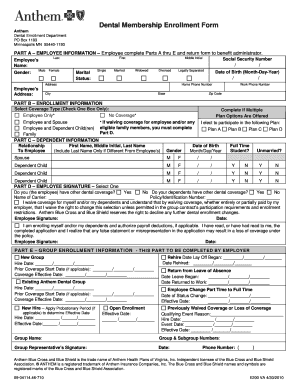
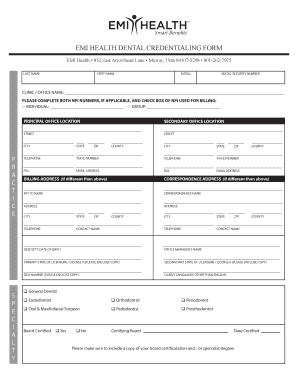
Important fields on the form include details like 'Last Name First Name M.I.', 'Home Phone', and 'Email Address', all necessary for proper identification and correspondence.
Required Documents and Supporting Materials for Enrollment
When enrolling using the Emblem Health Dental Enrollment Form, certain documentation is required. Members should prepare the following documents:
-
Marriage certificates to verify spousal coverage.
-
Birth certificates for dependent children.
-
Social security cards for identity verification.
These documents are necessary to confirm eligibility and ensure a smooth enrollment process.
Common Errors and How to Avoid Them
Filling out the Emblem Health Dental Enrollment Form can come with its challenges. Common errors include:
-
Omitting required personal information.
-
Incorrectly entering dates of birth or social security numbers.
To avoid these mistakes, double-check all entries and ensure that all required fields are completed before submission, which will facilitate the processing of your application.
Submission and Delivery Instructions for the Emblem Health Dental Enrollment Form
After completing the Emblem Health Dental Enrollment Form, there are different methods for submission. You can choose to:
-
Submit the form online through the Emblem Health or pdfFiller platform.
-
Mail the completed form directly to the Transport Workers Union, Local 100 in Brooklyn, New York.
Make sure to follow any additional postage requirements if you decide to send the form via mail.
What Happens After You Submit the Emblem Health Dental Enrollment Form?
Once you have submitted the Emblem Health Dental Enrollment Form, you can expect a confirmation of your submission. Typically, the processing timeline includes:
-
An initial confirmation that the form has been received.
-
A notification regarding any additional information or documents needed.
-
A timeline indicating when you can expect approval or next steps.
Staying informed during this process is crucial for keeping track of your enrollment status.
Security and Compliance When Using the Emblem Health Dental Enrollment Form
When filling out the Emblem Health Dental Enrollment Form online, security is a top priority. pdfFiller employs advanced security measures, including 256-bit encryption, to protect your personal information during the completion and submission process. Furthermore, the platform complies with regulated standards such as HIPAA and GDPR to ensure that your data is handled with the utmost confidentiality and security.
Maximize Your Enrollment Experience with pdfFiller
Utilizing pdfFiller for the Emblem Health Dental Enrollment Form enhances the enrollment experience significantly. With features such as editing, eSigning, and secure submission, pdfFiller provides a seamless way to manage your dental form requirements. Additionally, customer support is readily available for any inquiries, ensuring you have the resources you need for a successful enrollment process.
How to fill out the Dental Enrollment Form
-
1.To access the Emblem Health Dental Enrollment Form on pdfFiller, navigate to the pdfFiller website and use the search tool to find the form by its name. Once found, click to open the document.
-
2.Next, familiarize yourself with the interface. Use the toolbar to zoom in or adjust the page view for easier readability as you begin to fill out the form.
-
3.Before starting, gather all necessary personal information including your name, address, contact details, and any dependent information to ensure a smooth completion of the form.
-
4.Start filling in the required fields. Use the fillable sections to enter your last name, first name, middle initial, address details, home phone number, email address, gender, date of birth, and signature date as prompted.
-
5.While completing the form, be sure to check for any boxes indicating previous dental coverage and provide details about dependents accordingly.
-
6.Once you have filled out the entire form, review your entries carefully for accuracy. Consider using the preview feature to verify that all information is clearly displayed and legible.
-
7.After confirming that the form is complete, save your work by clicking the save button. You can also download the completed form directly from pdfFiller by selecting the download option.
-
8.Finally, submit the form following the submission instructions provided by your employer or the Transport Workers Union. Typically, completed forms must be returned either by email or physical mail to the designated address in Brooklyn, New York.

Who is eligible to use the Emblem Health Dental Enrollment Form?
Eligibility for the Emblem Health Dental Enrollment Form is primarily for members of the Transport Workers Union, Local 100 who are seeking dental benefits through EmblemHealth.
What documents are required to complete the form?
To complete the form, you will need to provide personal information, as well as supporting documents like marriage certificates, birth certificates, and Social Security cards for your dependents.
How should I submit the completed form?
The completed Emblem Health Dental Enrollment Form should be submitted either by mail or email to the Transport Workers Union, Local 100 in Brooklyn, New York, following the specific submission instructions provided.
Are there any deadlines for submitting the form?
While the form does not specify deadlines, it is advisable to submit the Emblem Health Dental Enrollment Form promptly to ensure you receive coverage for your dental needs without delay.
What common mistakes should I avoid when filling out the form?
Common mistakes include omitting information, failing to sign the form, and not providing required supporting documents. Make sure all fields are complete and accurate.
How long does it take to process the dental enrollment form?
Processing times may vary, but typically, enrollment forms are processed within a few weeks. Ensure you follow up if you do not receive confirmation of your enrollment.
Can I make changes after submitting the form?
Generally, once the Emblem Health Dental Enrollment Form is submitted, changes may require you to fill out a new form. Contact the Transport Workers Union for specific guidance on making adjustments.
Related Forms




Get the latest insights from our blog


If you believe that this page should be taken down, please follow our DMCA take down process
here
.
This form may include fields for payment information. Data entered in these fields is not covered by PCI DSS compliance.