
Last updated on
Oct 22, 2026

Get the free Church Flexible Benefit Plan Enrollment Form
We are not affiliated with any brand or entity on this form

Fill out
Complete the form online in a simple drag-and-drop editor.

eSign
Add your legally binding signature or send the form for signing.

Share
Share the form via a link, letting anyone fill it out from any device.

Export
Download, print, email, or move the form to your cloud storage.
Why pdfFiller is the best tool for your documents and forms


End-to-end document management
From editing and signing to collaboration and tracking, pdfFiller has everything you need to get your documents done quickly and efficiently.
Accessible from anywhere
pdfFiller is fully cloud-based. This means you can edit, sign, and share documents from anywhere using your computer, smartphone, or tablet.
Secure and compliant
pdfFiller lets you securely manage documents following global laws like ESIGN, CCPA, and GDPR. It's also HIPAA and SOC 2 compliant.
What is Flexible Benefit Form
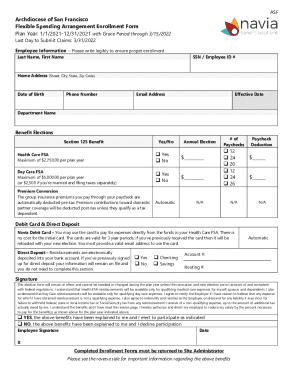
The Church Flexible Benefit Plan Enrollment Form is a document used by employees to elect a monthly cash payment in lieu of employer-provided medical insurance.
pdfFiller scores top ratings on review platforms




Who needs Flexible Benefit Form?
Explore how professionals across industries use pdfFiller.

Flexible Benefit Form is needed by:
-
Employees opting for cash payment instead of medical insurance
-
Employers managing employee benefits in Michigan
-
Human Resources personnel handling benefits enrollment
-
Administrators of the Michigan Catholic Conference (MCC)
-
Employees needing to provide proof of alternative medical insurance
Comprehensive Guide to Flexible Benefit Form
What is the Church Flexible Benefit Plan Enrollment Form?
The Church Flexible Benefit Plan Enrollment Form is designed for employees electing cash payments in lieu of employer-provided medical insurance. This form allows employees to opt for monthly cash payments instead of traditional health coverage, thereby providing flexibility in their benefit choices. Administered by the Michigan Catholic Conference (MCC), this form adheres to the specific policies outlined by participating Michigan employers.
Purpose and Benefits of the Church Flexible Benefit Plan Enrollment Form
The primary purpose of the Church Flexible Benefit Plan Enrollment Form is to enable employees to receive cash payments instead of relying on employer-provided medical insurance. Opting for cash payments can provide several benefits, including greater financial control and the ability to choose alternative insurance options better suited to personal needs. To maintain eligibility for these cash payments, it is important for employees to provide proof of alternative coverage.
Who Needs the Church Flexible Benefit Plan Enrollment Form?
This form is essential for employees who are eligible for the flexible benefit plan and wish to elect cash payments instead of traditional health insurance. Eligibility criteria may vary, but common conditions include being an employee of a participating organization and providing the necessary documentation to prove alternative coverage. Understanding these criteria is crucial to ensure that the form is completed correctly and submitted on time.
Key Features of the Church Flexible Benefit Plan Enrollment Form
-
Essential fields include unit name, plan year, monthly cash payment amount, personal details.
-
Signature requirements mandate that employees must sign and date the form.
-
Clear submission instructions guide employees in the form-filling process.
-
User-friendly aspects, such as fillable fields, enhance the experience.
How to Fill Out the Church Flexible Benefit Plan Enrollment Form Online (Step-by-Step)
-
Access the form on pdfFiller and locate the key sections for completion.
-
Fill in all required information, including personal details and cash payment amounts.
-
Double-check that all sections are filled out comprehensively.
-
Validate the form to ensure no errors are present before submission.
Submission Methods for the Church Flexible Benefit Plan Enrollment Form
Completed forms can be submitted to an employer through various methods, depending on their policies. Common submission options include electronic submission via email or online portals, as well as physical delivery in person or by mail. Be mindful of submission deadlines and processing times to ensure compliance with employer requirements.
Security and Compliance for the Church Flexible Benefit Plan Enrollment Form
When using pdfFiller, robust data protection measures are implemented to safeguard sensitive information submitted through the Church Flexible Benefit Plan Enrollment Form. The platform adheres to compliance standards such as HIPAA and GDPR, providing users with assurances regarding the security and privacy of their documents throughout the enrollment process.
Sample or Example of a Completed Church Flexible Benefit Plan Enrollment Form
To aid in the completion process, a sample of the filled-out Church Flexible Benefit Plan Enrollment Form is available for reference. Reviewing a correctly filled form can help users understand how to properly complete their own submissions, reducing the likelihood of errors and maximizing chances for approval.
Utilizing pdfFiller for Your Enrollment Needs
Using pdfFiller for the Church Flexible Benefit Plan Enrollment Form offers various advantages, including the ability to edit and eSign documents easily. The platform provides secure storage options, which allow users to manage their form submissions efficiently. By utilizing pdfFiller’s features, employees can ensure a hassle-free enrollment experience, making the process of filling out and submitting the form straightforward and user-friendly.
How to fill out the Flexible Benefit Form
-
1.Access the Church Flexible Benefit Plan Enrollment Form by navigating to pdfFiller's website and searching for the form name.
-
2.Once the form loads, familiarize yourself with the fields, which include 'Unit name', 'Plan year', and 'Monthly cash payment amount'.
-
3.Gather all necessary information, such as your full name, Social Security Number (SSN), current medical insurance details, and any proof of alternative coverage you have.
-
4.Start filling in the form by entering your details in the fields provided. Ensure all sections are completely filled as instructed.
-
5.Double-check the accuracy of your information, specifically your name, SSN, and medical insurance information, to avoid common mistakes.
-
6.Once all required fields are filled, locate the signature area and ensure you sign and date the form.
-
7.After completing and reviewing the form, you can choose to save it for future reference, download it to your device, or submit it directly through pdfFiller.

Who is eligible to use the Church Flexible Benefit Plan Enrollment Form?
Employees eligible to use this form typically include those enrolled in the Church's benefit plan and who wish to opt for a cash payment instead of traditional medical insurance.
What documents do I need to submit with this form?
You will need to provide proof of your alternative medical insurance coverage along with this form for it to be valid and processed by your employer.
How do I submit the completed Church Flexible Benefit Plan Enrollment Form?
You can submit your completed form by handing it directly to your employer or, if available, uploading it through your company’s benefits portal.
What should I do if I made a mistake on the form?
If you make a mistake, you should correct it and initial the change. If the error is significant, consider starting a new form to prevent confusion.
Is there a deadline to submit the Church Flexible Benefit Plan Enrollment Form?
Generally, you should submit the form by your employer’s established benefits enrollment deadline to ensure your cash payment election is processed timely.
Can I change my election after submitting the form?
Usually, changes to your election must be made during open enrollment periods, unless you have a qualifying life event. Check with your HR department for specifics.
How long does it take to process the Church Flexible Benefit Plan Enrollment Form?
Processing times may vary but typically take a few weeks. For specific timelines, refer to your employer's guidelines or consult your HR representative.
Related Forms





Get the latest insights from our blog


If you believe that this page should be taken down, please follow our DMCA take down process
here
.
This form may include fields for payment information. Data entered in these fields is not covered by PCI DSS compliance.