
Last updated on
Oct 22, 2026

Get the free Document Certification Form
We are not affiliated with any brand or entity on this form

Fill out
Complete the form online in a simple drag-and-drop editor.

eSign
Add your legally binding signature or send the form for signing.

Share
Share the form via a link, letting anyone fill it out from any device.

Export
Download, print, email, or move the form to your cloud storage.
Why pdfFiller is the best tool for your documents and forms


End-to-end document management
From editing and signing to collaboration and tracking, pdfFiller has everything you need to get your documents done quickly and efficiently.
Accessible from anywhere
pdfFiller is fully cloud-based. This means you can edit, sign, and share documents from anywhere using your computer, smartphone, or tablet.
Secure and compliant
pdfFiller lets you securely manage documents following global laws like ESIGN, CCPA, and GDPR. It's also HIPAA and SOC 2 compliant.
What is Certification Form
The Document Certification Form is a legal document used by trusted referees in New Zealand to certify that a copy of a document is a true representation of the original.
pdfFiller scores top ratings on review platforms




Who needs Certification Form?
Explore how professionals across industries use pdfFiller.

Certification Form is needed by:
-
Trusted referees in legal and professional fields
-
Individuals needing certified copies of documents
-
Businesses requiring document authenticity
-
Lawyers and legal professionals
-
Government agencies requiring verified documents
Comprehensive Guide to Certification Form
What is the Document Certification Form?
The Document Certification Form is essential in New Zealand's legal processes, serving to confirm that a copy of a document is a true representation of the original. This form plays a key role in situations where a true copy certification is necessary, helping establish the authenticity of documents. A trusted referee is responsible for verifying the accuracy of the certification by signing the form and providing their professional ID number.
Purpose and Benefits of the Document Certification Form
This form is vital for various legal situations, including court documents and affidavits, providing multiple benefits to users. By utilizing the document certification form, individuals can protect against fraud and ensure the integrity of important documents. The certification process increases the credibility of documents in legal transactions, reinforcing their validity in official settings.
Key Features of the Document Certification Form
The Document Certification Form includes a straightforward layout with essential fillable fields. Key components of the form consist of the signature of the trusted referee, their professional ID number, and the date of certification. Additionally, checkboxes are available for referees to select their capacity to certify documents, ensuring clarity and organization in the certification process.
Who Needs the Document Certification Form?
Various individuals and organizations may require the Document Certification Form for legal or business purposes. Typical scenarios include legal submissions where document certification is mandated, particularly in court settings or business transactions. Trusted referees play an integral role in this process, providing the necessary verification needed for proper certification.
Eligibility Criteria for the Document Certification Form
To act as a trusted referee for the Document Certification Form, specific eligibility criteria must be met. Individuals must possess relevant qualifications and credentials that validate their ability to certify documents. Furthermore, it is essential that the certification occurs within three months of presenting the original document to maintain accuracy and compliance.
How to Fill Out the Document Certification Form Online (Step-by-Step Guide)
Filling out the Document Certification Form online is straightforward when using pdfFiller. Follow these steps:
-
Access the form on pdfFiller.
-
Enter your personal information in the specified fields.
-
Complete the certification details, including the trusted referee's signature and ID.
-
Review the information for accuracy before submission.
-
Submit the completed form as directed.
To avoid errors, double-check all entered information and ensure all required fields are completed.
Common Errors and How to Avoid Them
Users often make specific mistakes when completing the Document Certification Form. Common errors include:
-
Omitting necessary signatures or dates.
-
Failing to provide the professional ID number.
-
Incorrectly selecting the referee's capacity.
To ensure accuracy, carefully review the form before submission, correcting any discrepancies to prevent document implications.
How to Sign the Document Certification Form
Signing the Document Certification Form can be done using either digital or wet signatures. It is important to understand the difference between these signature types and whether notarization is necessary for your specific situation. If you choose to eSign the form with pdfFiller, secure methods are available to protect sensitive information throughout the signing process.
Where and How to Submit the Document Certification Form
The Document Certification Form can be submitted in several ways, including online, via mail, or in-person depending on your jurisdiction in New Zealand. Here are a few considerations:
-
Confirm the specific location for submission relevant to your jurisdiction.
-
Be aware of any associated fees that may apply to your submission.
-
Understand the processing times to ensure timely certification.
Enhance Your Document Certification Experience with pdfFiller
Using pdfFiller to manage the Document Certification Form streamlines the entire process. With capabilities such as secure editing, eSigning, and complete document management, users can handle sensitive information with confidence. Emphasizing security and compliance, pdfFiller offers an efficient solution for completing the Document Certification Form, enhancing your overall experience.
How to fill out the Certification Form
-
1.To begin, access pdfFiller and search for the Document Certification Form in the template library.
-
2.Once located, open the form to start editing it in your web browser.
-
3.Before filling out the form, gather all necessary information, including your professional ID and any documents you need to certify.
-
4.Identify the specific fields you need to complete, such as your name, signature of trusted referee, professional ID number, and date of certification.
-
5.Use pdfFiller's fillable fields to enter the required information clearly and accurately.
-
6.Pay attention to the checkboxes indicating your capacity to certify documents, ensuring you select the appropriate option.
-
7.Once all fields are completed, review the form carefully for accuracy, ensuring there are no missing or incorrect entries.
-
8.After verifying the information, finalize the form by saving it, which can be done easily through pdfFiller's save feature.
-
9.You also have the option to download a copy of the signed form or submit it directly through provided submission options.

Who can act as a trusted referee for this form?
In New Zealand, trusted referees can be a range of professionals such as lawyers, notaries, or individuals with specific certifications that validate their ability to certify documents.
What is the deadline for certifying documents?
The Document Certification Form must be completed and certified within three months of presentation to maintain validity. Ensure all documents are certified within this timeframe.
What documents are required to accompany this form?
While the form itself doesn't require additional documentation, you should bring the original documents you wish to certify along with your professional ID to the certification meeting.
How do I submit the completed Document Certification Form?
You can save and download the completed form for personal records or submit it electronically if the receiving entity accepts online submissions. Always check specific submission guidelines.
Are there any common mistakes to avoid when completing this form?
Ensure all personal information is accurate and current. Additionally, double-check that the referee's professional ID is provided, and the capacity checkboxes are correctly selected to avoid delays.
What processing times can I expect for certified documents?
Processing times for certified documents may vary; however, once the Document Certification Form is submitted, the turnaround can be prompt, often within a few business days, depending on the recipient’s procedures.
Is notarization required for this form?
No, notarization is not required for the Document Certification Form. However, the signature of a trusted referee is mandatory for verifying the document's authenticity.
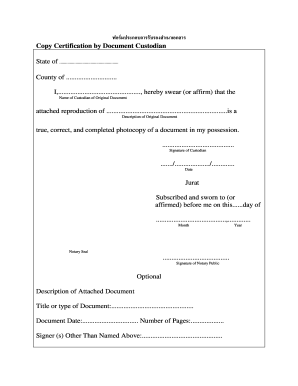
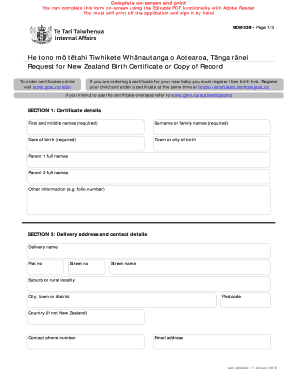
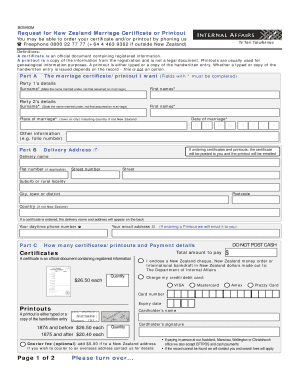
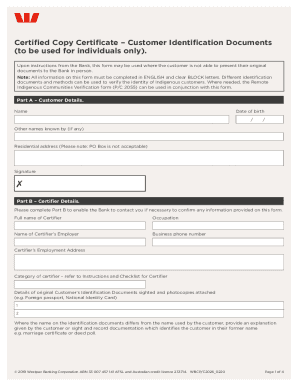
Related Forms




Get the latest insights from our blog


If you believe that this page should be taken down, please follow our DMCA take down process
here
.
This form may include fields for payment information. Data entered in these fields is not covered by PCI DSS compliance.