
Last updated on
Oct 22, 2026

Get the free Trespass Notice
We are not affiliated with any brand or entity on this form

Fill out
Complete the form online in a simple drag-and-drop editor.

eSign
Add your legally binding signature or send the form for signing.

Share
Share the form via a link, letting anyone fill it out from any device.

Export
Download, print, email, or move the form to your cloud storage.
Why pdfFiller is the best tool for your documents and forms


End-to-end document management
From editing and signing to collaboration and tracking, pdfFiller has everything you need to get your documents done quickly and efficiently.
Accessible from anywhere
pdfFiller is fully cloud-based. This means you can edit, sign, and share documents from anywhere using your computer, smartphone, or tablet.
Secure and compliant
pdfFiller lets you securely manage documents following global laws like ESIGN, CCPA, and GDPR. It's also HIPAA and SOC 2 compliant.
What is Trespass Notice
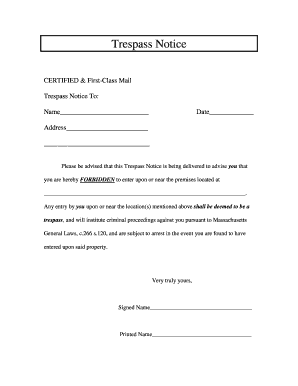
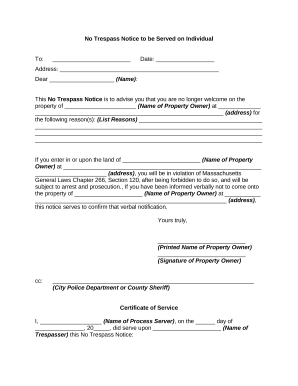
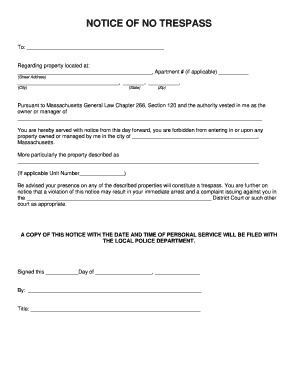
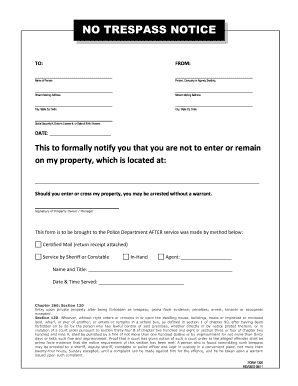
The Trespass Notice is a legal document used by property owners in Massachusetts to prohibit an individual from entering or remaining on their property.
pdfFiller scores top ratings on review platforms




Who needs Trespass Notice?
Explore how professionals across industries use pdfFiller.

Trespass Notice is needed by:
-
Property owners seeking to enforce their rights
-
Individuals who have experienced trespassing issues
-
Landlords managing rental properties
-
Local law enforcement for documentation
-
Legal professionals assisting clients in property disputes
Comprehensive Guide to Trespass Notice
What is a Trespass Notice?
A trespass notice is a legal document specific to Massachusetts that serves to prohibit unwanted entry onto a specified property. Its primary purpose is to protect property owners from individuals who do not have permission to enter or remain on their premises. This document has legal enforceability and remains valid for two years unless formally revoked.
Purpose and Benefits of the Trespass Notice
The trespass notice is crucial for property owners, providing a formal means of protecting their rights. By issuing this notice, property owners communicate their disinterest in any unwanted visitors, thereby establishing legal implications for those who trespass. Additionally, local law enforcement can be involved by filing a copy of the notice with the police, which reinforces the property's security measures.
Key Features of the Massachusetts Trespass Notice
A Massachusetts trespass notice includes essential elements such as the individual's name, date of birth, and addresses. Both the issuer and the receiver must sign the document to validate it legally. This form is designed to align with Massachusetts legal requirements, ensuring compliance throughout the process.
Who Needs a Trespass Notice?
This form is beneficial for various demographics, including property owners and businesses that may experience disputes or unwanted visitors. Scenarios that warrant the issuance of a trespass notice often occur when individuals refuse to leave or when property owners wish to preemptively address potential issues. Understanding local laws is essential for determining when to use this notice effectively.
How to Fill Out a Trespass Notice Online
Filling out a trespass notice online using pdfFiller is a straightforward process. Here are the steps:
-
Access the trespass notice template on pdfFiller.
-
Enter the required information in the designated fields, including names and addresses.
-
Ensure that both the issuer and receiver sign the document before submission.
-
Review the completed form for accuracy before finalizing.
This method is more efficient compared to traditional paper forms, allowing for quicker completion and submission.
Submission Methods and Delivery for the Trespass Notice
Once the trespass notice is completed, it must be submitted to the local police department. Proper filing practices can enhance its effectiveness. Property owners should be aware of potential fees and payment options that may be associated with the submission process.
Consequences of Not Filing a Trespass Notice
Failing to file a trespass notice can lead to significant legal repercussions, as it may compromise property rights. Timely filing of the notice is crucial to ensure protection against trespassers. Additionally, if the notice is not submitted correctly or is filed late, it may reduce the document's effectiveness in court.
Security and Compliance When Handling Your Trespass Notice
When using pdfFiller to manage sensitive documents like a trespass notice, users can be assured of security measures in place. The platform complies with regulations such as HIPAA and GDPR, promoting confidentiality and data protection. Tips for maintaining privacy when handling legal documents include using strong passwords and ensuring secure internet connections.
Real-life Example: Completed Trespass Notice
To assist users, a sample filled-out trespass notice can serve as a valuable reference. Annotations can be provided to explain each part of the document, guiding users through the necessary elements to include when creating their own notices.
Empowering Your Legal Needs with pdfFiller
pdfFiller empowers users to create, edit, and sign their trespass notice with ease. The platform offers a user-friendly interface that simplifies the process of handling legal documents securely. Utilizing such tools can significantly enhance the management of important legal forms, ensuring efficiency and compliance throughout the filing process.
How to fill out the Trespass Notice
-
1.Begin by accessing pdfFiller and logging into your account. If you do not have an account, create one for free.
-
2.Search for 'Trespass Notice' in the pdfFiller search bar to find the applicable template.
-
3.Open the form by clicking on it, which will launch the pdfFiller editor interface.
-
4.Read through the form to understand the required fields and structure before starting to fill it out.
-
5.Prepare the necessary information including the trespasser's name, date of birth, address, and your own contact information.
-
6.Use the text fields in pdfFiller to input the required information. Click on each blank field to start typing.
-
7.Ensure all mandatory fields are filled out completely to avoid processing errors later.
-
8.Review the form carefully to check for any mistakes or missing information. Double-check the names and addresses entered.
-
9.Once you are satisfied with the accuracy of the document, look for the 'Save' option on pdfFiller to store your progress.
-
10.You can also choose to 'Download' the document as a PDF for your records or printing.
-
11.If you wish to submit the Trespass Notice, follow the instructions provided on pdfFiller for either emailing it or printing to send by mail.

Who is eligible to issue a Trespass Notice in Massachusetts?
In Massachusetts, property owners or authorized individuals can issue a Trespass Notice. It is essential that you have a legal right to prohibit entry onto the property.
Is there a time limit for issuing a Trespass Notice?
While there is no specific deadline to issue a Trespass Notice, the notice itself remains valid for two years unless canceled or superseded by another legal action.
How do I submit the Trespass Notice after filling it out?
After completing the Trespass Notice, you can submit it by filing a copy with your local police department. Ensure to keep a copy for your records.
Are there any documents required along with the Trespass Notice?
Generally, you do not need additional documents to file a Trespass Notice. However, keeping a record of previous incidents may help support your case.
What should I avoid when filling out the Trespass Notice?
Make sure to avoid leaving any mandatory fields blank and verify that the spelling of names and addresses is correct to prevent issues during enforcement.
How long does it take for a Trespass Notice to be processed?
Processing time for a Trespass Notice may vary, but submitting it to the police can typically be done immediately. It is wise to follow up with them to confirm filing.
What do I do if the trespasser ignores the notice?
If the individual continues to trespass after a notice has been issued, you may need to contact local law enforcement or seek legal counsel for further action.
Related Forms




Get the latest insights from our blog


If you believe that this page should be taken down, please follow our DMCA take down process
here
.
This form may include fields for payment information. Data entered in these fields is not covered by PCI DSS compliance.