
Last updated on
Nov 4, 2026

UK P45 (Laser-Sheet) Part 1A 2008 free printable template
We are not affiliated with any brand or entity on this form

Fill out
Complete the form online in a simple drag-and-drop editor.

eSign
Add your legally binding signature or send the form for signing.

Share
Share the form via a link, letting anyone fill it out from any device.

Export
Download, print, email, or move the form to your cloud storage.
Why pdfFiller is the best tool for your documents and forms


End-to-end document management
From editing and signing to collaboration and tracking, pdfFiller has everything you need to get your documents done quickly and efficiently.
Accessible from anywhere
pdfFiller is fully cloud-based. This means you can edit, sign, and share documents from anywhere using your computer, smartphone, or tablet.
Secure and compliant
pdfFiller lets you securely manage documents following global laws like ESIGN, CCPA, and GDPR. It's also HIPAA and SOC 2 compliant.
What is UK P45 (Laser-Sheet) Part 1A
The UK P45 Form is a tax document used by employees to report employment details and tax deductions to their new employer or HMRC.
pdfFiller scores top ratings on review platforms




Who needs UK P45 (Laser-Sheet) Part 1A?
Explore how professionals across industries use pdfFiller.

UK P45 (Laser-Sheet) Part 1A is needed by:
-
Employees transitioning between jobs
-
Employers onboarding new employees
-
Human resources departments managing employee documentation
-
Tax professionals assisting clients with tax returns
-
HM Revenue & Customs for tax processing
Comprehensive Guide to UK P45 (Laser-Sheet) Part 1A
What is the UK P45 Form?
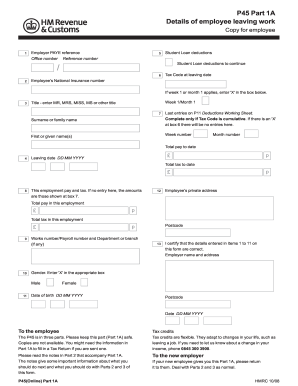
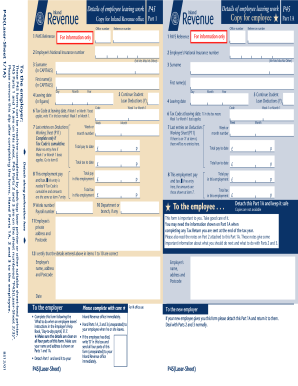
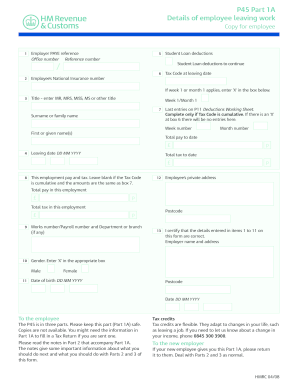
The UK P45 Form is a vital document within the UK employment and tax system. It serves as an official record for employees who are leaving a job, detailing their earnings and tax contributions. This form consists of three parts: Part 1A, which is for the employee; Part 2, which is shared with the new employer; and Part 3, which the new employer sends to HM Revenue & Customs (HMRC).
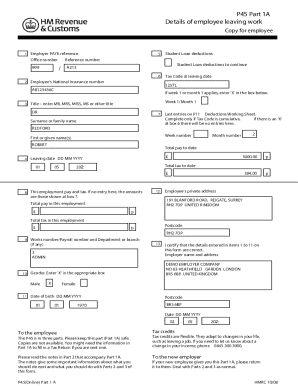
The P45 includes key information such as the employee's National Insurance number, tax code, total pay to date, and total tax deducted. It plays a significant role for employees transitioning between jobs, ensuring that tax records are accurately maintained.
Purpose and Benefits of the UK P45 Form
The P45 Form is essential for both employees and new employers. Primarily, it facilitates accurate tax documentation, preventing tax overpayments and ensuring compliance with HMRC regulations. For employees, it acts as proof of employment and can be crucial for claiming tax deductions when starting a new position.
New employers benefit from the P45 as it streamlines the onboarding process by providing necessary tax information upfront. This efficiency aids in accurate payroll setup and helps new hires avoid tax-related issues.
Who Needs the UK P45 Form?
The UK P45 Form is required primarily by individuals who are leaving a job and transitioning to new employment. It is essential for both employees and employers, including HR departments tasked with managing new hires. Certain scenarios necessitate the form's submission, such as when an employee moves to a new job, ensuring smooth tax documentation and compliance.
How to Fill Out the UK P45 Form Online
Filling out the UK P45 Form online is straightforward. Start by accessing the form on the pdfFiller platform. You will find multiple fields that need to be completed, such as your Title and Leaving Date.
-
Enter your title—options include MR, MRS, MISS, MS, or other.
-
Specify your leaving date in DD MM YYYY format.
To ensure accuracy, double-check your entries and verify fields like the National Insurance number and tax code for correctness.
Information You'll Need to Gather Before Completing the UK P45 Form
Before completing the UK P45 Form, it is crucial to gather specific information needed for accurate form submission. Items required include your previous employer’s details, your tax code, and National Insurance number.
-
Previous employer's name and address.
-
Your unique National Insurance number.
-
Your tax code from your payslip or previous P60.
Ensuring this information is correct and complete helps prevent errors during the submission process.
Common Errors and How to Avoid Them When Filing the UK P45 Form
Making mistakes on the P45 Form can lead to processing delays and tax issues. Common errors include entering incorrect personal details or forgetting to sign the form. To minimize mistakes, implement a strategy for double-checking your entries before submission.
Review the entire form thoroughly, ensuring all required fields are completed accurately. This diligence is key to a smooth filing experience.
Where to Submit the UK P45 Form After Filling It Out
Once completed, the UK P45 Form must be submitted to HM Revenue & Customs (HMRC) or your new employer. Digital submission methods are available, or you can opt for physical mailing of the form.
-
Submit the form digitally through your employer's payroll system.
-
Alternatively, mail your completed P45 to HMRC at the provided address.
Be aware of important deadlines for submission to avoid any disruptions in your tax status.
Security and Compliance for Submitting the UK P45 Form
When submitting the P45 Form, it is crucial to prioritize data security and compliance. pdfFiller offers robust security features, including 256-bit encryption, which helps protect sensitive information.
Moreover, compliance with regulations such as GDPR and HIPAA is vital for handling personal data securely. Best practices to ensure safety include using encrypted channels when submitting your form and being cautious with sensitive information.
Leverage pdfFiller for Efficiently Completing Your UK P45 Form
Utilizing pdfFiller can greatly enhance your experience while completing the UK P45 Form. The platform simplifies editing, signing, and sharing documents, making the tax form process efficient.
With features designed for ease of use, pdfFiller enables users to complete and submit their forms without unnecessary hassle. Start leveraging pdfFiller for all your UK tax form needs today!
How to fill out the UK P45 (Laser-Sheet) Part 1A
-
1.Access pdfFiller and search for the UK P45 Form template in the document library.
-
2.Open the form and familiarize yourself with its layout and sections, including Parts 1A, 2, and 3.
-
3.Before filling out the form, gather essential information such as your National Insurance number, tax code, and employment details.
-
4.Begin completing the form by entering your personal details in the designated fields, such as your name, address, and leaving date.
-
5.Use checkboxes where applicable, ensuring you provide accurate information as indicated in the instructions.
-
6.Continue to fill out the remainder of the form, making sure to include total pay to date and total tax to date.
-
7.Review each section of the form carefully to confirm all information is correct and complete.
-
8.Once finished, use pdfFiller’s tools to save your changes and create a downloadable version of your completed form.
-
9.You can also choose to submit the form electronically to your new employer or HMRC, following their specific submission instructions.

Who is eligible to use the UK P45 Form?
The UK P45 Form is designed for employees who have left their job and need to provide their new employer with information about their previous employment and tax deductions.
What is the deadline for submitting the UK P45 Form?
There is no strict deadline for submitting the UK P45 Form, but it should be provided to your new employer as soon as possible after leaving your previous job to ensure accurate tax processing.
How do I submit the UK P45 Form?
The UK P45 Form can be submitted electronically to your new employer or printed and delivered in person. Ensure any submitted form follows your employer’s preferred method.
What supporting documents do I need when completing the UK P45 Form?
You generally need your National Insurance number and details of your pay and tax deductions from your previous employer to accurately complete the P45 Form.
What are common mistakes to avoid when completing the P45 Form?
Common mistakes include not providing accurate personal details, failing to check that all sections are completed, and incorrect totals for pay and tax. Always double-check your entries.
How long does it take to process the P45 Form?
Processing times can vary. Typically, once submitted to HMRC or your new employer, it can take a few days for the information to be processed and updated in the system.
What should I do if I lost my P45 Form?
If you lose your P45, contact your previous employer and request a replacement. You can also provide estimated pay and tax information if you are unable to obtain a copy.
UK P45 (Laser-Sheet) Part 1A Form Versions
Related Forms



Related Catalogs
Get the latest insights from our blog


If you believe that this page should be taken down, please follow our DMCA take down process
here
.
This form may include fields for payment information. Data entered in these fields is not covered by PCI DSS compliance.