
Last updated on
Oct 31, 2026

Get the free Death Certificate Form
We are not affiliated with any brand or entity on this form

Fill out
Complete the form online in a simple drag-and-drop editor.

eSign
Add your legally binding signature or send the form for signing.

Share
Share the form via a link, letting anyone fill it out from any device.

Export
Download, print, email, or move the form to your cloud storage.
Why pdfFiller is the best tool for your documents and forms


End-to-end document management
From editing and signing to collaboration and tracking, pdfFiller has everything you need to get your documents done quickly and efficiently.
Accessible from anywhere
pdfFiller is fully cloud-based. This means you can edit, sign, and share documents from anywhere using your computer, smartphone, or tablet.
Secure and compliant
pdfFiller lets you securely manage documents following global laws like ESIGN, CCPA, and GDPR. It's also HIPAA and SOC 2 compliant.
What is Death Certificate Form
The Death Certificate Form is a government document used by funeral homes and relevant authorities to officially record the death of an individual in the United States.
pdfFiller scores top ratings on review platforms




Who needs Death Certificate Form?
Explore how professionals across industries use pdfFiller.

Death Certificate Form is needed by:
-
Funeral homes and burial services providers
-
Family members of the deceased
-
State health departments for vital statistics
-
Legal representatives or personal representatives of the estate
-
Hospitals and medical examiners involved in death confirmation
Comprehensive Guide to Death Certificate Form
What is the Death Certificate Form?
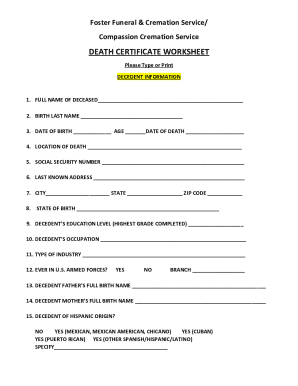
The Death Certificate Form is a vital statistics form that documents an individual's death, serving a crucial role in recording essential information for legal, financial, and personal reasons. This form captures the decedent's personal details, including their name, date of birth, and place of death, ensuring accurate legal documentation.
It is important for families, legal representatives, and authorities who require comprehensive records related to the deceased. By properly completing this form, users ensure the vital information necessary for settling estate matters, insurance claims, and other post-mortem processes is officially recognized.
Purpose and Benefits of the Death Certificate Form
Accurately completing and filing the Death Certificate Form is essential, as it facilitates the processing of vital statistics by funeral homes and pertinent authorities. This form offers significant advantages for family members, providing closure and necessary documentation for various legal processes.
-
Ensures compliance with local laws and regulations regarding death reporting.
-
Aids in the efficient processing of insurance claims and estate settlements.
-
Helps family members manage grieving expectations and memorial arrangements.
Who Needs the Death Certificate Form?
The Death Certificate Form is essential for a variety of individuals and entities requiring documentation of a person's death. This includes medical professionals, funeral homes, and legal representatives.
Eligibility to fill out the form usually includes those closely related to the decedent, such as family members or legal guardians. Typical situations necessitating this form include settling estate matters and filing for insurance claims.
Information You'll Need to Gather
Before filling out the Death Certificate Form, it’s crucial to gather specific information to ensure accuracy. The following details will be required:
-
Decedent's full name and date of birth.
-
Date and place of death, including the address where the death occurred.
-
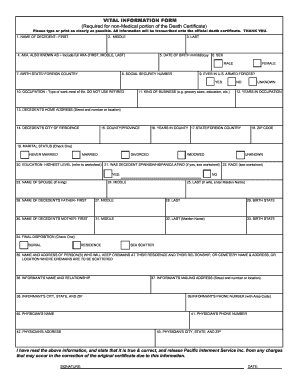
Informant's information, such as their relationship to the decedent and contact information.
Additionally, be prepared with any supporting documents that may be required for a complete and accurate submission.
How to Fill Out the Death Certificate Form Online
To complete the Death Certificate Form online using pdfFiller, follow these straightforward steps:
-
Access the pdfFiller website and locate the Death Certificate Form.
-
Utilize the fillable fields to enter the necessary information accurately.
-
Review each section carefully to avoid common errors, such as typos in essential data.
-
Use pdfFiller's editing tools for document management and correction.
With user-friendly features, pdfFiller helps streamline the form completion process, making it easier for you to manage sensitive information.
Submission Methods for the Death Certificate Form
Once completed, there are several methods for submitting the Death Certificate Form. Users can choose their preferred method based on convenience and local guidelines:
-
Online submission through designated state portals.
-
Mail the completed form to the specified local authority's office.
-
In-person delivery to local government offices or funeral homes.
Be aware that there may be fees associated with processing and submission, and knowing the specific office to which you submit may expedite the process.
What Happens After You Submit the Death Certificate Form?
After submission, users can expect a specific processing timeline. Notifications regarding the status of your submission are typically provided through various channels.
-
Processing times can vary; anticipate a confirmation of receipt from the relevant authority.
-
In some cases, additional amendments may be necessary, which you will be notified about.
It is essential to keep records of your submission, as they help in tracking the status of your application.
Security and Compliance for Handling the Death Certificate Form
When filling out the Death Certificate Form, security measures are paramount. pdfFiller employs advanced data protection strategies, including encryption and compliance with applicable regulations to ensure user privacy.
Safeguarding personal information is critical, especially when dealing with sensitive documents such as death certificates. pdfFiller guarantees privacy compliance to protect users' data throughout the form-filling process.
How pdfFiller Makes Completing the Death Certificate Form Easy
pdfFiller enhances the experience of completing the Death Certificate Form through several key features:
-
Fillable forms that simplify data entry and prevent errors.
-
eSigning capabilities for quick approval processes.
-
Comprehensive document management options for organization and sharing.
User testimonials highlight successful experiences, emphasizing the convenience of leveraging pdfFiller for hassle-free document management.
How to fill out the Death Certificate Form
-
1.Access the Death Certificate Form on pdfFiller by searching for it in the template library or using the direct link provided by your service.
-
2.Once opened, familiarize yourself with the pdfFiller interface which includes fields, checkboxes, and navigation tools.
-
3.Before starting to fill out the form, gather all necessary information including the decedent's full name, date of death, social security number, and relationships of those filling out the form.
-
4.Begin completing the fields by clicking on each blank box and entering the corresponding information. Utilize the toolbar to adjust the text size or format as needed.
-
5.Ensure that all required fields are filled and check any optional fields that may apply to your particular case.
-
6.After filling out all necessary sections, review the form for completeness and accuracy to avoid common mistakes like missing signatures or incorrect dates.
-
7.Finalize the form by saving it within pdfFiller. You can choose to either download it for personal use or submit it directly through the platform.
-
8.If submitting through pdfFiller, follow the prompts to send your completed form to the appropriate government agency or authorized recipient.

Who is eligible to submit the Death Certificate Form?
Typically, immediate family members or legal representatives of the deceased are eligible to submit the Death Certificate Form. Ensure that you have the necessary permissions to collect and file this document.
What is the typical processing time for a Death Certificate?
The processing time for a Death Certificate can vary by state but generally takes around 7 to 10 business days. Expedited services may be available for faster processing.
What documents are required to submit along with the Death Certificate Form?
You may need to provide a valid form of identification, proof of relationship to the deceased, and any supporting documents required by your state’s regulations.
How do I submit the Death Certificate Form after filling it out?
You can submit the Death Certificate Form either by mailing it to the appropriate office or, in some cases, electronically through platforms like pdfFiller, ensuring you follow the submission guidelines specified.
What are the common mistakes to avoid when filling out the Death Certificate Form?
Common mistakes include entering incorrect personal information, failing to check mandatory fields, and not including signatures where required. Double-check all entries before submission.
Is notarization required for the Death Certificate Form?
No, notarization is generally not required for the Death Certificate Form. However, it's advisable to check state-specific requirements to ensure compliance.
Can I track the status of my Death Certificate application?
Many states offer tracking services where you can inquire about your Death Certificate application status. Check online or contact the relevant office for more information.
Related Forms






Related Catalogs
Get the latest insights from our blog


If you believe that this page should be taken down, please follow our DMCA take down process
here
.
This form may include fields for payment information. Data entered in these fields is not covered by PCI DSS compliance.