
Last updated on
Oct 16, 2026

Get the free Coffee Cupping Score Form
We are not affiliated with any brand or entity on this form

Fill out
Complete the form online in a simple drag-and-drop editor.

eSign
Add your legally binding signature or send the form for signing.

Share
Share the form via a link, letting anyone fill it out from any device.

Export
Download, print, email, or move the form to your cloud storage.
Why pdfFiller is the best tool for your documents and forms


End-to-end document management
From editing and signing to collaboration and tracking, pdfFiller has everything you need to get your documents done quickly and efficiently.
Accessible from anywhere
pdfFiller is fully cloud-based. This means you can edit, sign, and share documents from anywhere using your computer, smartphone, or tablet.
Secure and compliant
pdfFiller lets you securely manage documents following global laws like ESIGN, CCPA, and GDPR. It's also HIPAA and SOC 2 compliant.
What is Coffee Cupping Form
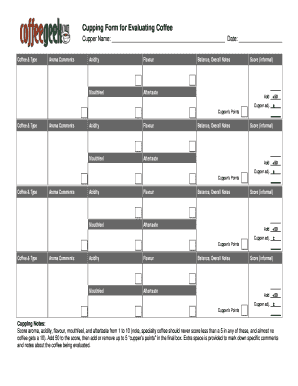
The Coffee Cupping Score Form is an evaluation document used by coffee professionals and enthusiasts to assess the quality of coffee based on various attributes.
pdfFiller scores top ratings on review platforms




Who needs Coffee Cupping Form?
Explore how professionals across industries use pdfFiller.

Coffee Cupping Form is needed by:
-
Coffee roasters seeking quality assessment tools.
-
Baristas evaluating different coffee blends.
-
Coffee enthusiasts conducting tastings for personal or commercial use.
-
Coffee importers needing quality verification.
-
Trainers teaching coffee tasting techniques.
-
Quality control inspectors in coffee production.
Comprehensive Guide to Coffee Cupping Form
What is the Coffee Cupping Score Form?
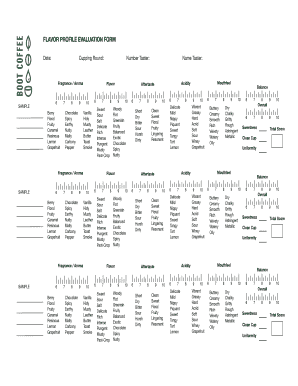
The Coffee Cupping Score Form is a vital tool for assessing coffee quality. It serves to evaluate various attributes including fragrance, aroma, acidity, sweetness, flavor, and body. By systematically scoring each of these key components, users can determine overall coffee quality and undertake an accurate coffee quality assessment, ensuring consistency across evaluations.
Purpose and Benefits of the Coffee Cupping Score Form
This form is essential for coffee professionals and enthusiasts who need a reliable method for evaluating and comparing different coffee samples. Utilizing a structured coffee evaluation form enhances quality control and empowerment during tasting sessions. The clear format and systematic approach ensure that both professionals and amateurs can perform effective coffee scoring.
Key Features of the Coffee Cupping Score Form
The Coffee Cupping Score Form is designed for user-friendliness and efficiency in evaluating coffee. Key scoring categories include:
-
Dry fragrance
-
Aroma
-
Acidity
-
Body
The form’s fillable nature allows users to input scores directly for each category, streamlining the scoring process and supporting accurate input.
Who Needs the Coffee Cupping Score Form?
Target users of the Coffee Cupping Score Form include diverse stakeholders such as coffee roasters, quality control personnel, baristas, and dedicated coffee tasters. Both professionals and enthusiasts can greatly benefit from employing a consistent coffee evaluation method that promotes uniformity in taste assessments.
How to Fill Out the Coffee Cupping Score Form Online (Step-by-Step)
Filling out the Coffee Cupping Score Form online is a straightforward process. Follow these steps for effective completion:
-
Access the online form through pdfFiller.
-
Begin with the dry fragrance section. Score the aroma based on your evaluation.
-
Continue to the acidity section and add your score.
-
Complete the body and aftertaste sections.
-
Ensure all scores are filled accurately before submitting.
Paying close attention to scoring each attribute accurately is critical for determining the overall quality score of the coffee.
Common Errors and How to Avoid Them When Using the Coffee Cupping Score Form
Users may encounter common pitfalls when filling out the Coffee Cupping Score Form. Common errors include:
-
Inconsistent scoring between categories
-
Missing entries in required fields
To prevent these mistakes, validate your scores actively and ensure that all entries are complete before submission, thus securing a reliable coffee quality assessment.
How to Submit the Coffee Cupping Score Form
Once the Coffee Cupping Score Form is completed, submission is simple. Users can utilize various methods for form submission including uploading through pdfFiller. This platform also facilitates easy sharing and eSigning, making the documentation process smooth and efficient.
Security and Compliance When Handling the Coffee Cupping Score Form
When utilizing online forms like the Coffee Cupping Score Form, ensuring the security of sensitive data is crucial. pdfFiller implements robust security measures including encryption and adherence to compliance regulations, such as HIPAA and GDPR. Understanding the importance of secure handling of evaluation data can safeguard against potential privacy issues.
Experience Effortless Coffee Evaluation with pdfFiller
Utilizing pdfFiller for the Coffee Cupping Score Form simplifies the process of filling out and managing coffee evaluations. Users can easily access, complete, and save forms online. The platform also offers added functionalities like eSigning and document sharing that enhance the overall experience for coffee professionals.
How to fill out the Coffee Cupping Form
-
1.Access the Coffee Cupping Score Form on pdfFiller by navigating to the platform and entering the form name in the search bar.
-
2.Once located, click to open the form in the editing interface.
-
3.Before filling out the form, gather necessary evaluation criteria such as fragrance, aroma, acidity, and body.
-
4.Begin filling in the fields by clicking on the designated areas for each attribute. Use the form's layout as a guide.
-
5.Score each coffee attribute based on your assessment, ensuring consistency across evaluations.
-
6.After completing all fields, review your scores for accuracy and ensure all required fields are filled.
-
7.Finalize the form by clicking on the save or download options. Select a preferred format.
-
8.Submit your completed form through pdfFiller by choosing the submit option, following prompts to send via email or other methods.

Who can use the Coffee Cupping Score Form?
Any coffee professional, enthusiast, or educator can use the Coffee Cupping Score Form for quality assessment and tasting evaluations.
Is there a deadline for submitting this form?
The Coffee Cupping Score Form does not have a specific submission deadline, as it is typically used for individual or batch evaluations.
How do I submit the completed Coffee Cupping Score Form?
You can submit the completed Coffee Cupping Score Form through pdfFiller by using the submit option within the platform, ensuring you follow the prompts for email or other submission methods.
What information do I need to fill out the form?
Essential information includes your evaluations of each coffee attribute, such as fragrance, aroma, acidity, flavor, and body. Prepare to input scores for each category.
What common mistakes should I avoid when filling out the form?
Ensure that you do not skip any required fields, double-check your scoring for consistency, and make sure to save or download the form before exiting.
How long does it take to process the Coffee Cupping Score Form?
Processing times vary based on your submission method, but once submitted for review, expect feedback typically within a few days.
Can I edit the Coffee Cupping Score Form after saving it?
Yes, after saving, you can reopen the form in pdfFiller to make any necessary edits before final submission.
Related Content
Related Forms


Get the latest insights from our blog


If you believe that this page should be taken down, please follow our DMCA take down process
here
.
This form may include fields for payment information. Data entered in these fields is not covered by PCI DSS compliance.