
Last updated on
Nov 9, 2026

Health Partners CMS 1500 & UB04 2011 free printable template
pdfFiller is not affiliated with any government organization

Fill out
Complete the form online in a simple drag-and-drop editor.

eSign
Add your legally binding signature or send the form for signing.

Share
Share the form via a link, letting anyone fill it out from any device.

Export
Download, print, email, or move the form to your cloud storage.
Why pdfFiller is the best tool for your documents and forms


End-to-end document management
From editing and signing to collaboration and tracking, pdfFiller has everything you need to get your documents done quickly and efficiently.
Accessible from anywhere
pdfFiller is fully cloud-based. This means you can edit, sign, and share documents from anywhere using your computer, smartphone, or tablet.
Secure and compliant
pdfFiller lets you securely manage documents following global laws like ESIGN, CCPA, and GDPR. It's also HIPAA and SOC 2 compliant.
What is Health Partners CMS 1500 & UB04
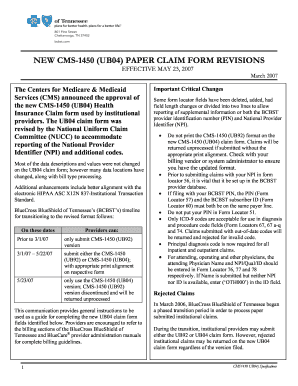
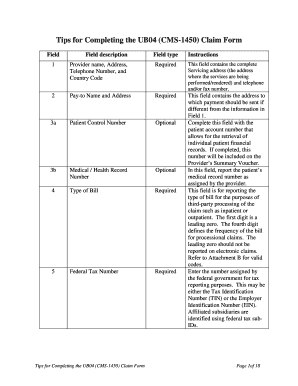
The CMS 1500 and UB04 Claim Form Guidelines is a document used by healthcare providers to accurately submit professional and institutional health insurance claims using the CMS 1500 and UB04 forms.
pdfFiller scores top ratings on review platforms




Who needs Health Partners CMS 1500 & UB04?
Explore how professionals across industries use pdfFiller.

Health Partners CMS 1500 & UB04 is needed by:
-
Healthcare providers submitting claims
-
Billing staff managing claim processes
-
Insurance providers verifying submissions
-
Healthcare administrators overseeing billing systems
-
Compliancy officers ensuring HIPAA adherence
Comprehensive Guide to Health Partners CMS 1500 & UB04
Understanding the CMS 1500 and UB04 Claim Form Guidelines
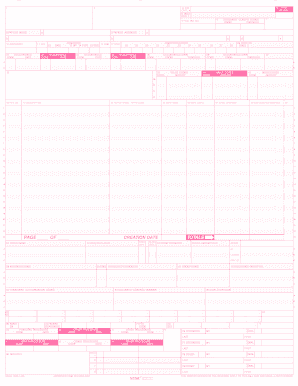
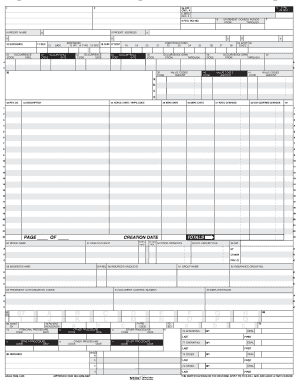
The CMS 1500 and UB04 forms are essential documents in the healthcare billing process, specifically designed for submitting health insurance claims. The CMS 1500 claim form is typically used by healthcare providers to bill for medical services, while the UB04 form is utilized for institutional services and hospital claims. Following the CMS 1500 claim form guidelines and UB04 claim form instructions is crucial for ensuring accurate submissions, minimizing claim denials, and expediting payment processes.
Purpose and Benefits of CMS 1500 and UB04 Claim Form Guidelines
These guidelines serve as a foundational resource for healthcare providers and billing specialists, emphasizing the importance of accurate claim submissions. Timely payments are often directly linked to the precision of submitted claims, highlighting the necessity of clear understanding of these forms. Familiarity with the required data fields and corresponding field mappings in HIPAA formats can significantly enhance the reimbursement process for providers.
Key Features of the CMS 1500 and UB04 Claim Form Guidelines
The CMS 1500 and UB04 claim forms possess several key features that contribute to their effectiveness in the billing process. Key sections of the guidelines include:
-
Rendering provider information
-
Billing provider details
-
Patient and insurance information
Compliance with HIPAA v5010A1 and v5010A2 standards facilitates improved submission accuracy, as these guidelines dictate specific requirements for both professional and institutional claims.
Who Needs the CMS 1500 and UB04 Claim Form Guidelines?
The target audience for these guidelines includes healthcare providers, billing specialists, and administrative staff. By understanding the CMS 1500 and UB04 claim form guidelines, various stakeholders can benefit in numerous ways:
-
Establishing accurate billing practices
-
Enhancing submission quality
-
Reducing claim rejection rates
How to Fill Out the CMS 1500 and UB04 Claim Form Guidelines Online
Completing the CMS 1500 and UB04 forms online can be streamlined using tools like pdfFiller. Here is a step-by-step process:
-
Access the online PDF editor and open the relevant form.
-
Fill out the required fields, including patient demographics and service details.
-
Ensure all provider information is accurately entered.
-
Review the completed form for accuracy before submission.
This user-friendly approach enables efficient navigation of the online form-filling process.
Common Errors and How to Avoid Them When Filling Out the Forms
Many individuals encounter common pitfalls when completing claim forms. Frequent mistakes can include:
-
Incorrect patient or insurance information
-
Missing signatures or dates
To minimize rejections, it is vital to double-check all entries and validate claims for accuracy before submission.
Submission Methods and Where to Submit the CMS 1500 and UB04 Forms
The guidelines outline various submission methods for these forms, each with distinct requirements. Key submission methods include:
-
Electronic submission via billing software
-
Paper submission mailed to designated addresses
Tracking submissions and maintaining records is essential to ensure that claims are processed efficiently and to confirm receipt by the respective insurance companies.
Security and Compliance Considerations
Data protection is paramount when managing claims. HIPAA compliance requires that sensitive information is handled with utmost care. Best practices for ensuring privacy and data protection include:
-
Implementing secure data storage systems
-
Using encrypted communication channels for submissions
pdfFiller’s security features, including 256-bit encryption, help ensure safe data handling during the claims process.
Enhance Your Claim Submission Experience with pdfFiller
pdfFiller offers an array of tools to support users in completing their claim forms effectively. Key features include:
-
Editing and annotating capabilities
-
eSigning options for quick approvals
With these tools, healthcare providers can experience a streamlined and efficient claim submission process.
How to fill out the Health Partners CMS 1500 & UB04
-
1.To begin, access pdfFiller and search for the 'CMS 1500 and UB04 Claim Form Guidelines' within the platform.
-
2.Once located, click on the document to open it in the pdfFiller editing interface.
-
3.Before filling out the form, gather all necessary provider and patient information, including rendering and billing details as specified in field mappings.
-
4.Navigate through the document using the editing tools in pdfFiller. Click on the fields to input the relevant information using your keyboard.
-
5.Make sure to carefully review the instructions for each section, adhering to the guidelines for HIPAA v5010A1 and v5010A2 formats.
-
6.Once all fields are completed, use the review option to check for any errors or missing data, ensuring accuracy in your claim submission.
-
7.After finalizing the content, choose the save option to store your document on pdfFiller or download it for your records.
-
8.If you need to submit the claim, you can do so through the provided submission options on pdfFiller, following the outlined procedures for electronic submissions.

Who is eligible to use the CMS 1500 and UB04 Claim Form Guidelines?
The CMS 1500 and UB04 Claim Form Guidelines are intended for healthcare providers and billing staff who are responsible for submitting health insurance claims. It is crucial for those working within covered entities under HIPAA regulations.
What is the typical submission method for claims using this document?
Claims can be submitted electronically through insurance carriers or Medicare portals. Ensure the data entered follows the guidelines detailed in the document for proper processing.
What common mistakes should I avoid when submitting claims?
Common mistakes include inaccurate data entry, missing essential fields, or using outdated coding. Always ensure the information is current and complies with the specific guidelines for each form.
What documents should accompany the CMS 1500 and UB04 forms?
Supporting documentation may include patient medical records, explanations of benefits (EOBs), and any other required documents that validate the claim being submitted.
How do I ensure compliance with HIPAA when submitting claims?
To ensure HIPAA compliance, secure all patient information, limit access to authorized personnel, and ensure that electronic submissions meet the mandated privacy and security standards outlined in the guidelines.
Is there a deadline for submitting claims using these guidelines?
Deadlines for submitting claims vary by payer. It is essential to check with individual insurance companies for their specific time frames to avoid claim denials.
What are typical processing times for claims submitted with these forms?
Processing times can vary depending on the payer but generally range from a few days to several weeks. Tracking claims through the electronic submission portal will provide updates on the status.
Health Partners CMS 1500 & UB04 Form Versions
Related Forms




Related Catalogs
Get the latest insights from our blog


If you believe that this page should be taken down, please follow our DMCA take down process
here
.
This form may include fields for payment information. Data entered in these fields is not covered by PCI DSS compliance.