
Last updated on
Oct 31, 2026
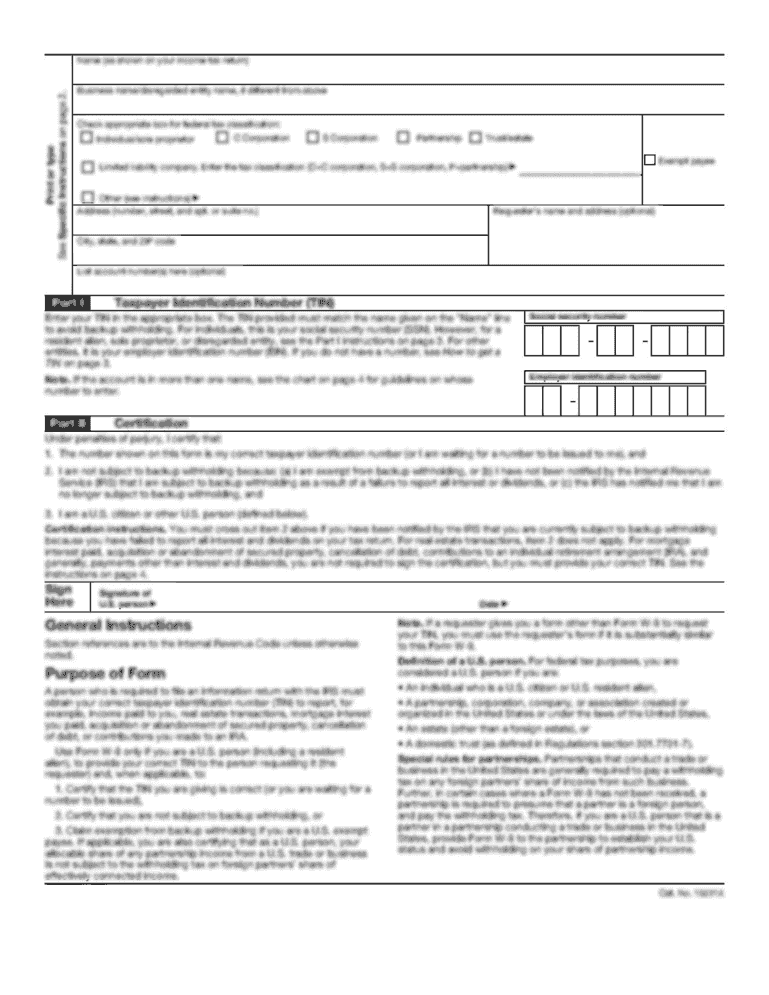
Smart Financial Credit Union Direct Deposit Form 2010-2026 free printable template
pdfFiller is not affiliated with any government organization

Fill out
Complete the form online in a simple drag-and-drop editor.

eSign
Add your legally binding signature or send the form for signing.

Share
Share the form via a link, letting anyone fill it out from any device.

Export
Download, print, email, or move the form to your cloud storage.
Why pdfFiller is the best tool for your documents and forms


End-to-end document management
From editing and signing to collaboration and tracking, pdfFiller has everything you need to get your documents done quickly and efficiently.
Accessible from anywhere
pdfFiller is fully cloud-based. This means you can edit, sign, and share documents from anywhere using your computer, smartphone, or tablet.
Secure and compliant
pdfFiller lets you securely manage documents following global laws like ESIGN, CCPA, and GDPR. It's also HIPAA and SOC 2 compliant.
What is Smart Financial Credit Union Direct Deposit Form
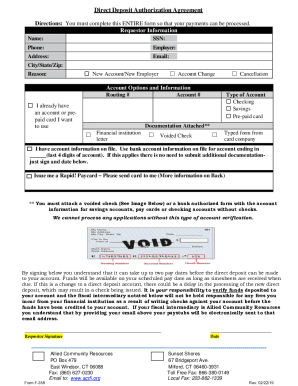
The Direct Deposit Authorization Form is a financial document used by employees to authorize direct deposits to their accounts at Smart Financial Credit Union.
pdfFiller scores top ratings on review platforms




Who needs Smart Financial Credit Union Direct Deposit Form?
Explore how professionals across industries use pdfFiller.

Smart Financial Credit Union Direct Deposit Form is needed by:
-
Employees seeking direct deposit services
-
Human resources personnel managing payroll
-
Accounting departments facilitating direct deposits
-
Employers requiring banking information for payroll
-
Tax professionals who assist with employee finances
-
Financial institutions processing direct deposits
Comprehensive Guide to Smart Financial Credit Union Direct Deposit Form
What is the Direct Deposit Authorization Form?
The Direct Deposit Authorization Form is a crucial document that allows employees to authorize automatic deposits of their paychecks into their bank accounts. This form is significant for both employees and employers as it streamlines the payment process and enhances efficiency. Understanding ACH credits is essential; these are electronic transfers enabling funds to be deposited directly into a bank account. Smart Financial Credit Union plays a pivotal role in facilitating these transactions, providing a reliable banking avenue for employees.
Purpose and Benefits of the Direct Deposit Authorization Form
The purpose of the Direct Deposit Authorization Form extends beyond mere paperwork; it provides substantial benefits for employees and employers alike. Employees enjoy the convenience of having their wages deposit automatically, ensuring timely access to funds without the hassle of handling physical checks. This method also enhances security, significantly reducing the risk of lost or stolen checks. Employers benefit from a structured, reliable payment method that minimizes the administrative burden of processing paper checks, fostering a more efficient work environment.
Additionally, utilizing direct deposit promotes environmental benefits by reducing the reliance on paper checks, contributing to a more sustainable workplace.
Key Features of the Direct Deposit Authorization Form
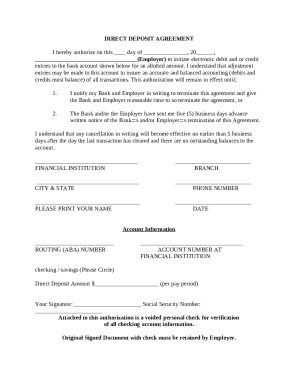
The Direct Deposit Authorization Form contains several key features essential for its proper completion. It includes fillable fields such as the depository name, routing number, account number, and essential personal information including the individual’s name and Social Security Number. Each of these elements is critical for ensuring accurate processing of payments.
Another important aspect of the form is the requirement for a signature, which validates the authorization. This ensures that the employee has given explicit permission for the employer to initiate direct deposits into their account.
Who Needs the Direct Deposit Authorization Form?
This form is primarily required by employees working for organizations that utilize direct deposit for payroll processing. Generally, any employee eligible for direct deposit should complete the form to facilitate automatic payment. Employers also rely on this document to ensure compliance and maintain accurate payroll records.
Scenarios where this form is necessary include when new employees are onboarded or when existing employees switch their banking information. Such measures help maintain smooth financial operations within the organization.
How to Fill Out the Direct Deposit Authorization Form Online (Step-by-Step)
-
Begin by entering your depository name, followed by the routing number and account number in the provided fields.
-
Fill in your personal details, including your name and Social Security Number, ensuring accuracy.
-
Review the form for any missing information and ensure all fields are completed correctly.
-
Attach a voided check to the form if required, ensuring that your banking details are accurate.
-
Sign the form to validate your authorization and submit it as per your employer's instructions.
Throughout this process, double-checking your entries is vital to prevent errors that could delay your pay.
Common Errors and How to Avoid Them
While completing the Direct Deposit Authorization Form, several common errors can occur. These may include providing incorrect routing and account numbers, which can lead to failed deposits. Additionally, failing to sign the form can prevent it from being processed.
To minimize mistakes, it’s advisable to follow best practices, such as double-checking all the provided information before submission and ensuring that you have signed the document. Review each entry thoroughly to avert delays in payment processing.
Submission Methods and Delivery of the Direct Deposit Authorization Form
Submitting the completed Direct Deposit Authorization Form can be done through various means. Employees may deliver the form directly to their employer in person or submit it via email, according to their company’s protocols. It is crucial to send the form securely given the sensitivity of the information being shared.
Processing times after submission can vary based on the employer’s payroll schedule, so it’s wise to verify timelines to ensure timely deposits.
Security and Compliance for the Direct Deposit Authorization Form
Security is of utmost importance when handling sensitive information, such as that found in the Direct Deposit Authorization Form. pdfFiller incorporates advanced security measures like 256-bit encryption to safeguard documents. Compliance with standards such as SOC 2 Type II and GDPR further ensures that personal data is managed reliably.
The significance of maintaining privacy in financial documents cannot be overstated, as it builds trust between employees and employers when providing sensitive information.
How pdfFiller Can Help You with the Direct Deposit Authorization Form
pdfFiller offers a streamlined approach to managing the Direct Deposit Authorization Form. Utilizing its user-friendly platform, you can easily fill out and securely submit the form to your employer. The platform's editing features allow you to manage your PDF documents efficiently while ensuring that your data remains protected.
With pdfFiller, you have access to an all-in-one solution for document management, from filling to electronic signing, making it an excellent resource for handling your direct deposit forms.
How to fill out the Smart Financial Credit Union Direct Deposit Form
-
1.Start by accessing the Direct Deposit Authorization Form on pdfFiller. Visit the pdfFiller website and log into your account or create one if you don't have it already.
-
2.Use the search bar to locate the 'Direct Deposit Authorization Form' and click on it to open the form in the editing interface.
-
3.Begin filling in your personal details in the designated fields, such as your name, Social Security Number, and the date. Ensure accuracy to prevent processing delays.
-
4.Provide the information required for direct deposit, including your account details. Fill in the 'Depository Name', 'Routing Number', and 'Account Number'.
-
5.Gather a voided check from your bank prior to completing the form. This can confirm your banking information and aid in correct routing.
-
6.As you fill out the form, utilize any instructions or tooltips available within pdfFiller to assist with completing each section correctly.
-
7.Once you've filled all the relevant fields, review the entire document to ensure no mistakes are present. Check for accuracy in your banking information and personal details.
-
8.After reviewing, save your progress within pdfFiller by clicking the 'Save' button. You can also download a copy for your records if desired.
-
9.Finally, submit the completed form to your employer. You may either print the form and deliver it in person or use pdfFiller's submission options to send it digitally if available.

Who is eligible to fill out the Direct Deposit Authorization Form?
Employees of Smart Financial Credit Union who wish to have their payments directly deposited into their bank accounts are eligible to complete the Direct Deposit Authorization Form.
What documents do I need to submit with the form?
To complete and submit the Direct Deposit Authorization Form, you will typically need to include a voided check which verifies your account details.
How can I submit the completed authorization form?
You can submit your completed Direct Deposit Authorization Form either by delivering it in person to your employer or by submitting it digitally through pdfFiller if that option is available.
When should I submit the Direct Deposit Authorization Form?
It is advisable to submit the Direct Deposit Authorization Form as early as possible to ensure timely processing before the next scheduled payroll.
What are common mistakes to avoid while filling out this form?
Common mistakes include entering incorrect routing or account numbers, failing to sign the form, and neglecting to provide a voided check when required.
What happens after I submit the Direct Deposit Authorization Form?
After submitting the form, your employer will review the information, and once processed, your paychecks will be deposited directly into the specified bank account.
How long does it take for the direct deposit to be set up?
Setting up direct deposit usually takes one to two pay cycles, depending on your employer's payroll processing schedule.
Related Content
Related Forms



Get the latest insights from our blog


If you believe that this page should be taken down, please follow our DMCA take down process
here
.
This form may include fields for payment information. Data entered in these fields is not covered by PCI DSS compliance.