
Last updated on
Sep 12, 2026

Bard College Faculty Staff and Student Key Authorization 2005 free printable template
pdfFiller is not affiliated with any government organization

Fill out
Complete the form online in a simple drag-and-drop editor.

eSign
Add your legally binding signature or send the form for signing.

Share
Share the form via a link, letting anyone fill it out from any device.

Export
Download, print, email, or move the form to your cloud storage.
Why pdfFiller is the best tool for your documents and forms


End-to-end document management
From editing and signing to collaboration and tracking, pdfFiller has everything you need to get your documents done quickly and efficiently.
Accessible from anywhere
pdfFiller is fully cloud-based. This means you can edit, sign, and share documents from anywhere using your computer, smartphone, or tablet.
Secure and compliant
pdfFiller lets you securely manage documents following global laws like ESIGN, CCPA, and GDPR. It's also HIPAA and SOC 2 compliant.
What is Bard College Faculty Staff and Student Key Authorization
The Faculty Staff Key Authorization Form is a document used by Bard College to authorize the issuance of keys to faculty or staff members.
pdfFiller scores top ratings on review platforms




Who needs Bard College Faculty Staff and Student Key Authorization?
Explore how professionals across industries use pdfFiller.

Bard College Faculty Staff and Student Key Authorization is needed by:
-
Faculty members at Bard College seeking key access
-
Staff members who require keys for their work
-
Heads of departments responsible for key distribution
-
Administrative personnel managing building access
-
Security personnel involved in key issuance
Comprehensive Guide to Bard College Faculty Staff and Student Key Authorization
What is the Faculty Staff Key Authorization Form?
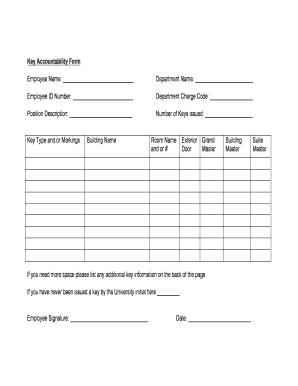
The Faculty Staff Key Authorization Form is a crucial document utilized at Bard College to facilitate the process of key issuance for faculty and staff members. It requires critical personal details and departmental authorization to ensure compliance and accountability. Key components necessary for form completion include individual name, building/room number, and signature from the Authorized Head of Department. Users must also understand their responsibilities, such as the obligation to return keys upon departure from the college.
Purpose and Benefits of the Faculty Staff Key Authorization Form
The Faculty Staff Key Authorization Form serves multiple significant purposes in a college setting. It streamlines the key issuance process, enhancing accountability and security across campus. This authorization form for keys not only simplifies the management of access but also fosters responsible usage among faculty and staff. Additionally, the form reinforces the structure of the college's operational protocols, making it a vital component in ensuring a secure environment. Utilizing this college key issuance form can lead to improved efficiency and clarity regarding key distribution.
Who Needs the Faculty Staff Key Authorization Form?
Eligibility for the Faculty Staff Key Authorization Form extends primarily to faculty and staff at Bard College. Individuals in need of key access must complete this form to receive authorization. It's essential to note the critical role of the Authorized Head of Department, who is responsible for signing the document and confirming the necessity of key issuance. This key authorization template maintains an organized approach to key distribution, ensuring that only qualified individuals gain access to restricted areas.
Key Features of the Faculty Staff Key Authorization Form
The Faculty Staff Key Authorization Form includes several key features designed to streamline its usage. Main fields of the form consist of:
-
Individual name
-
Building/Room number
-
Signature line for the Authorized Head of Department
This fillable form also provides clear instructions for printing and signing, ensuring users can easily navigate the completion process. Furthermore, its user-friendly design allows for efficient documentation of key requests.
How to Fill Out the Faculty Staff Key Authorization Form Online (Step-by-Step)
Filling out the Faculty Staff Key Authorization Form online requires following a clear, stepwise approach:
-
Access the form through the designated platform.
-
Input necessary personal details, including your name and department.
-
Indicate the building and room number where access is required.
-
Secure the signature of the Authorized Head of Department.
-
Review the completed form for accuracy before submission.
Be mindful of common pitfalls, such as omitting required signatures or incorrect room numbers, to ensure a smooth form submission experience. Following these steps will assist users in effectively filling out the Faculty Staff Key Authorization Form online.
When and Where to Submit the Faculty Staff Key Authorization Form
Submission of the Faculty Staff Key Authorization Form can be conducted through various methods. Options available include:
-
Online submission through the designated portal
-
Hand delivery to the appropriate administrative office
Timely submission is crucial, as it affects access provisions. Be aware of relevant deadlines, ensuring you submit the form promptly to avoid delays in key issuance. Note that a $50 fee may be assessed for unreturned keys.
Security and Privacy Considerations for the Faculty Staff Key Authorization Form
Security when handling the Faculty Staff Key Authorization Form is a top priority. The platform uses 256-bit encryption to protect sensitive data, complying with HIPAA and GDPR regulations. This stringent approach to data protection safeguards users' personal information throughout the process, assuring them that their details are managed securely.
How to Track Your Submission and What Happens After You Submit
After submitting the Faculty Staff Key Authorization Form, users can check the status of their submission through the online portal. Expect communications regarding approval timelines and further instructions based on your submission's outcome. This follow-up process ensures transparency and continues to facilitate access management effectively.
Sample or Example of a Completed Faculty Staff Key Authorization Form
To support users in understanding how to complete the Faculty Staff Key Authorization Form, examples of filled-out forms are available. These illustrative samples showcase each required field clearly, providing visual guidance on proper completion. Such examples reinforce comprehension, ensuring users can navigate the process with confidence.
Maximize Your Experience with pdfFiller
Utilizing pdfFiller can significantly enhance your experience in filling out the Faculty Staff Key Authorization Form. This platform allows for easy editing, signing, and sharing of the form, making it efficient for users. The user-friendly features save time and simplify document management, encouraging users to take full advantage of pdfFiller for all their PDF-related needs.
How to fill out the Bard College Faculty Staff and Student Key Authorization
-
1.Access the Faculty Staff Key Authorization Form by navigating to pdfFiller and using the search bar to locate it.
-
2.Open the form by clicking on the template, which will launch it in the pdfFiller interface.
-
3.Gather the required information before you begin filling out the form, including the individual’s name, the building and room number, and the signature of the authorized head of department.
-
4.Click on the fields in the form to enter the name of the individual requesting the key and the specific building and room number.
-
5.Ensure all required fields are filled out completely. Use the comments or guidance sections within pdfFiller for additional instructions if available.
-
6.Once you have filled in all necessary fields, review the form carefully to check for any errors or omissions.
-
7.Finalize the form by adding the necessary signatures, ensuring that the authorized head of department has signed where indicated.
-
8.Save the completed form using the save option in pdfFiller, allowing you to revisit or modify it later.
-
9.You can download the completed form as a PDF for your records or submit it electronically through pdfFiller, following the submission guidelines provided.

Who is eligible to use the Faculty Staff Key Authorization Form?
Eligibility to use the Faculty Staff Key Authorization Form includes faculty and staff members at Bard College who require a key for their role. Additionally, the head of department must authorize the request.
How can I submit the Faculty Staff Key Authorization Form?
The Faculty Staff Key Authorization Form can be submitted electronically via pdfFiller. Alternatively, you may print the completed form and submit it to your department's administrative office.
What information is required to fill out the form?
To complete the form, you need the requesting individual's name, the specific building and room number for the key, and the signature of the authorized head of department.
What happens if I do not return the key?
If you do not return the key, there is a charge of $50.00 for each unreturned key, as stated in the form's instructions.
Are there deadlines for submitting the form?
While specific deadlines may not be outlined, it’s recommended to submit the Faculty Staff Key Authorization Form as soon as possible to avoid delays in gaining access to needed facilities.
Can the form be filled out electronically?
Yes, the Faculty Staff Key Authorization Form can be filled out electronically using pdfFiller, which allows users to enter details into the form fields directly.
What common mistakes should I avoid while filling out the form?
Common mistakes include leaving required fields unfilled, failing to obtain the necessary signature from the authorized head of department, and submitting the form without a thorough review.
Bard College Faculty Staff and Student Key Authorization Form Versions
Related Content
Related Forms
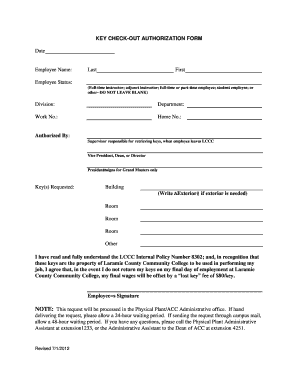


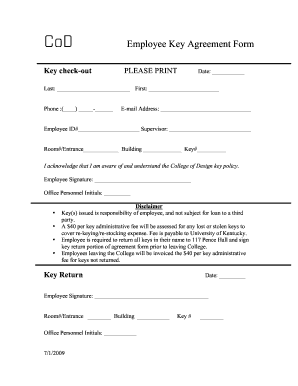

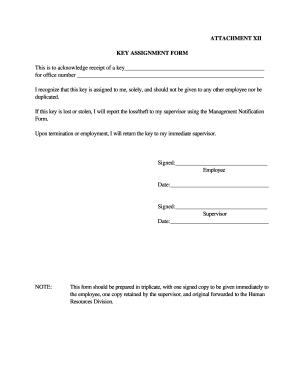

Get the latest insights from our blog


If you believe that this page should be taken down, please follow our DMCA take down process
here
.
This form may include fields for payment information. Data entered in these fields is not covered by PCI DSS compliance.