
Last updated on
Oct 2, 2026

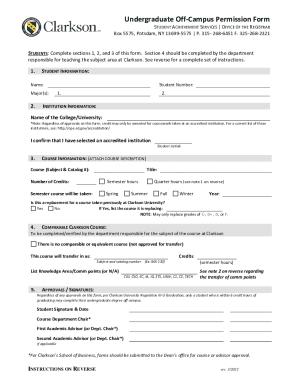
Get the free Academic Department Permission Form
We are not affiliated with any brand or entity on this form

Fill out
Complete the form online in a simple drag-and-drop editor.

eSign
Add your legally binding signature or send the form for signing.

Share
Share the form via a link, letting anyone fill it out from any device.

Export
Download, print, email, or move the form to your cloud storage.
Why pdfFiller is the best tool for your documents and forms


End-to-end document management
From editing and signing to collaboration and tracking, pdfFiller has everything you need to get your documents done quickly and efficiently.
Accessible from anywhere
pdfFiller is fully cloud-based. This means you can edit, sign, and share documents from anywhere using your computer, smartphone, or tablet.
Secure and compliant
pdfFiller lets you securely manage documents following global laws like ESIGN, CCPA, and GDPR. It's also HIPAA and SOC 2 compliant.
What is Department Permission Form
The Academic Department Permission Form is a document used by students at LaGuardia Community College to request permission for courses with prerequisites, corequisites, or closed sections.
pdfFiller scores top ratings on review platforms




Who needs Department Permission Form?
Explore how professionals across industries use pdfFiller.

Department Permission Form is needed by:
-
Students enrolled at LaGuardia Community College
-
Department chairpersons who approve course permissions
-
Academic advisors guiding students on course selections
-
Members of the academic department requiring signatures
-
Personnel from the Basic Skill Department for additional approvals
Comprehensive Guide to Department Permission Form
What is the Academic Department Permission Form?
The Academic Department Permission Form is a critical document for students at LaGuardia Community College. It serves the purpose of facilitating course enrollments that require permissions due to prerequisites, corequisites, or closed sections. This form necessitates signatures from the student, the department chairperson, and the relevant departments, including the Basic Skills Department when applicable. The significance of this form is underscored by its role in ensuring that students meet the necessary requirements for their desired courses.
Purpose and Benefits of the Academic Department Permission Form
The Academic Department Permission Form is essential for streamlining the registration process for students. By utilizing this form, students can achieve the following benefits:
-
Register for courses that have prerequisites or corequisites.
-
Enroll in closed sections of classes that are otherwise full.
-
Enhance their overall registration experience by simplifying administrative steps.
These advantages make it a must-have tool for any student looking to navigate their academic journey effectively.
Who Needs the Academic Department Permission Form?
This form is specifically designed for students who wish to enroll in courses that require additional permissions. The following circumstances typically mandate the submission of this form:
-
When enrolling in courses that require departmental approval.
-
In scenarios where sections are closed and permission is necessary to register.
In addition, faculty members, such as the Chairperson and the Basic Skills Department, play a vital role in the approval process by providing the necessary signatures.
Eligibility Criteria for the Academic Department Permission Form
Understanding the eligibility criteria for filling out the Academic Department Permission Form is crucial for students. The following qualifications are generally required:
-
Courses that explicitly require this form, such as those with prerequisites or corequisites.
-
Basic academic requirements set forth by LaGuardia Community College.
-
Additional specifications for signature approval from relevant departments.
Meeting these criteria ensures that students can successfully complete the form and seek the required permissions.
How to Fill Out the Academic Department Permission Form Online
Filling out the Academic Department Permission Form online involves several steps. Here’s a detailed guide:
-
Gather the necessary information, including your student ID and course details.
-
Access the form online and input your personal information in the required fields.
-
Check any applicable boxes for prerequisites or corequisites.
-
Obtain digital signatures from the relevant parties before submitting the form.
Following these steps will facilitate a smooth online form completion process.
Common Errors and How to Avoid Them with the Academic Department Permission Form
To avoid potential pitfalls when submitting the Academic Department Permission Form, keep the following common errors in mind:
-
Incomplete information in required fields, leading to processing delays.
-
Missing signatures from necessary departments or individuals.
To minimize mistakes, double-check your form for accuracy before submission and ensure all sections are filled out appropriately.
Submission Methods for the Academic Department Permission Form
Students can submit the Academic Department Permission Form using various methods for convenience:
-
In-person submission at designated drop-off locations, such as C-107.
-
Electronic submission through the college’s online system when applicable.
Be mindful of any submission deadlines, as these are crucial for timely course enrollment.
What Happens After You Submit the Academic Department Permission Form?
Once the Academic Department Permission Form has been submitted, students can expect the following:
-
A processing period of approximately two business days.
-
A confirmation notification regarding the status of the submission.
In the event of a rejection, students are advised to follow up with the appropriate department to understand the reasons and take corrective action.
Security and Compliance in Handling the Academic Department Permission Form
Students’ privacy and security when handling the Academic Department Permission Form are paramount. pdfFiller employs robust security measures, including:
-
256-bit encryption to safeguard user data.
-
Compliance with HIPAA and GDPR regulations to protect sensitive information.
This commitment to security ensures that all submitted forms are processed responsibly and securely.
Enhance Your Academic Experience with pdfFiller
pdfFiller offers an intuitive platform for completing the Academic Department Permission Form. With features such as:
-
Easy access to fillable forms and eSigning options.
-
Capabilities for saving, editing, and sharing completed forms.
Students are encouraged to utilize pdfFiller for a more efficient and smoother form-filling experience.
How to fill out the Department Permission Form
-
1.Begin by accessing the Academic Department Permission Form on pdfFiller's website. Use the search bar or direct link to find the specific form.
-
2.Once the form is open, review the fields that require your input. This includes student personal information, course details, and your reason for requesting the form.
-
3.Before starting, gather necessary information such as course codes, prerequisites, and departmental contact details to have all relevant data at hand.
-
4.Fill in the required fields using pdfFiller's user-friendly interface. Click on each blank area to input your information, utilizing checkboxes for prerequisites and corequisites.
-
5.After completing your part, you will need to collect signatures. Ensure that you notify your chairperson and relevant department members to confirm they are aware a signature is needed.
-
6.Once signatures are acquired, revisit the completed form. Carefully review all entries for accuracy, ensuring all fields are filled and signatures are present.
-
7.Finally, save your work on pdfFiller. You can choose to download the completed form in the preferred format or submit it directly if the platform allows submission to the relevant department.

Who is eligible to submit the Academic Department Permission Form?
Any student currently enrolled at LaGuardia Community College who needs permission to enroll in courses with prerequisites, corequisites, or closed sections can submit this form.
What is the deadline for submitting the Academic Department Permission Form?
Submission deadlines can vary based on the semester's course registration schedule. It is advisable to submit your form as early as possible to allow for processing time.
How do I submit the Academic Department Permission Form?
After completing and obtaining necessary signatures, the form must be deposited in the designated drop box located in C-107 at LaGuardia Community College.
Are there any supporting documents required along with the form?
Typically, no additional documents are required. However, if your request pertains to a specific course or situation, it may be helpful to include supporting statements or documentation.
What mistakes should I avoid when filling out the form?
Ensure all fields are accurately filled, particularly those requiring signatures. Double-check course details and prerequisites to prevent processing delays.
How long does it take to process the Academic Department Permission Form?
Processing typically takes up to two business days. After this period, students can complete their registration based on approval.
What should I do if my form is not approved?
If your request is denied, consult with your academic advisor or the department for guidance on alternative options and to understand the reason for denial.
Related Content
Related Forms
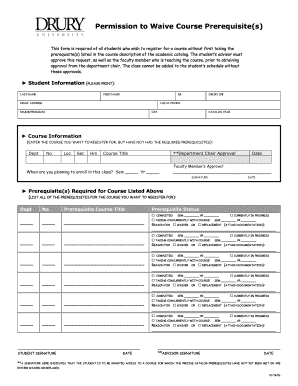
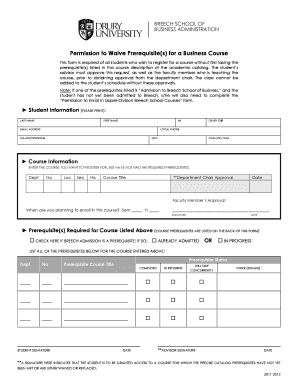


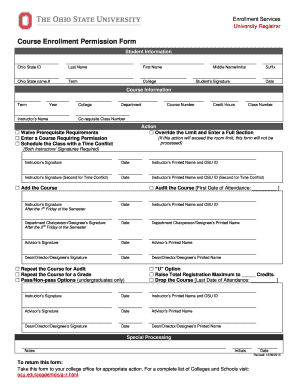


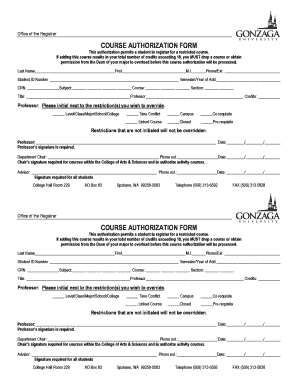
Get the latest insights from our blog


If you believe that this page should be taken down, please follow our DMCA take down process
here
.
This form may include fields for payment information. Data entered in these fields is not covered by PCI DSS compliance.