
Last updated on
Oct 31, 2026

Get the free CHAPS Transfer Form
We are not affiliated with any brand or entity on this form

Fill out
Complete the form online in a simple drag-and-drop editor.

eSign
Add your legally binding signature or send the form for signing.

Share
Share the form via a link, letting anyone fill it out from any device.

Export
Download, print, email, or move the form to your cloud storage.
Why pdfFiller is the best tool for your documents and forms


End-to-end document management
From editing and signing to collaboration and tracking, pdfFiller has everything you need to get your documents done quickly and efficiently.
Accessible from anywhere
pdfFiller is fully cloud-based. This means you can edit, sign, and share documents from anywhere using your computer, smartphone, or tablet.
Secure and compliant
pdfFiller lets you securely manage documents following global laws like ESIGN, CCPA, and GDPR. It's also HIPAA and SOC 2 compliant.
What is CHAPS Transfer
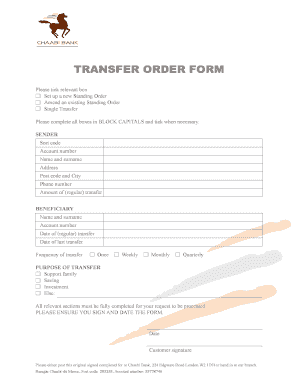
The CHAPS Transfer Form is a financial document used by corporate customers to initiate same-day bank transfers in the UK.
pdfFiller scores top ratings on review platforms




Who needs CHAPS Transfer?
Explore how professionals across industries use pdfFiller.

CHAPS Transfer is needed by:
-
Corporate accountants handling payments
-
Finance departments in businesses
-
Bank representatives facilitating transfers
-
Business owners managing cash flow
-
Auditors reviewing financial transactions
-
Corporate treasurers for fund management
Comprehensive Guide to CHAPS Transfer
What is the CHAPS Transfer Form
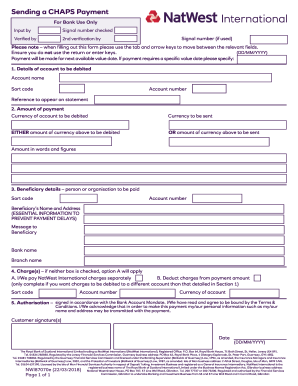
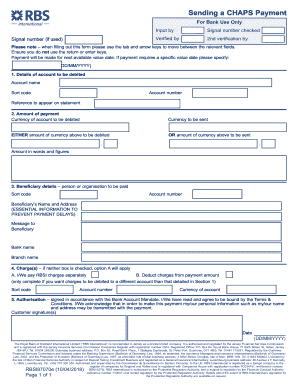
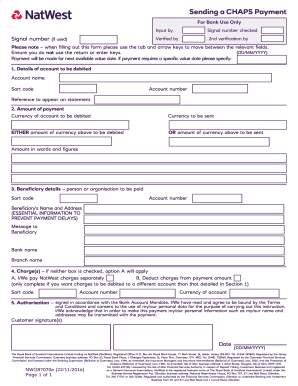
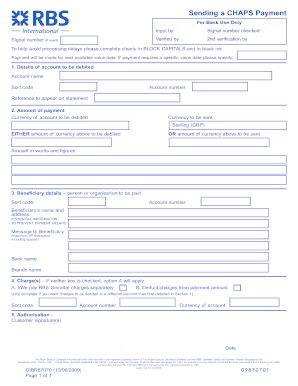
The CHAPS Transfer Form is essential for initiating same-day bank transfers in the UK. This form serves a crucial role in helping businesses manage their financial transactions efficiently. When filling out the CHAPS Transfer Form, users need to provide specific details, including the date the transaction is to be processed, the amount in figures, and the receiving bank's information.
Key components involved in the form include the sender's details, recipient's bank account information, and required signatures, which must come from both the sender and an authorised signatory.
Benefits of Using the CHAPS Transfer Form
Using the CHAPS Transfer Form offers several advantages for businesses seeking to make secure, same-day payments. This form facilitates timely transactions, which can be crucial for maintaining business operations and client relationships. Additionally, completing and submitting the form is made easier through the use of pdfFiller, a leading tool for form management.
Benefits of utilizing the CHAPS Transfer Form include:
-
Ensured same-day payment processing.
-
Secure transfer of funds between accounts.
-
Streamlined submission process using pdfFiller.
Who Needs the CHAPS Transfer Form
The CHAPS Transfer Form is typically used by various businesses and individuals in the UK. Common users include corporate clients making payments for large transactions, estate agents handling property sales, and individuals transferring significant sums of money.
Within this process, the roles of Senders and Authorised Signatories are vital for the completion of the form. Senders initiate the transfer, while Authorised Signatories validate the transaction, ensuring authenticity and compliance.
Step-by-Step Guide to Filling Out the CHAPS Transfer Form Online
To fill out the CHAPS Transfer Form correctly, users should follow a structured approach. Here are the necessary steps:
-
Enter the 'Date to be processed' in the appropriate field.
-
Specify the 'Amount in figures' accurately.
-
Fill out the 'Receiving (beneficiary) sort code'.
-
Provide the necessary details for the recipient's bank account.
-
Complete the signature lines to confirm authorization.
When completing the form, it is essential to write clearly and use capital letters to avoid any potential errors.
Common Errors to Avoid When Completing the CHAPS Transfer Form
Minimizing mistakes is crucial for the successful submission of the CHAPS Transfer Form. Some common errors that users should watch for include:
-
Missing signatures from either the sender or an authorised signatory.
-
Incorrect beneficiary information, such as bank account or sort code.
-
Omitting necessary details required for the transaction.
To ensure accuracy, it is advisable to review the completed form thoroughly before submission.
Signing the CHAPS Transfer Form: Digital vs. Wet Signature Requirements
The CHAPS Transfer Form requires signatures from both the sender and an authorised signatory. This is essential for verifying the transaction's legitimacy. Users have the option to opt for digital signatures, which can expedite the process, or traditional wet signatures, which may be necessary in specific situations.
When using digital signatures, ensure that the digital method complies with banking regulations to maintain the form's validity.
Where and How to Submit the CHAPS Transfer Form
Submitting the CHAPS Transfer Form can be done through several methods. Users can choose to process the form online, which may streamline the submission process, or visit a local bank branch for in-person submission.
One of the key advantages of using pdfFiller is its ability to facilitate a secure submission process, ensuring the confidentiality of sensitive information.
Tracking Your Submission and What Happens Next
After submitting the CHAPS Transfer Form, it is important to understand how to confirm receipt of the form. Users should look for a confirmation notification from their bank, indicating that the process is underway. Processing times can vary, so it's advisable to inquire about expected timelines.
To follow up on the status of the transfer, users can contact their bank directly or check their online banking portal for updates.
Security and Compliance When Using the CHAPS Transfer Form
Data security is a primary consideration when using the CHAPS Transfer Form. This form incorporates 256-bit encryption to protect sensitive information during submission. Compliance with legal regulations such as HIPAA and GDPR further enhances the security of personal and financial data.
Users can feel confident that their information is handled with the utmost care and in compliance with relevant regulations.
Maximize Your Experience with pdfFiller
Leveraging pdfFiller can significantly enhance the user experience when completing the CHAPS Transfer Form. This platform simplifies the filling process and offers a range of features that include editing capabilities, eSigning functionality, and secure document sharing.
By utilizing pdfFiller, users can ensure a seamless experience while handling their corporate payment requests efficiently.
How to fill out the CHAPS Transfer
-
1.To access the CHAPS Transfer Form, visit pdfFiller and log in to your account or create a free one if you don’t have it.
-
2.Once logged in, utilize the search bar to locate the CHAPS Transfer Form and click on it to open.
-
3.Familiarize yourself with the pdfFiller interface, which allows you to click on fillable fields directly to enter your information.
-
4.Before starting, gather necessary information including the transfer date, transfer amount, sort code, beneficiary details, and your own details as the sender.
-
5.Begin completing the form by filling in the date to be processed at the designated field on top.
-
6.Next, in the 'Amount in figures' field, insert the exact amount you wish to transfer.
-
7.Then, move to the receiver's sort code section and enter the appropriate code carefully.
-
8.Input the beneficiary's account number followed by their name in the relevant fields.
-
9.Make sure to scroll down to locate the signature lines and ensure both the sender and the authorized signatory have a space to sign.
-
10.Review each filled section to confirm accuracy and correct any errors before moving on.
-
11.Utilize the review function on pdfFiller to validate that all fields are completed correctly and that the document is ready for finalization.
-
12.When satisfied with the form’s content, select the option to save your work, download for your records, or directly submit through pdfFiller.

What are the eligibility requirements for using the CHAPS Transfer Form?
The CHAPS Transfer Form is primarily for corporate customers and requires that both the sender and an authorized signatory complete and sign it before submission.
What is the deadline for submitting the CHAPS Transfer Form for same-day payments?
To ensure that your request is processed on the same business day, submit the CHAPS Transfer Form by 3 PM. Late submissions may not be processed until the next business day.
How can I submit the CHAPS Transfer Form once completed?
You can submit the completed CHAPS Transfer Form through pdfFiller, where you can directly send it to your bank electronically, or download it to send via email or postal mail.
Are there any supporting documents required with the CHAPS Transfer Form?
Generally, no additional documents are required for the CHAPS Transfer Form. However, your bank may request further verification based on the amount or recipient details.
What common mistakes should I avoid when filling out the CHAPS Transfer Form?
Common mistakes include entering incorrect sort codes or beneficiary details, not signing the form, and missing the 3 PM submission deadline. Review your entries carefully before finalizing.
What is the typical processing time for the CHAPS Transfer Form?
When submitted before the 3 PM cut-off, CHAPS payments are usually processed on the same day. Transactions after this time might process the following business day.
What should I do if I encounter issues while filling out the CHAPS Transfer Form?
If you face difficulties, consult pdfFiller’s help center for guidance or reach out to your bank for direct assistance related to completing the CHAPS Transfer Form.
Related Forms



Related Catalogs
Get the latest insights from our blog


If you believe that this page should be taken down, please follow our DMCA take down process
here
.
This form may include fields for payment information. Data entered in these fields is not covered by PCI DSS compliance.