
Last updated on
Nov 6, 2026

NO Norwex Customer OrderInvoice free printable template
We are not affiliated with any brand or entity on this form

Fill out
Complete the form online in a simple drag-and-drop editor.

eSign
Add your legally binding signature or send the form for signing.

Share
Share the form via a link, letting anyone fill it out from any device.

Export
Download, print, email, or move the form to your cloud storage.
Why pdfFiller is the best tool for your documents and forms


End-to-end document management
From editing and signing to collaboration and tracking, pdfFiller has everything you need to get your documents done quickly and efficiently.
Accessible from anywhere
pdfFiller is fully cloud-based. This means you can edit, sign, and share documents from anywhere using your computer, smartphone, or tablet.
Secure and compliant
pdfFiller lets you securely manage documents following global laws like ESIGN, CCPA, and GDPR. It's also HIPAA and SOC 2 compliant.
What is NO Norwex Customer OrderInvoice
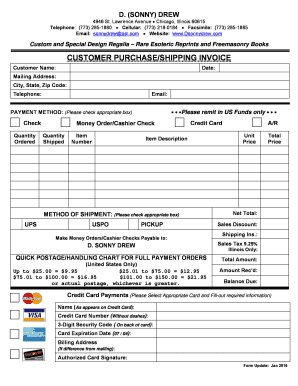
The Norwex Customer Order Invoice is a document used by customers to place orders for Norwex products and facilitate payment.
pdfFiller scores top ratings on review platforms




Awesome, very useful and super easy to use!
I am so thankful for its many abilities. I am glad that I can skip the conversion to Microsoft Word first before I can fill the form or edit a document. It has saved a lot of time for me.
Who needs NO Norwex Customer OrderInvoice?
Explore how professionals across industries use pdfFiller.

NO Norwex Customer OrderInvoice is needed by:
-
Individual customers purchasing Norwex products
-
Sales representatives needing to process orders
-
Business owners looking to order bulk Norwex items
-
Accountants handling invoice management
-
Financial administrators overseeing payments
-
New customers unfamiliar with the ordering process
Comprehensive Guide to NO Norwex Customer OrderInvoice
Understanding the Norwex Customer Order Invoice
The Norwex Customer Order Invoice is essential for customers placing orders for Norwex products, facilitating a smooth ordering process. This form includes key components such as customer information, product selection, and payment details. Understanding its role helps improve the efficiency of product ordering.
By utilizing the Norwex order form, customers ensure that their details are accurately recorded, ultimately leading to a more streamlined transaction experience.
Benefits of Using the Norwex Customer Order Invoice
The Norwex Customer Order Invoice offers various advantages that enhance the overall ordering and payment process. Users can streamline their transactions, ensuring all necessary customer and product details are collected accurately.
-
Facilitates a more efficient ordering process.
-
Enhances the accuracy of collected customer details.
-
Improves transaction record-keeping for future reference.
Key Features of the Norwex Customer Order Invoice
This invoice form contains several specific elements designed to enhance functionality. Fillable fields such as 'Customer Name', 'Address', 'Email', and 'Phone' make it easy for users to provide essential information.
-
Includes a signature line for customer confirmation.
-
Offers options for receiving updates on future products and specials.
Who Needs the Norwex Customer Order Invoice?
The Norwex Customer Order Invoice is used by a variety of individuals, including individual buyers and Norwex consultants. It is particularly essential in scenarios where precise transactions are necessary for successful order processing.
Understanding who typically uses the form helps in identifying its importance within the Norwex ordering system.
How to Fill Out the Norwex Customer Order Invoice Online
Completing the Norwex Customer Order Invoice online through pdfFiller can be straightforward if users follow a few simple steps. Begin by accessing the invoice template to begin inputting the required information.
-
Open the Norwex Customer Order Invoice in pdfFiller.
-
Fill out the designated fields: 'Customer Name', 'Address', 'Email', and 'Phone'.
-
Sign the form in the allocated signature section.
-
Select options for receiving further product updates.
-
Review all provided information for accuracy before submission.
Submitting the Norwex Customer Order Invoice
Once the Norwex Customer Order Invoice is completed, users can choose from various submission methods. Submit the form digitally through pdfFiller or opt for a physical copy, depending on your preference.
After submission, users can expect confirmation and tracking methods to ensure their orders are being processed effectively.
Payment Procedures and Options for the Norwex Customer Order Invoice
Understanding payment procedures is crucial when using the Norwex Customer Order Invoice. Acceptable payment methods include credit/debit cards and online payment options, providing flexibility for customers.
The invoice outlines how to manage potential fees and details available payment options, allowing for smoother transactions.
Ensuring Security and Compliance with Your Norwex Customer Order Invoice
Data protection and document security are vital when handling sensitive customer information through the Norwex Customer Order Invoice. pdfFiller employs several security measures, including 256-bit encryption, to safeguard user data.
Additionally, compliance with regulations like GDPR and HIPAA ensures that customer information is handled with care and in accordance with legal standards.
Utilizing pdfFiller for Your Norwex Customer Order Invoice
Leveraging the capabilities of pdfFiller can significantly enhance the user experience when completing the Norwex Customer Order Invoice. The platform provides an array of editing tools and eSigning features that simplify form filling.
-
Edit text and images within the invoice as needed.
-
Utilize eSigning capabilities to finalize the invoice effortlessly.
-
Access unique features that make filling out the invoice intuitive and user-friendly.
Next Steps After Completing Your Norwex Customer Order Invoice
After successfully completing the Norwex Customer Order Invoice, it's important to manage and store the invoice properly for future reference. Users should check their invoice status or correct any errors that may have occurred during submission.
-
Store the invoice securely as proof of your transaction.
-
Regularly check your application status to stay informed.
How to fill out the NO Norwex Customer OrderInvoice
-
1.Start by accessing pdfFiller in your web browser and logging in to your account.
-
2.In the search bar, type 'Norwex Customer Order Invoice' to locate the form quickly.
-
3.Once found, click on the form to open it in the editor interface.
-
4.Before filling out the form, gather necessary information such as your personal details, product selections, and payment methods.
-
5.Begin completing the form by filling in the 'Customer Name', 'Address', 'Email', and 'Phone' fields with your accurate details.
-
6.Refer to the product catalog to select the desired items and enter them into the relevant fields on the invoice.
-
7.Fill in payment details clearly, providing information on how you plan to pay for the order.
-
8.Don't forget to check the box if you would like future updates on new products and specials.
-
9.Sign the form by clicking on the 'Signature' field and typing or drawing your signature in pdfFiller.
-
10.After completing all fields, thoroughly review the form for accuracy and completeness.
-
11.Once satisfied, proceed to save your work. Click on the save option in pdfFiller, ensuring you keep a copy for your records.
-
12.You can download a PDF version of the completed invoice or submit directly through pdfFiller’s sharing features.

Who should fill out the Norwex Customer Order Invoice?
Any individual or business customer looking to purchase Norwex products should fill out this invoice. It is essential for placing orders and ensuring proper payment processing.
Are there deadlines associated with using this invoice?
While specific deadlines can vary based on order processing or promotional offers, it's advisable to submit the invoice promptly to avoid missing out on special deals or product availability.
How can I submit the Norwex Customer Order Invoice?
You can submit the completed invoice directly through pdfFiller by utilizing their sharing options, or download it and send it via email to your Norwex representative.
What supporting documents are needed with the invoice?
Typically, no additional documents are required. However, if you are ordering on behalf of a business, providing a business identification or tax information may be necessary.
What should I double-check before finalizing the invoice?
Ensure all fields are filled out accurately, such as your contact information, product choices, and payment methods. Verify that you have signed the document to avoid any processing delays.
How long does processing of the invoice usually take?
Processing times can vary, but orders typically take a few business days to process after submission, depending on product availability and payment confirmation.
What common mistakes should I avoid when filling out the invoice?
Be sure to avoid omitting necessary fields, miswriting your contact information, or neglecting to read any provided instructions. Double-check all entries for accuracy.
Related Forms





Related Catalogs
Get the latest insights from our blog


If you believe that this page should be taken down, please follow our DMCA take down process
here
.
This form may include fields for payment information. Data entered in these fields is not covered by PCI DSS compliance.