
Last updated on
Oct 31, 2026

Get the free Medical Assistant Matching Exam
We are not affiliated with any brand or entity on this form

Fill out
Complete the form online in a simple drag-and-drop editor.

eSign
Add your legally binding signature or send the form for signing.

Share
Share the form via a link, letting anyone fill it out from any device.

Export
Download, print, email, or move the form to your cloud storage.
Why pdfFiller is the best tool for your documents and forms


End-to-end document management
From editing and signing to collaboration and tracking, pdfFiller has everything you need to get your documents done quickly and efficiently.
Accessible from anywhere
pdfFiller is fully cloud-based. This means you can edit, sign, and share documents from anywhere using your computer, smartphone, or tablet.
Secure and compliant
pdfFiller lets you securely manage documents following global laws like ESIGN, CCPA, and GDPR. It's also HIPAA and SOC 2 compliant.
What is Medical Matching Exam
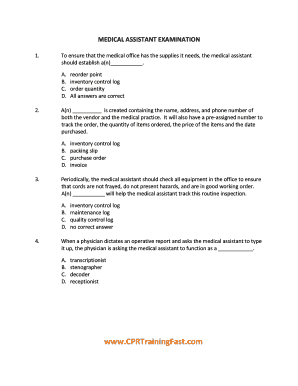
The Medical Assistant Matching Exam is a fillable document used by medical students and assistants to test knowledge of medical terms and definitions.
pdfFiller scores top ratings on review platforms




Who needs Medical Matching Exam?
Explore how professionals across industries use pdfFiller.

Medical Matching Exam is needed by:
-
Medical students preparing for exams
-
Training institutions for medical assistants
-
Educational coordinators in healthcare
-
Medical assistant trainees
-
Exam preparation tutors
-
Healthcare training programs
Comprehensive Guide to Medical Matching Exam
What is the Medical Assistant Matching Exam?
The Medical Assistant Matching Exam is designed to assess knowledge of medical terms and definitions. This fillable form consists of sections that require users to match terms with their corresponding definitions. Topics covered in this exam include hematology, pharmacology, and various medical procedures. It serves as an excellent resource for those preparing for a medical terminology exam.
Purpose and Benefits of the Medical Assistant Matching Exam
This exam is crucial for medical students and assistants as it enhances their understanding of medical terminology, which is vital for effective communication in healthcare settings. The structured quiz format allows users to prepare efficiently, making the learning process both engaging and effective. Utilizing a medical assistant quiz as a study guide can significantly improve retention of critical medical concepts.
Key Features of the Medical Assistant Matching Exam
The Medical Assistant Matching Exam boasts unique features that enhance learning and assessment. It is a fillable form accessible through pdfFiller, making it user-friendly. Specific fields in the exam, such as "Medical Assistant Matching 33. After Meal ______," provide clear prompts for users to engage with the content. This format encourages active participation in the learning process.
Who Needs the Medical Assistant Matching Exam?
The primary target audience for this exam includes medical assistants and students enrolled in healthcare programs. It is particularly relevant in both academic and professional settings where a strong grasp of medical terminology is essential. Taking the medical assistant matching exam can significantly benefit those looking to validate their knowledge and skills in the medical field.
How to Fill Out the Medical Assistant Matching Exam Online
Filling out the Medical Assistant Matching Exam online is straightforward. Follow these steps for successful completion:
-
Gather necessary information, including basic medical knowledge and terminology.
-
Access the form via pdfFiller.
-
Fill in the fields according to the prompts provided.
-
Review your entries for accuracy before submission.
Common Errors and How to Avoid Them
When completing the Medical Assistant Matching Exam, users may encounter several common mistakes. To avoid errors, be mindful of the following:
-
Skipping sections or misreading prompts.
-
Providing incomplete or incorrect answers.
-
Failing to review the form before submitting.
By taking the time to check your work, you can enhance accuracy and ensure a complete submission.
Ensuring Security and Compliance with the Medical Assistant Matching Exam
Security is paramount when handling sensitive information in the Medical Assistant Matching Exam. pdfFiller incorporates robust security features, including encryption and compliance with HIPAA and GDPR regulations. Protecting data while filling out and submitting forms is essential to safeguarding personal and professional information.
How to Submit the Medical Assistant Matching Exam
After completing the exam, submission can be done through various methods. Users have options such as submitting online or sending via email. Make sure to include any required documents and adhere to submission timeframes to ensure a smooth processing experience.
What Happens After You Submit the Medical Assistant Matching Exam?
Upon submission of the Medical Assistant Matching Exam, users can expect to receive confirmation of their submission. Processing times may vary, but tracking your submission will keep you informed of its status. In case of rejections or issues, knowing the appropriate next steps can assist in addressing any concerns promptly.
Utilizing pdfFiller for the Medical Assistant Matching Exam
pdfFiller is an invaluable tool for anyone completing the Medical Assistant Matching Exam. Its capabilities include editing, filling, and saving forms efficiently. Many users have shared success stories about how pdfFiller has simplified their document management processes, providing reliability and ease of use.
How to fill out the Medical Matching Exam
-
1.To start, visit pdfFiller's website and log into your account. If you do not have an account, you can easily create one for free.
-
2.Once logged in, use the search bar to find the 'Medical Assistant Matching Exam' template. Type the name of the form and click on the search result.
-
3.After locating the form, click on it to open in the pdfFiller editor. You will see a series of fields laid out for you to fill in the matching terms.
-
4.Before filling out the form, gather the necessary information regarding medical terminology and definitions. This may include textbooks, study guides, or course notes.
-
5.Begin completing the form by carefully reading each prompt. Use your gathered information to match medical terms with the correct definitions in the provided blanks.
-
6.As you fill in each field, check your entries for accuracy to ensure you understand and can correctly identify each term.
-
7.Once you have completed the form, review all entries thoroughly. Make any necessary corrections or adjustments before finalizing.
-
8.After reviewing, you can save your work within pdfFiller. To do this, click the 'Save' button at the top right of the screen.
-
9.If you need to download the completed form, select the 'Download' option to save it to your device in your preferred format.
-
10.Lastly, if required, you can submit the form directly through pdfFiller by selecting the 'Submit' option, which allows you to email it to your intended recipient.

Who is eligible to take the Medical Assistant Matching Exam?
The Medical Assistant Matching Exam is primarily intended for medical students and trainees in medical assistant programs who are preparing to test their knowledge of medical terms.
Are there deadlines for completing the Medical Assistant Matching Exam?
Typically, there are no strict deadlines for filling out this exam form, but it is advisable to complete it in a timely manner in preparation for actual assessments.
How can I submit the Medical Assistant Matching Exam after completion?
After completing the exam on pdfFiller, you can submit it directly via email through the platform or download it for personal submission based on your needs.
What information do I need to gather before starting the exam?
Before starting the Medical Assistant Matching Exam, gather your medical terminology resources such as study guides or notes to assist you in filling in the correct terms.
What are some common mistakes to avoid while filling out the exam?
Common mistakes include mismatching terms with definitions, skipping fields, and not reviewing your answers carefully before submission; take time to check your work.
How long does it take to process the exam after submission?
Since the Medical Assistant Matching Exam is an educational tool rather than an official form, there is no processing time. You can use it immediately for study purposes.
Can I edit the Medical Assistant Matching Exam after completing it?
Yes, once you save your work in pdfFiller, you can revisit the document to make edits or updates as needed before final submission.
Related Forms


Related Catalogs
Get the latest insights from our blog



If you believe that this page should be taken down, please follow our DMCA take down process
here
.
This form may include fields for payment information. Data entered in these fields is not covered by PCI DSS compliance.