
Last updated on
Nov 7, 2026

DA 638 2017 free printable template
pdfFiller is not affiliated with any government organization

Fill out
Complete the form online in a simple drag-and-drop editor.

eSign
Add your legally binding signature or send the form for signing.

Share
Share the form via a link, letting anyone fill it out from any device.

Export
Download, print, email, or move the form to your cloud storage.
Why pdfFiller is the best tool for your documents and forms


End-to-end document management
From editing and signing to collaboration and tracking, pdfFiller has everything you need to get your documents done quickly and efficiently.
Accessible from anywhere
pdfFiller is fully cloud-based. This means you can edit, sign, and share documents from anywhere using your computer, smartphone, or tablet.
Secure and compliant
pdfFiller lets you securely manage documents following global laws like ESIGN, CCPA, and GDPR. It's also HIPAA and SOC 2 compliant.
What is DA 638
The DA 638 is a form used by federal employees to request a specific official action or service, primarily within the U.S. government framework.
pdfFiller scores top ratings on review platforms




Easy to use. Haven't found a form it couldn't handle. I had an issue recently where it would not allow me to save a copy of the completed form as a PDF on my computer. Weird. Otherwise 5 stars
very useful and easy to use
very useful and easy to use, good app.
Who needs DA 638?
Explore how professionals across industries use pdfFiller.

DA 638 is needed by:
-
Federal government employees seeking official services
-
Human resources personnel managing employee requests
-
Administrators coordinating federal programs
-
Compliance officers ensuring adherence to regulations
-
Consultants advising government agencies
Comprehensive Guide to DA 638
What is the DA 638?
The DA 638 form is a critical document in the realm of military and governmental operations, primarily used for documentation management. It collects various essential pieces of information regarding specific requests and approvals necessary for administrative efficiency. The form serves multiple contexts, including personnel actions and organizational requests, facilitating better communication and information flow within the departments.
Purpose and Benefits of the DA 638
The DA 638 is essential for numerous processes, providing several advantages for users. Timely completion and submission of this form expedite administrative workflows, ensuring that necessary actions are taken without unnecessary delays. It streamlines documentation and approval processes, making it easier for personnel to manage requests and for decision-makers to access crucial information quickly.
Who Needs the DA 638?
This form is specifically designed for groups and individuals engaged in military or government operations who require formal approval for various requests. It is necessary for personnel involved in actions such as duty-related expenses, training requests, or travel authorizations. Examples of use cases include soldiers seeking reimbursements and departments requiring approval for resource allocation.
How to Fill Out the DA 638 Online
Filling out the DA 638 online through pdfFiller can be accomplished in several straightforward steps:
-
Access the DA 638 form via the pdfFiller platform.
-
Fill in the required fields, ensuring that all information is accurate.
-
Utilize the tips provided within pdfFiller for form completion to confirm accuracy.
-
Review the completed form before submission to catch any errors.
This process allows for seamless interaction and minimizes the risk of mistakes when filling out the form.
Common Errors and How to Avoid Them
When completing the DA 638, users often encounter several common errors that can lead to complications. These mistakes include incomplete information, inaccuracies in numerical data, and missing required signatures. To prevent these issues, it is advisable to double-check all entries for correctness and to follow the established guidelines carefully. Taking these precautions can significantly reduce the likelihood of delays in processing.
Filing and Submission Methods for the DA 638
Submitting the DA 638 can be done through various methods, including online submission and traditional mail. Each method has specific requirements and deadlines that must be adhered to, depending on the urgency of the request. Once the submission is complete, users can expect a confirmation notifying them that their form has been filed successfully.
Security and Compliance for the DA 638
Handling the DA 638 requires strict adherence to security protocols to ensure privacy and compliance. PdfFiller employs robust measures such as 256-bit encryption and is compliant with regulations like HIPAA and GDPR. Users can also take advantage of secure electronic signing options, ensuring that their submissions remain protected throughout the process.
Post-Submission: What to Expect After Filing the DA 638
After submitting the DA 638, users can expect a processing time that varies depending on the nature of the request. It is essential to track the status of the submission to ensure it is being handled appropriately. If corrections are needed, users should be prepared to navigate the resubmission process to amend any errors effectively.
Experience Hassle-Free Document Management with pdfFiller
Utilizing pdfFiller brings a seamless experience to managing the DA 638 form. The platform offers capabilities for editing, eSigning, and sharing documents efficiently from any browser, enhancing accessibility. With high-level security features, users can confidently manage sensitive documents, knowing their information is secure.
How to fill out the DA 638
-
1.Access pdfFiller and search for 'DA 638' in the template library to locate the form quickly.
-
2.Once opened, familiarize yourself with pdfFiller's interface, ensuring all tools are visible including text fields and annotation options.
-
3.Before you begin filling out the form, gather all required information such as personal details, descriptions of the service required, and any supporting documentation.
-
4.Start entering your information in the designated fields. Click on each field to activate it and type directly using your keyboard. Ensure all entries are accurate and complete.
-
5.Use the toolbar to add notes or comments if needed, and refer to any instructions provided within the form to guide your completion process.
-
6.After filling out all required fields, carefully review each section for errors or omissions. Utilize pdfFiller's highlighting option to mark sections you have completed.
-
7.Once you are satisfied with the entries and the accuracy, click the 'Save' button to store a copy of your completed form within your pdfFiller account.
-
8.If you wish to download a copy or submit it directly, select the appropriate option. PdfFiller allows you to save forms in various formats including PDF or DOCX.

Who is eligible to submit the DA 638 form?
Eligibility for the DA 638 form typically includes current federal government employees who require specific services or official actions. Ensure to check any additional requirements based on your agency.
Are there deadlines for submitting the DA 638 form?
Deadlines for the DA 638 may vary depending on the nature of the request and agency policy. It's important to submit the form as early as possible to avoid delays.
How can I submit the DA 638 form once completed?
The completed DA 638 can be submitted electronically through pdfFiller via email or by downloading it and sending it through traditional mail to the relevant department.
What supporting documents are needed with the DA 638 form?
Depending on the request made within the DA 638, supporting documents may include identification, prior correspondence, or any relevant approvals. Check your agency's requirements for specifics.
What are common mistakes to avoid when filling out the DA 638?
Common mistakes include missing required fields, providing incorrect information, and failing to gather necessary supporting documents. Ensure to double-check all entries before submission.
How long does it take to process the DA 638 form?
Processing times for the DA 638 vary by agency and workload. It is best to confirm with your agency for the expected timeline and any urgent requests.
Can I edit my DA 638 form after I have saved it?
Yes, you can go back to pdfFiller and open the saved DA 638 form to make any necessary edits. Just ensure to save again after making changes.
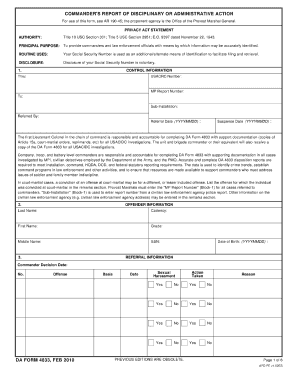
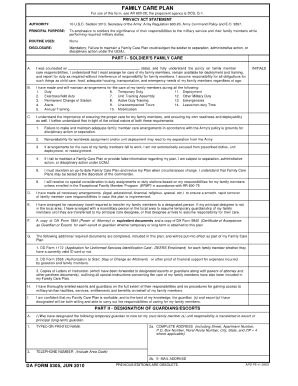
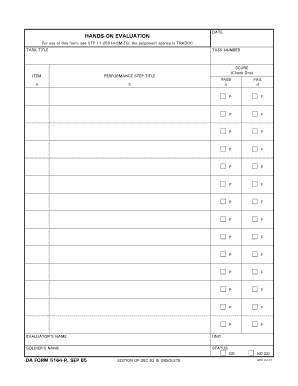
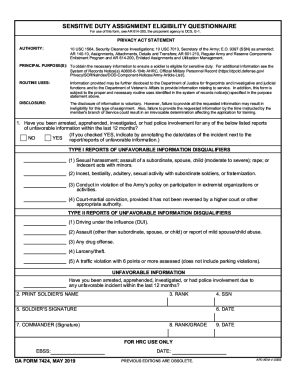
DA 638 Form Versions
Related Content
Related Forms
Related Catalogs
Get the latest insights from our blog



If you believe that this page should be taken down, please follow our DMCA take down process
here
.
This form may include fields for payment information. Data entered in these fields is not covered by PCI DSS compliance.