
Last updated on
Nov 22, 2026

KS KDHE KC-6110 2020-2026 free printable template
pdfFiller is not affiliated with any government organization

Fill out
Complete the form online in a simple drag-and-drop editor.

eSign
Add your legally binding signature or send the form for signing.

Share
Share the form via a link, letting anyone fill it out from any device.

Export
Download, print, email, or move the form to your cloud storage.
Why pdfFiller is the best tool for your documents and forms


End-to-end document management
From editing and signing to collaboration and tracking, pdfFiller has everything you need to get your documents done quickly and efficiently.
Accessible from anywhere
pdfFiller is fully cloud-based. This means you can edit, sign, and share documents from anywhere using your computer, smartphone, or tablet.
Secure and compliant
pdfFiller lets you securely manage documents following global laws like ESIGN, CCPA, and GDPR. It's also HIPAA and SOC 2 compliant.
What is KS KDHE KC-6110
The Authorization for Release of Protected Health Information is a medical consent form used by individuals in Kansas to authorize the disclosure of their health information to specified parties.
pdfFiller scores top ratings on review platforms




Who needs KS KDHE KC-6110?
Explore how professionals across industries use pdfFiller.

KS KDHE KC-6110 is needed by:
-
Individuals seeking to share their medical records
-
Healthcare providers requiring patient authorization
-
Legal professionals needing medical information for cases
-
Insurance companies requesting access to health records
-
Family members authorized to receive medical information
Comprehensive Guide to KS KDHE KC-6110
What is the Authorization for Release of Protected Health Information?
The Authorization for Release of Protected Health Information is a crucial form in health information management, particularly within the U.S. It enables individuals to authorize the use and sharing of their health information, ensuring that patient preferences are prioritized. The form must include several key elements: a signature from the individual, an expiration date, and details specifying what health information may be disclosed.
This health information disclosure form empowers individuals to take control over their medical records, thus playing an essential role in patient privacy and consent.
Purpose and Benefits of the Authorization for Release of Protected Health Information
The authorization form is vital for several reasons. Primarily, it facilitates the sharing of health information necessary for medical treatments and consultations, ensuring that healthcare providers have the required access for effective patient care. Additionally, it grants individuals control over their personal medical records, maintaining confidentiality and trust in the healthcare system.
There are various scenarios in which this form is beneficial, such as when a patient is transferring to a new healthcare provider or when legal documentation is required for medical history.
Who Needs the Authorization for Release of Protected Health Information?
Typically, patients and healthcare providers are the main individuals who request the authorization form. Patients may find themselves needing to fill it out during transitions between doctors or for legal purposes related to their health records. Moreover, family members or legal representatives may also require this document to access sensitive health information.
Understanding who needs this authorization is essential for maintaining seamless healthcare and ensuring that authorized individuals can receive necessary information.
How to Fill Out the Authorization for Release of Protected Health Information Online (Step-by-Step)
Filling out the Authorization for Release of Protected Health Information online can be simplified by following these steps:
-
Access the form through pdfFiller.
-
Complete all required blank fields by following the instructions provided within the form.
-
Check that all information is accurate and clearly stated.
-
Include your signature and specify the expiration date for authorization.
Be meticulous about filling in all sections to prevent delays in processing your request.
Field-by-Field Instructions for the Authorization for Release of Protected Health Information
Each section of the Authorization form contains specific fields that need attention:
-
Specify the recipient of the health information.
-
Clearly describe the information being disclosed.
-
State the purpose of the request, ensuring it is articulated effectively.
-
Be aware of your right to revoke authorization at any time.
Understanding these fields will enhance your ability to complete the form correctly and efficiently.
Common Errors and How to Avoid Them When Completing the Authorization for Release of Protected Health Information
While filling out the authorization form, individuals often encounter common mistakes that can cause processing delays:
-
Leaving required fields blank.
-
Failing to provide a valid signature or expiration date.
-
Inaccurate or unclear descriptions of the health information.
By paying attention to these details, you can minimize errors and streamline the authorization process.
Submission Methods and What Happens After You Submit the Authorization for Release of Protected Health Information
Submitting the authorization form can be done through various methods:
-
Mailing the completed form to the designated office.
-
Submitting via email for quick processing.
-
Delivering it in person, if preferred.
After submission, expect a processing time, and confirm receipt of your authorization to ensure it has been received and is being acted upon.
Security and Compliance for the Authorization for Release of Protected Health Information
Security is a top priority when handling the Authorization for Release of Protected Health Information. pdfFiller ensures document security through 256-bit encryption and adheres to HIPAA compliance, safeguarding your personal information. Moreover, the platform remains committed to privacy regulations in Kansas and throughout the U.S.
Being aware of these security measures assures individuals that their health information remains protected throughout the authorization process.
How pdfFiller Can Help With the Authorization for Release of Protected Health Information
pdfFiller offers a wide array of features that enhance the experience of completing the Authorization for Release of Protected Health Information:
-
eSigning capabilities for added convenience.
-
User-friendly tools for filling and editing forms online.
-
Efficient processing, improving turnaround times for crucial documents.
Many users report significant time savings and enhanced reliability when utilizing pdfFiller’s platform.
Sample Authorization for Release of Protected Health Information
For reference, a sample authorization form is beneficial to understand the proper format and required details:
-
A visual example of a properly filled-out authorization form.
-
Annotations that explain each section of the completed document.
-
Insights into common practices for filling out authorization forms correctly.
Reviewing a sample can greatly assist users in ensuring their forms are completed accurately.
How to fill out the KS KDHE KC-6110
-
1.To start, access the Authorization for Release of Protected Health Information form on pdfFiller by searching for the form title or using a provided link.
-
2.Open the form within pdfFiller's platform. You will be presented with the editable document interface, which allows you to enter information directly into the fields.
-
3.Before beginning, gather necessary information. This includes details of the healthcare provider or organization you authorize to disclose your information, along with your own identifying information.
-
4.Begin filling out the form by entering your name and relevant personal details in the designated fields. Be sure to fill in all required information, as indicated by blank fields and checkboxes.
-
5.Specify the person or organization to whom the information will be disclosed and describe the health information you wish to share. It's crucial to ensure these details are accurate.
-
6.Indicate the purpose of the information disclosure, as this section helps clarify why you're providing authorization. Make sure it aligns with your intended use.
-
7.Review the completed sections to ensure all fields are filled out correctly and clearly. Double-check for any typos or missing information.
-
8.Once you have reviewed the form for accuracy, navigate to the PDF options available on pdfFiller to save or download your completed document.
-
9.You may also submit the form directly through the platform, depending on your needs. Follow instructions for any required proofs or additional documentation that may be needed.
-
10.Finally, if there are any instructions from the receiving party regarding submission methods, ensure to follow those guidelines for timely processing.

Who is eligible to complete the Authorization for Release of Protected Health Information?
Any individual in Kansas who wishes to authorize the release of their protected health information is eligible to complete this form. It's essential that they are at least 18 years old or have a legal guardian who can sign on their behalf.
Are there any deadlines for submitting the authorization form?
While the form does not typically have a specific submission deadline, it’s important to complete and submit it as soon as possible to avoid delays in accessing needed health information.
What is the process for submitting this form after completion?
Once the form is filled out on pdfFiller, you can save it to your device or submit it directly through the platform to the designated healthcare provider or organization as instructed.
What supporting documents are required when submitting this authorization?
Typically, no additional documents are required unless the receiving party specifies otherwise. Always check their guidelines for submission to confirm.
What are common mistakes to avoid when completing the form?
Common mistakes include leaving necessary fields blank, providing inaccurate information, or failing to sign and date the form, which can render it invalid.
How long does it take to process the authorization request?
Processing times can vary based on the provider's policies. Generally, it may take a few days to a week, so submitting well in advance is recommended.
Is notarization required for this authorization form?
No, notarization is not required for the Authorization for Release of Protected Health Information in Kansas, but it should be signed by the individual for validity.
KS KDHE KC-6110 Form Versions
Related Forms
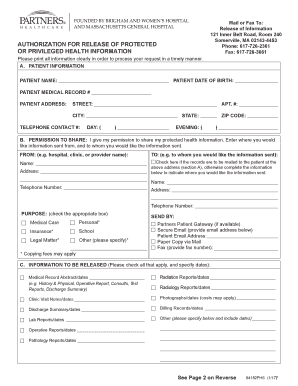
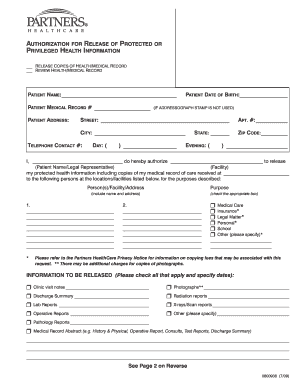

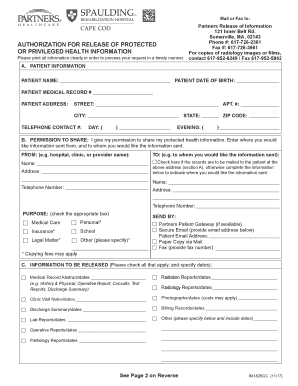
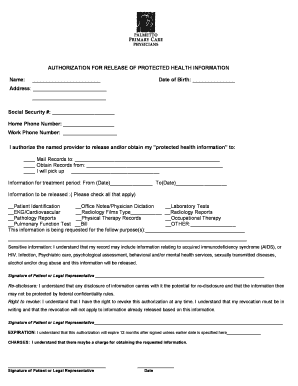

Get the latest insights from our blog


If you believe that this page should be taken down, please follow our DMCA take down process
here
.
This form may include fields for payment information. Data entered in these fields is not covered by PCI DSS compliance.