
Last updated on
Nov 6, 2026

AU DHS Mod(S) 2021 free printable template
We are not affiliated with any brand or entity on this form

Fill out
Complete the form online in a simple drag-and-drop editor.

eSign
Add your legally binding signature or send the form for signing.

Share
Share the form via a link, letting anyone fill it out from any device.

Export
Download, print, email, or move the form to your cloud storage.
Why pdfFiller is the best tool for your documents and forms


End-to-end document management
From editing and signing to collaboration and tracking, pdfFiller has everything you need to get your documents done quickly and efficiently.
Accessible from anywhere
pdfFiller is fully cloud-based. This means you can edit, sign, and share documents from anywhere using your computer, smartphone, or tablet.
Secure and compliant
pdfFiller lets you securely manage documents following global laws like ESIGN, CCPA, and GDPR. It's also HIPAA and SOC 2 compliant.
What is AU DHS Mod(S)
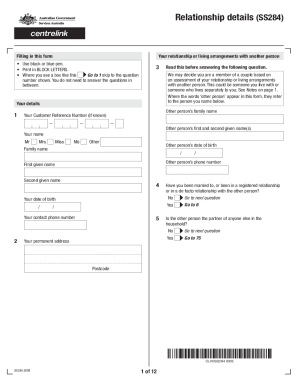
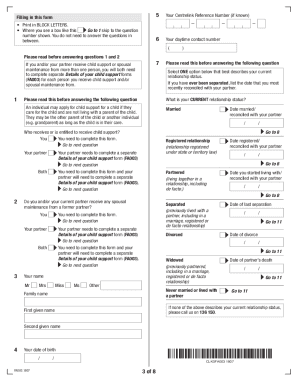
The Separation Details Form is a document used by individuals in Australia to notify the government of a separation from a partner for updating relationship status in payment records.
pdfFiller scores top ratings on review platforms




GOOD SERVICE GREAT HELP, WOULD ADVISE TO ANYONE
never see something like this, amazing!!!!
Who needs AU DHS Mod(S)?
Explore how professionals across industries use pdfFiller.

AU DHS Mod(S) is needed by:
-
Individuals receiving government payments in Australia
-
Customers updating relationship status with Centrelink
-
Parents reporting changes in custody or family situation
-
Parties needing to submit ex-partner information
-
Individuals looking for Family Tax Benefit updates
Comprehensive Guide to AU DHS Mod(S)
What is the Separation Details Form?
The Separation Details Form is a crucial document used in Australia to officially notify the government of a person's separation from their partner. This form is tied to various government assistance programs, particularly for individuals receiving benefits who need to update their relationship status. It serves to facilitate the accurate continuation of payments and benefits.
By filing this form, individuals can ensure that their relationship status is appropriately reflected in government records, which is essential for receiving accurate support. Related forms, such as the Centrelink separation form, also play a role in this process.
Purpose and Benefits of the Separation Details Form
The Separation Details Form is essential for individuals experiencing separation as it directly influences social service payments. Promptly updating relationship status can prevent delays in benefits and ensure that individuals receive the assistance they are entitled to. For instance, when a separation occurs, it is crucial to file the form to reflect changes in family income and eligibility for support programs.
-
Timely updates help maintain accurate payment information.
-
Delays in filing can lead to payment disruptions.
-
Common situations requiring this form include divorce and separation from a domestic partner.
Who Needs the Separation Details Form?
This form is targeted primarily at individuals receiving the Family Tax Benefit and other related government benefits. If you have separated from a partner, it is likely that you will need to file this form. The specific relationship statuses that require this form include separation from a spouse or domestic partner.
In some cases, additional documentation may be necessary, particularly in complex separation scenarios or if there are children involved.
How to Fill Out the Separation Details Form Online (Step-by-Step)
Filling out the Separation Details Form online can be straightforward if you follow these instructions:
-
Log in to your Centrelink online account.
-
Access the Separation Details Form section.
-
Input personal details including your name and contact information.
-
Provide details about your ex-partner, such as their family name and date of birth.
-
Review your entries to ensure accuracy.
-
Submit the form electronically through the portal.
Common Errors to Avoid When Completing the Separation Details Form
While completing the Separation Details Form, there are frequent errors that individuals should avoid:
-
Inaccurate personal information entry can lead to processing delays.
-
Failing to fill mandatory fields may result in form rejection.
-
Double-checking entries can help prevent simple mistakes.
It's crucial to be thorough, as errors can negatively impact processing and payment outcomes.
How to Submit the Separation Details Form
There are several methods available for submitting the Separation Details Form:
-
Online submission through your Centrelink account for immediate processing.
-
Printing and mailing the form if online submission is not an option.
Be mindful of submission deadlines as they can impact your benefits. After submitting, you can track the status of your application through your online account.
What Happens After You Submit the Separation Details Form?
Once you submit the Separation Details Form, government agencies will take several key steps:
-
They will review your submitted information for accuracy.
-
Updates will be made to your relationship status and payment entitlements.
You can monitor your application status through your Centrelink online account. If corrections or amendments are needed post-submission, procedures are in place to address these issues effectively.
Why Choose pdfFiller for Your Separation Details Form?
Utilizing pdfFiller for your Separation Details Form provides several advantages:
-
Streamlined form-filling capabilities enhance user experience.
-
Enhanced security measures protect sensitive information during the submission process.
-
With over 100 million users, pdfFiller is trusted for government document management.
Final Steps: Ensuring Your Separation Details Form is Complete
Before finalizing and submitting your Separation Details Form, it is important to conduct a thorough review:
-
Use a pre-filing checklist to confirm all necessary information is gathered.
-
Ensure your privacy and data protection measures are in place while filling out the form.
Taking these steps will enhance the effectiveness of your submission and help ensure that your relationship status update is processed smoothly.
How to fill out the AU DHS Mod(S)
-
1.To access the Separation Details Form on pdfFiller, navigate to the pdfFiller website and use the search bar to find the form.
-
2.Once you find the form, click on it to open the fillable template and start filling it out using pdfFiller's interface.
-
3.Before you begin, gather all necessary documents, such as your ex-partner's details, your identification, and any relevant income information to ensure you have all the needed data.
-
4.Carefully fill out each field, making sure to provide accurate information regarding your relationship status, including your ex-partner’s family name and your date of birth.
-
5.Once all fields are completed, review your entries to ensure that there are no mistakes. Take your time to double-check personal details and any financial information.
-
6.Finalize the form by clicking the save option, and choose to download or submit it directly through pdfFiller's submission feature.
-
7.To save the document, select the appropriate option and choose the format you prefer, ensuring that you retain a copy for your records.

Who is eligible to complete the Separation Details Form?
Individuals in Australia who are recipients of government benefits and have experienced a separation from their partner are eligible to complete this form.
Is there a deadline for submitting the Separation Details Form?
While the form can be submitted anytime after a separation, it is advised to do so as soon as possible to avoid any issues with payment adjustments or benefit eligibility.
What are the submission methods for the form?
You can submit the Separation Details Form online through pdfFiller, or print, sign, and mail it to the relevant government department in Australia.
What supporting documents are required with this form?
You may need your identification, your ex-partner's details, and any documentation regarding custody or income information to complete the Separation Details Form accurately.
What common mistakes should be avoided when filling out the form?
Ensure all personal information is accurate and complete. Common mistakes include typos in names, missing signature fields, and incomplete financial information.
How long does it take for the form to be processed?
Processing times can vary, but typically, you should allow a few weeks for the government to process the Separation Details Form and update your records.
Can I complete the Separation Details Form on my mobile device?
Yes, the Separation Details Form can be filled out on most mobile devices through the pdfFiller platform, allowing for convenience and flexibility.
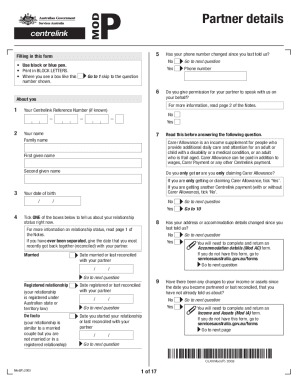
AU DHS Mod(S) Form Versions
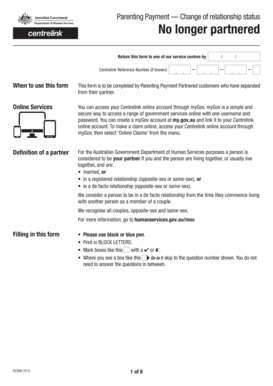
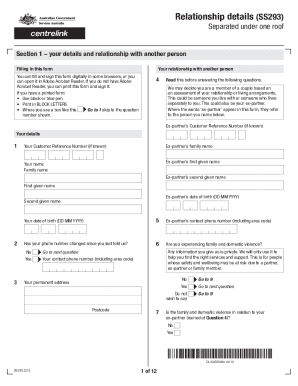
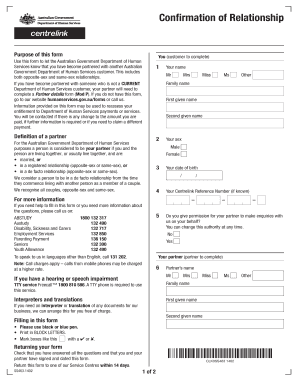
Related Forms




Get the latest insights from our blog


If you believe that this page should be taken down, please follow our DMCA take down process
here
.
This form may include fields for payment information. Data entered in these fields is not covered by PCI DSS compliance.