
Last updated on
Nov 7, 2026

OH OVR Tournament Entry Form 2022-2026 free printable template
pdfFiller is not affiliated with any government organization

Fill out
Complete the form online in a simple drag-and-drop editor.

eSign
Add your legally binding signature or send the form for signing.

Share
Share the form via a link, letting anyone fill it out from any device.

Export
Download, print, email, or move the form to your cloud storage.
Why pdfFiller is the best tool for your documents and forms


End-to-end document management
From editing and signing to collaboration and tracking, pdfFiller has everything you need to get your documents done quickly and efficiently.
Accessible from anywhere
pdfFiller is fully cloud-based. This means you can edit, sign, and share documents from anywhere using your computer, smartphone, or tablet.
Secure and compliant
pdfFiller lets you securely manage documents following global laws like ESIGN, CCPA, and GDPR. It's also HIPAA and SOC 2 compliant.
What is OH OVR Tournament Entry Form
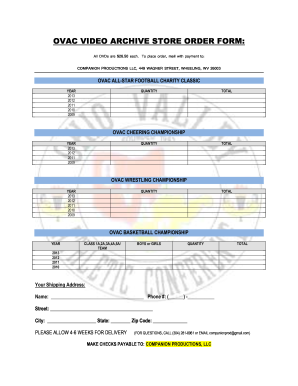
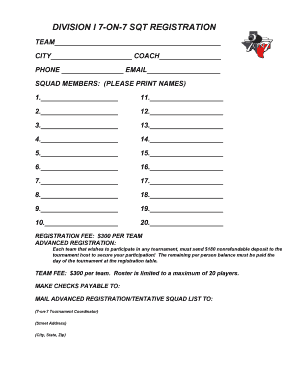
The OVR Tournament Entry Form is a registration document used by volleyball teams to enter tournaments organized by the Ohio Valley Region, Inc.
pdfFiller scores top ratings on review platforms




Who needs OH OVR Tournament Entry Form?
Explore how professionals across industries use pdfFiller.

OH OVR Tournament Entry Form is needed by:
-
Volleyball teams aiming to participate in tournaments
-
Team representatives responsible for registrations
-
Coaches looking to enroll teams in competitions
-
Event organizers needing team details
-
Parents of junior players registering for events
Comprehensive Guide to OH OVR Tournament Entry Form
What is the OVR Tournament Entry Form?
The OVR Tournament Entry Form serves as the official registration tool for teams wishing to participate in volleyball tournaments organized by the Ohio Valley Region. This form ensures compliance with regulations governed by USA Volleyball, maintaining the integrity and standards of the competition. Completing the form with accuracy is essential to avoid delays or issues in the registration process.
Purpose and Benefits of the OVR Tournament Entry Form
The OVR Tournament Entry Form provides numerous benefits for teams looking to compete in tournaments. First, it streamlines the registration process for volleyball events in Ohio, making it easier for teams to register timely and efficiently. Additionally, submitting the required entry fee is critical, as it directly influences the acceptance of the registration.
Who Needs the OVR Tournament Entry Form?
The primary target audience for the OVR Tournament Entry Form includes team representatives and coaches based in Ohio. The form is necessary for a variety of tournaments, covering multiple divisions and age groups. Teams intending to participate in OVR-sanctioned events must complete this form to secure their spot in the competition.
Key Features of the OVR Tournament Entry Form
The OVR Tournament Entry Form includes several key features essential for effective registration. The fillable sections require specific team details such as the team name, division, and player information. Additionally, a signature from the team representative is mandatory, emphasizing accountability. Supporting materials like proof of payment are typically required for submission.
How to Fill Out the OVR Tournament Entry Form Online (Step-by-Step)
Filling out the OVR Tournament Entry Form online is a straightforward process when using a tool like pdfFiller. Here are the steps to guide you through:
-
Access the OVR Tournament Entry Form on pdfFiller.
-
Input the required registration number and detailed player information accurately.
-
Complete all sections of the form, ensuring every necessary field is filled.
-
Review the filled details for any errors or omissions.
-
Sign the form electronically as the team representative.
Utilizing pdfFiller simplifies this process, enhancing accuracy and saving time.
Submission Methods for the OVR Tournament Entry Form
There are several methods available for submitting the completed OVR Tournament Entry Form. Teams can choose to submit digitally through pdfFiller or opt for traditional paper submissions. Each submission type may have specific requirements, such as formatting or accompanying documents. Be mindful of any deadlines and critical dates to ensure timely processing of your registration.
Fees, Deadlines, and Processing Time
Registration for tournaments using the OVR Tournament Entry Form involves specific entry fees and deadlines that must be adhered to. It's important to be aware of the expected processing time after submission. Payment methods can vary, and teams should also be informed about any available fee waivers if applicable to their situation.
Common Errors When Completing the OVR Tournament Entry Form
When filling out the OVR Tournament Entry Form, several common errors can occur. Common issues include missing signatures, incorrect player details, and not adhering to submission requirements. To minimize mistakes, users are encouraged to utilize validation tools available through pdfFiller to ensure their form is accurate and complete.
Security and Privacy Considerations for Completing the OVR Tournament Entry Form
Handling sensitive information on the OVR Tournament Entry Form requires a focus on security. pdfFiller ensures compliance with rigorous security standards, including HIPAA and GDPR, to protect user data. Users can rest assured that their personal and team information remains secure when using pdfFiller's platform for form completion.
Maximize Your Experience with the OVR Tournament Entry Form Using pdfFiller
To enhance your experience when completing the OVR Tournament Entry Form, take advantage of the capabilities offered by pdfFiller. The platform provides users with tools for editing, eSigning, and securing forms. Utilizing these features results in a hassle-free tournament entry experience.
How to fill out the OH OVR Tournament Entry Form
-
1.To access the OVR Tournament Entry Form, visit pdfFiller and use the search function to locate it by name.
-
2.Once the form is open, navigate through the fillable fields by clicking on each section to enter the required information.
-
3.Before starting, gather necessary details such as your team's registration number, division information, and player names to expedite the process.
-
4.Make sure to fill out all fields accurately, paying particular attention to any requirements for completion such as team division and player info.
-
5.After filling out the form, review each section carefully for completeness and accuracy to avoid errors.
-
6.Use the tools in pdfFiller to edit any information if you notice mistakes before submission.
-
7.Save your progress frequently to prevent data loss, and ensure to finalize the form after all entries are complete.
-
8.Once reviewed, you can download the completed form or directly submit it through pdfFiller using the submission options available.

What are the eligibility requirements for the tournament?
Teams must meet the eligibility criteria set by the Ohio Valley Region, Inc., including age divisions and player registrations. Ensure all members are registered to compete.
What is the deadline for submitting the OVR Tournament Entry Form?
Typically, the Deadline for submitting the OVR Tournament Entry Form is a few weeks before the tournament date. Check the official tournament announcement for specific dates.
How do I submit the completed form?
You can submit the completed OVR Tournament Entry Form either electronically through pdfFiller or print it out to send by mail according to the guidelines provided by the tournament organizers.
What supporting documents are required with the form?
Generally, you may need to submit proof of team registration and payment of the entry fee alongside the form to complete your registration process.
What common mistakes should I avoid while filling out this form?
Common mistakes include leaving fields blank, misspelling player names, or failing to sign the form. Always double-check the form for completeness.
How long does it take to process my entry after submission?
Processing times can vary, but you typically receive confirmation within a week after submitting your entry. Check your email for updates from the event organizers.
Can I modify the form after submission?
Once the OVR Tournament Entry Form is submitted, modifications can usually only be made by contacting the tournament organizers directly, as they will have the authority to make changes.
OH OVR Tournament Entry Form Form Versions
Related Content
Related Forms





Get the latest insights from our blog


If you believe that this page should be taken down, please follow our DMCA take down process
here
.
This form may include fields for payment information. Data entered in these fields is not covered by PCI DSS compliance.