
Last updated on
Nov 7, 2026

Palm Beach State College Veterans Preference Claim Form 2021-2026 free printable template
pdfFiller is not affiliated with any government organization

Fill out
Complete the form online in a simple drag-and-drop editor.

eSign
Add your legally binding signature or send the form for signing.

Share
Share the form via a link, letting anyone fill it out from any device.

Export
Download, print, email, or move the form to your cloud storage.
Why pdfFiller is the best tool for your documents and forms


End-to-end document management
From editing and signing to collaboration and tracking, pdfFiller has everything you need to get your documents done quickly and efficiently.
Accessible from anywhere
pdfFiller is fully cloud-based. This means you can edit, sign, and share documents from anywhere using your computer, smartphone, or tablet.
Secure and compliant
pdfFiller lets you securely manage documents following global laws like ESIGN, CCPA, and GDPR. It's also HIPAA and SOC 2 compliant.
What is Palm Beach State College Veterans Preference Claim Form
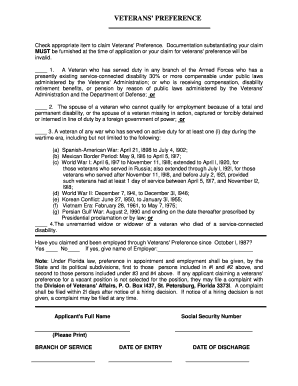
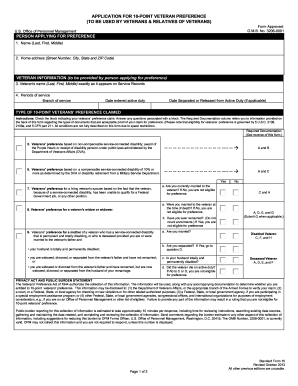
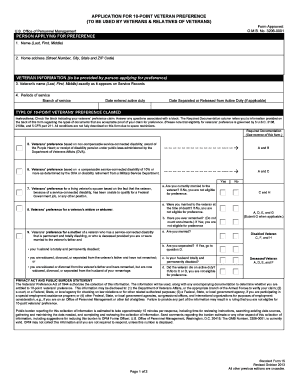
The Veterans’ Preference Claim Form is a government document used by Florida veterans and their eligible family members to claim preference in employment opportunities.
pdfFiller scores top ratings on review platforms




Who needs Palm Beach State College Veterans Preference Claim Form?
Explore how professionals across industries use pdfFiller.

Palm Beach State College Veterans Preference Claim Form is needed by:
-
Florida veterans seeking employment benefits
-
Eligible family members of veterans
-
Job applicants in the public sector in Florida
-
Military service members transitioning to civilian jobs
-
Veterans’ advocacy organizations assisting clients
-
Human resource professionals in government agencies
Comprehensive Guide to Palm Beach State College Veterans Preference Claim Form
What is the Veterans’ Preference Claim Form?
The Veterans’ Preference Claim Form is a critical tool used by veterans and eligible family members in Florida to claim employment preference. This form allows qualifying individuals to navigate the complexities of the job market more effectively. Those eligible to use the Florida veterans form include veterans who have served active duty, as well as certain family members seeking to benefit from hiring preferences in state and local government jobs.
By utilizing the veterans preference claim form, veterans can significantly enhance their chances of securing employment and benefits in Florida, ultimately supporting their transition to civilian life.
Purpose and Benefits of the Veterans’ Preference Claim Form
The Veterans’ Preference Claim Form serves several essential purposes for veterans and their families. Firstly, it provides a structured method for claiming veterans’ preference in Florida employment, which can lead to increased opportunities. Additionally, by claiming this preference, veterans may experience benefits like reduced competition for positions, favorable consideration during hiring processes, and eligibility for various employment programs designed to support their reintegration into the workforce.
Timely submission of the form is crucial, as it ensures that veterans can take full advantage of these benefits during their job search.
Eligibility Criteria for the Veterans’ Preference Claim Form
Eligibility to submit the military service claim form is based on specific criteria defined by the state of Florida. Categories of veterans include those who have served in wartime, disabled veterans, and veterans of the National Guard or reserves who have met the necessary requirements. Furthermore, family members of veterans can also qualify for certain preferences under specific conditions.
It is vital to document eligibility correctly, often requiring a DD214 or equivalent certification from the Department of Veterans’ Affairs. Proper documentation ensures a smooth application process and validates the claims made on the form.
How to Fill Out the Veterans’ Preference Claim Form Online
Filling out the veterans preference claim form online through pdfFiller is a straightforward process. Start by accessing the form and follow these steps:
-
Open the PDF in pdfFiller's online editor.
-
Complete the required fields, ensuring you check the appropriate checkboxes for veteran categories.
-
Carefully enter your personal information in the designated blank fields.
-
Make sure to sign the form in the signature line provided.
-
Review all entries to minimize errors before finalizing.
Pay careful attention to required information to avoid common mistakes that could delay your application.
Required Documents for the Veterans’ Preference Claim Form
When preparing to submit your Veterans’ Preference Claim Form, having the necessary supporting materials is essential. Required documents may include the following:
-
DD214 or appropriate military service documentation.
-
Proof of disability rating (if applicable).
-
Documentation showing family relationship, if claim is made by a family member.
Gathering these documents beforehand can expedite the process and ensures that all required materials are available when completing the form.
Submitting the Veterans’ Preference Claim Form
The submission of the Veterans’ Preference Claim Form can be accomplished through various methods, including online through pdfFiller or traditional mail. It’s crucial to adhere to deadlines for submission to avoid late filings, which can result in disqualification from preference consideration. Tracking your submission is also advisable; ensure you receive confirmation of receipt to verify that your application is processed accordingly.
Common Errors and How to Avoid Them
Filling out the veterans preference claim form can lead to errors that may hinder the acceptance of your application. Common mistakes include:
-
Incomplete fields or missing checkboxes.
-
Incorrectly dated documents or forms.
-
Failure to provide supporting documentation.
To enhance your filing experience, carefully review the completed form against a review and validation checklist before submission to identify and rectify any potential errors.
Security and Privacy When Using the Veterans’ Preference Claim Form
When handling sensitive documents like the Veterans’ Preference Claim Form, security and privacy are paramount. pdfFiller employs robust security measures such as 256-bit encryption to protect your data. Furthermore, pdfFiller complies with HIPAA and GDPR regulations, ensuring that personal information is safeguarded against unauthorized access.
With these security protocols in place, you can confidently manage your documents while maintaining your privacy.
What Happens After You Submit the Veterans’ Preference Claim Form?
After submitting the Veterans’ Preference Claim Form, it is essential to know what to expect next. Typically, you may receive confirmation regarding the receipt of your application, which is a crucial first step. If you wish to check your application status, instructions will be provided on how to do so, often through online portals or direct communication with the hiring agency.
Should your application be rejected, understanding the common rejection reasons can help you navigate potential issues and improve future submissions.
Empower Your Veterans’ Preference Claim Form Experience with pdfFiller
Utilizing pdfFiller can significantly enhance your experience with the veterans preference claim form. With features such as eSigning, form saving, and comprehensive document management, users can efficiently navigate the claiming process. Testimonials from previous users highlight the ease and effectiveness of completing the form with pdfFiller, making it an invaluable resource for veterans and their families.
How to fill out the Palm Beach State College Veterans Preference Claim Form
-
1.To begin, access the Veterans’ Preference Claim Form on pdfFiller by entering the website and searching for the form name in the search bar.
-
2.Open the form and familiarize yourself with pdfFiller's interface, noting the fields that require input and the sections that provide instructions.
-
3.Gather required documents such as your DD214 or any equivalent certification from the Department of Veterans' Affairs before completing the form.
-
4.Start filling in the form by accurately entering your personal information, ensuring all fields with checkboxes and blanks are filled correctly regarding your veteran status.
-
5.Review your responses carefully, confirming that all details are accurate and that you meet the eligibility criteria outlined in the instructions.
-
6.Once you have completed the form, take advantage of the review tools available on pdfFiller to ensure all sections are filled out and free from errors.
-
7.Save your completed form by clicking the save option, then you can download a copy for your records or submit it directly through pdfFiller.

What are the eligibility requirements for the Veterans’ Preference Claim Form?
Eligible individuals include veterans and their family members who meet specific criteria based on military service and the type of employment they are applying for in Florida. Check the form instructions for detailed eligibility categories.
Is there a deadline for submitting the Veterans’ Preference Claim Form?
Yes, the form must be submitted prior to the application closing date for the position you are applying for. Ensure to check the job announcement for the specific deadline.
What supporting documents are required with the form?
You should include copies of your DD214 or any equivalent certification from the Department of Veterans’ Affairs. Additional documents might be required based on your veteran category.
How can I submit the Veterans’ Preference Claim Form?
You can submit the completed form directly through pdfFiller, or print it out and mail it to the designated address provided in the job application instructions.
What common mistakes should I avoid when filling out the form?
Make sure to double-check that all fields are completed accurately, particularly the checkboxes identifying your veteran status. Avoid leaving any mandatory fields blank.
How long does it take to process the Veterans’ Preference Claim?
Processing times can vary based on the organization reviewing the form, but expect it to take several weeks. Follow up with the hiring agency if you have not received a response.
Can I make changes to my form after submitting it?
Generally, once submitted, any changes may require resubmission. Contact the hiring agency for specific guidance on correcting any errors post-submission.
Palm Beach State College Veterans Preference Claim Form Form Versions
Related Content
Related Forms



Get the latest insights from our blog



If you believe that this page should be taken down, please follow our DMCA take down process
here
.
This form may include fields for payment information. Data entered in these fields is not covered by PCI DSS compliance.