
Last updated on
Oct 31, 2026
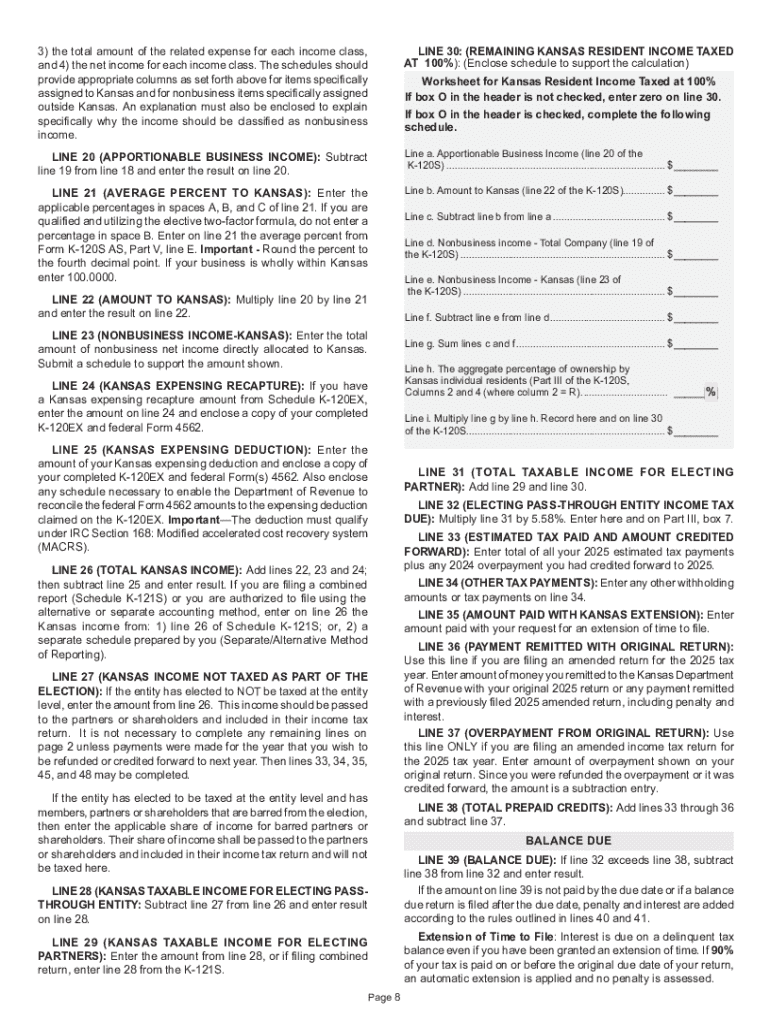
KS Partnership or S Corporation Income Tax 2025-2026 free printable template
pdfFiller is not affiliated with any government organization

Fill out
Complete the form online in a simple drag-and-drop editor.

eSign
Add your legally binding signature or send the form for signing.

Share
Share the form via a link, letting anyone fill it out from any device.

Export
Download, print, email, or move the form to your cloud storage.
Why pdfFiller is the best tool for your documents and forms


End-to-end document management
From editing and signing to collaboration and tracking, pdfFiller has everything you need to get your documents done quickly and efficiently.
Accessible from anywhere
pdfFiller is fully cloud-based. This means you can edit, sign, and share documents from anywhere using your computer, smartphone, or tablet.
Secure and compliant
pdfFiller lets you securely manage documents following global laws like ESIGN, CCPA, and GDPR. It's also HIPAA and SOC 2 compliant.
What is KS Partnership or S Corporation Income Tax
The Kansas Partnership or S Corporation Income Tax Form is a state income tax return used by businesses in Kansas to report their income and file for state tax purposes.
pdfFiller scores top ratings on review platforms




It's been a little bit slow and clunky and doesn't always do what I expect, but I managed to figure out a lot of features I need, and it works well for me, for the most part.
I am thrilled that I found this software. It has been easy to use and super helpful.
Who needs KS Partnership or S Corporation Income Tax?
Explore how professionals across industries use pdfFiller.

KS Partnership or S Corporation Income Tax is needed by:
-
Kansas-based partnerships
-
S corporations operating in Kansas
-
Business owners filing state income tax
-
Tax professionals assisting clients in Kansas
-
Accountants preparing Kansas state taxes
-
Small business operators needing tax compliance
Comprehensive Guide to KS Partnership or S Corporation Income Tax
What is the Kansas Partnership or S Corporation Income Tax Form?
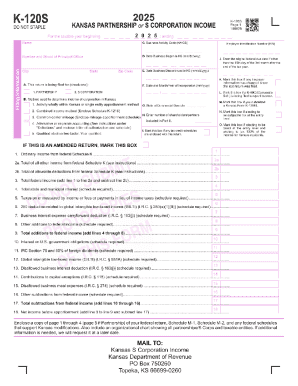
The Kansas Partnership or S Corporation Income Tax Form, commonly known as the Kansas K-120S form, is essential for businesses operating within Kansas. This form is crucial for reporting income and fulfilling Kansas business tax requirements.
Designed primarily for partnerships and S corporations, it captures various types of income generated by these entities. Completing the K-120S properly ensures compliance with both state and federal tax regulations.
Benefits of the Kansas K-120S Form for Businesses
The K-120S form offers significant advantages in tax reporting for both partnerships and S corporations. By accurately reporting income through this form, businesses can take advantage of specific deductions and credits that might be available.
Moreover, the K-120S aligns with the overall Kansas tax return process, allowing for seamless integration with state-specific tax needs, ultimately facilitating easier compliance for businesses.
Who Needs to File the Kansas Partnership or S Corporation Income Tax Form?
To determine the need for filing the Kansas K-120S, businesses must meet specific criteria. Generally, entities must file this form if they engage in business activities within the state of Kansas.
Various situations may require the use of this form, including partnerships and S corporations that derive income from Kansas sources. Understanding eligibility for exemptions or special cases is crucial for proper compliance.
When and Where to Submit the Kansas K-120S Form
Filing deadlines for the Kansas K-120S form are set annually and must be adhered to in order to avoid penalties. Options for submission include both online and physical methods, providing flexibility for taxpayers.
-
Annual submission deadlines typically fall on the 15th day of the fourth month following the end of the business's fiscal year.
-
Late filing can result in various penalties; therefore, being aware of submission methods is vital for proper compliance.
Step-by-Step Guide on How to Fill Out the Kansas K-120S Form
Filling out the Kansas K-120S form requires attention to detail. Each section of the form must be completed accurately to ensure correct reporting of income.
-
Begin with necessary identification information for the entity.
-
Report income types in the appropriate sections.
-
Include supporting documents as outlined in the instructions.
Awareness of common errors during the completion process can significantly reduce the likelihood of rejection. Carefully reviewing the form before submission is advisable.
How to eSign or Notarize the Kansas Partnership or S Corporation Income Tax Form
When submitting the Kansas K-120S form, understanding signature requirements is key. Businesses may choose between digital signatures and traditional wet signatures, depending on their preference.
If notarization is necessary, ensure you understand the guidelines for completion. Utilizing eSigning methods can provide several benefits, including efficiency and security in handling sensitive documents.
Post-Submission: What Happens After You Submit the K-120S Form
After submitting the K-120S form, entities can expect a confirmation process. Familiarizing yourself with tracking submission status is beneficial for addressing any potential issues.
-
Common reasons for rejection may include incomplete information or discrepancies in reported income.
-
Establishing a method for resolving these issues promptly can help reduce stress during tax season.
Amending the Kansas Partnership or S Corporation Income Tax Form
Should there be a need to make changes after submitting the K-120S form, it is imperative to follow the established steps for amending your submission. Proper guidelines exist for submitting amendments to avoid penalties.
-
Timely submission of corrections is crucial.
-
Understanding the potential time frames for resubmission can help manage expectations.
Security and Compliance with the Kansas K-120S Form
When submitting the Kansas K-120S form online, security measures play a critical role in protecting sensitive information. Ensuring compliance with privacy regulations is essential to safeguard personal data during the form-fill process.
Reliance on secure platforms for document management not only enhances security but also promotes user confidence when handling sensitive tax filings.
Get Started with pdfFiller to Simplify Your K-120S Form Process
Utilizing pdfFiller can simplify the K-120S form management process. This platform offers key features to streamline filing, such as editing capabilities and eSigning options.
Many users have found success in using pdfFiller for submitting their tax forms, thanks to the user-friendly interface and robust security measures that protect their sensitive data while ensuring compliance.
How to fill out the KS Partnership or S Corporation Income Tax
-
1.To begin, access the Kansas Partnership or S Corporation Income Tax Form (K-120S) on pdfFiller by searching for it in the platform's search bar.
-
2.Once you open the form, familiarize yourself with the layout and the requirements for completion noted in the instructions.
-
3.Before starting, gather necessary documentation, including income statements, expense reports, and any previous tax returns that may be needed for accurate reporting.
-
4.Fill out each field systematically. Start with business identification information, then proceed to income, deductions, and credits sections as per the guidelines.
-
5.Use pdfFiller's tools to navigate between fields easily. Click tab or navigate with your mouse to ensure you don’t miss any required entries.
-
6.Review all entries diligently. Ensure accuracy to avoid common mistakes such as incorrect figures or missed sections.
-
7.Finalize the form by clicking the Save button and selecting the appropriate file format for download or submission.
-
8.Once completed, download the file or choose the option to submit directly through pdfFiller if available for Kansas tax filings.

Who is required to file the Kansas Partnership or S Corporation Income Tax Form?
Businesses operating as partnerships or S corporations in Kansas must file the K-120S form if they are conducting business and generating taxable income. This includes both resident and non-resident entities earning income in Kansas.
What is the deadline for submitting this income tax form?
The Kansas Partnership or S Corporation Income Tax Form is typically due on the 15th day of the fourth month following the end of your tax year. Make sure to check specific deadlines for extensions or amendments.
How can I submit my completed Kansas tax return?
You can submit the completed K-120S form either by mailing a printed version to the designated tax office or electronically if the option is available through pdfFiller for Kansas tax filings.
What supporting documents are required when filing the K-120S?
When submitting the Kansas Partnership or S Corporation Income Tax Form, include supporting documents such as income statements, deduction receipts, and previous tax returns. Review the form instructions for a comprehensive list.
What common mistakes should I avoid when filling out the K-120S?
Common mistakes include incorrect numerical entries, missing signatures, or failing to attach required supporting documents. Always double-check your work before submission to minimize errors.
How long does it take to process the K-120S form?
Processing times for the Kansas Partnership or S Corporation Income Tax Form can vary. Typically, you should expect about 6-8 weeks for processing, although it may take longer during peak filing seasons.
Are there any fees associated with filing the K-120S?
There are generally no fees for submitting the Kansas Partnership or S Corporation Income Tax Form itself. However, late filings or underpayment penalties may apply if obligations are not met on time.
KS Partnership or S Corporation Income Tax Form Versions
Related Content
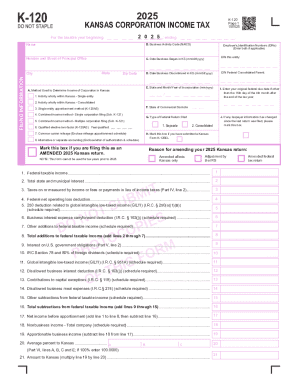
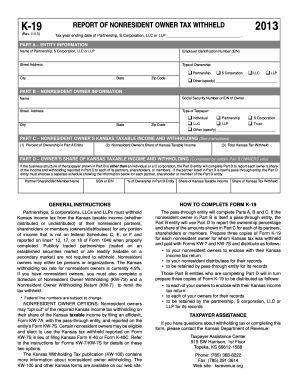
Related Forms




Get the latest insights from our blog


If you believe that this page should be taken down, please follow our DMCA take down process
here
.
This form may include fields for payment information. Data entered in these fields is not covered by PCI DSS compliance.