
Last updated on
Oct 19, 2026

Get the free Business Tax Receipt Application
We are not affiliated with any brand or entity on this form

Fill out
Complete the form online in a simple drag-and-drop editor.

eSign
Add your legally binding signature or send the form for signing.

Share
Share the form via a link, letting anyone fill it out from any device.

Export
Download, print, email, or move the form to your cloud storage.
Why pdfFiller is the best tool for your documents and forms


End-to-end document management
From editing and signing to collaboration and tracking, pdfFiller has everything you need to get your documents done quickly and efficiently.
Accessible from anywhere
pdfFiller is fully cloud-based. This means you can edit, sign, and share documents from anywhere using your computer, smartphone, or tablet.
Secure and compliant
pdfFiller lets you securely manage documents following global laws like ESIGN, CCPA, and GDPR. It's also HIPAA and SOC 2 compliant.
What is Tax Receipt Application
The Business Tax Receipt Application is a form used by Florida residents to apply for a business tax receipt, which is required for operating a business legally in the state.
pdfFiller scores top ratings on review platforms




Who needs Tax Receipt Application?
Explore how professionals across industries use pdfFiller.

Tax Receipt Application is needed by:
-
Business owners in Florida seeking a tax receipt
-
Individuals applying for new business licenses
-
Operators of commercial entities in Cape Coral
-
Freelancers needing to operate legally in Florida
-
Non-profit organizations requiring a tax receipt
-
Real estate professionals in need of tax compliance
Comprehensive Guide to Tax Receipt Application
What is the Business Tax Receipt Application?
The Business Tax Receipt Application is a key form utilized in Florida's business ecosystem, particularly for those operating in Cape Coral. This application serves to obtain a business tax receipt, which is essential for business owners to operate legally within the state. For entrepreneurs, understanding the importance of this form can streamline their path to compliance and success in the Florida business environment.
This application requires detailed personal and business information, including name, address, tax ID, and a brief description of the business being established. Completing this form is a critical step for those looking to solidify their business presence legally in Florida.
Purpose and Benefits of the Business Tax Receipt Application
The Business Tax Receipt Application plays a vital role in allowing businesses to establish themselves legally within Cape Coral. By obtaining this receipt, businesses align with local government regulations, ensuring they can operate without legal hurdles.
-
Facilitates legal establishment of businesses
-
Helps ensure adherence to compliance regulations
-
Provides a necessary credential for operating legally
Who Needs the Business Tax Receipt Application?
This application is essential for various business types, including but not limited to sole proprietors and limited liability companies (LLCs). Both new entrants to the business world and established businesses must understand their need for this application.
New businesses can find the process daunting, while existing businesses might need to renew their receipts. Regardless of the stage, every entrepreneur should ensure their application is correctly completed to meet local requirements.
Eligibility Criteria for the Business Tax Receipt Application
To apply for a Business Tax Receipt, applicants must meet specific eligibility criteria. These criteria typically involve determining the type of business, its location, and satisfying any state-specific requirements pertaining to operating in Florida.
Understanding these qualifications ahead of time can minimize delays and rejections in the application process.
How to Fill Out the Business Tax Receipt Application Online (Step-by-Step)
Completing the Business Tax Receipt Application online can be straightforward if you follow the steps below:
-
Access the application form through the appropriate portal.
-
Fill out your personal details including name and address.
-
Provide your business information, such as business name and tax ID.
-
Submit the required documentation that verifies your business description.
-
Review for accuracy before submitting the application.
Common Errors and How to Avoid Them
When filling out the Business Tax Receipt Application, certain common errors can lead to processing delays or outright rejections. Missing signatures and incorrect information are frequent issues.
-
Ensure all sections are completed thoroughly.
-
Double-check the information against your business records.
-
Confirm that signatures are present where required.
Submission Methods and Delivery Options for the Business Tax Receipt Application
Applicants in Cape Coral have multiple options for submitting their completed Business Tax Receipt Application. Both physical and digital submission methods are available, allowing for flexibility based on personal preference.
-
Physical submission can be made at the City Clerk's Department.
-
Digital submissions can streamline the process and reduce paperwork.
-
Be aware of submission timelines and any associated fees.
What to Expect After Submitting the Business Tax Receipt Application
After submitting your application, be prepared for the processing timeline, which may vary. You'll receive confirmation once your application has been accepted or rejected, along with further instruction depending on the outcome.
Stay vigilant for any requests for additional documents or follow-ups that may be necessary to complete the process.
Utilizing pdfFiller for Your Business Tax Receipt Application
pdfFiller offers a comprehensive solution for filling out the Business Tax Receipt Application efficiently. This platform allows users to fill out forms easily, sign documents electronically, and manage submissions securely.
Key features of using pdfFiller include:
-
Intuitive form filling options
-
eSigning capabilities for quick approvals
-
Robust document management and security features
Create Your Business Tax Receipt Application Today
Ensuring your application for a Business Tax Receipt is completed and submitted promptly is crucial for your business. By utilizing tools like pdfFiller, you can simplify the process while maintaining accuracy and compliance.
How to fill out the Tax Receipt Application
-
1.To access the Business Tax Receipt Application on pdfFiller, visit the website and use the search bar to find the form by name.
-
2.Once the form is open, familiarize yourself with the fillable fields. Click on each field to enter your information easily.
-
3.Before starting, gather all required information such as your personal details, business name, address, tax ID, and a brief business description to streamline the process.
-
4.As you fill in the form, ensure that all information is accurate. Review each field for completeness and correctness.
-
5.Once you have completed all the fields, take advantage of the preview feature to see the filled-out form and make necessary adjustments.
-
6.After reviewing, locate the signature field and sign the form electronically within pdfFiller to validate your application.
-
7.Finally, save your completed form in your desired format or directly download it. You can also submit it through pdfFiller by selecting the appropriate submission option.

Who is eligible to apply for the Business Tax Receipt?
Any individual or entity planning to operate a business in Florida is eligible to apply for the Business Tax Receipt. Ensure you meet local business operating requirements.
What is the deadline for submitting the Business Tax Receipt Application?
There is no specific deadline mentioned, but it's advised to submit your application as early as possible to ensure compliance with local tax regulations.
What methods can I use to submit my application?
You can submit your Business Tax Receipt Application either by mailing it to the City Clerk's Department in Cape Coral or electronically through platforms that accept such applications.
What supporting documents are required with the application?
Typically, you will need to provide identification, your business tax ID, and possibly other documents that validate your business details. Check with local guidelines for specifics.
What common mistakes should I avoid when filling out the form?
Ensure all fields are filled in accurately. Common errors include missing signatures, incorrect business descriptions, or mismatched tax IDs.
How long does it take to process the Business Tax Receipt Application?
Processing times can vary. Typically, allow several weeks for your application to be reviewed, and consider contacting the City Clerk's Department for updates.
Can I edit the form after submitting it?
Once submitted, you may need to contact the City Clerk's Department to request any changes. It’s important to review thoroughly before submission.
Related Forms
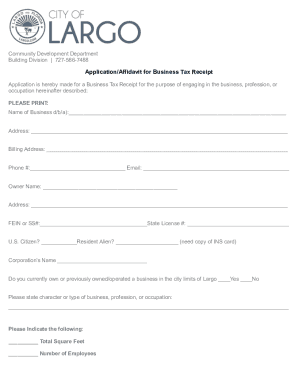
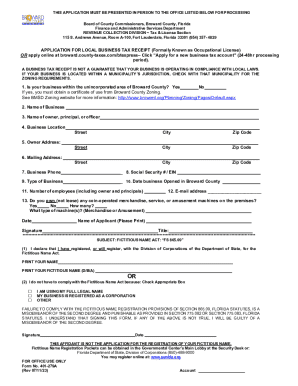


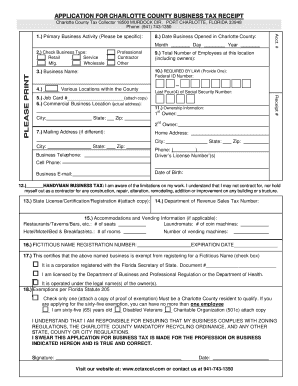

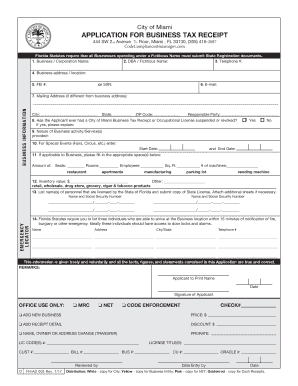


Get the latest insights from our blog


If you believe that this page should be taken down, please follow our DMCA take down process
here
.
This form may include fields for payment information. Data entered in these fields is not covered by PCI DSS compliance.