
Last updated on
Oct 1, 2026

Get the free Amended Work Schedule Form
We are not affiliated with any brand or entity on this form

Fill out
Complete the form online in a simple drag-and-drop editor.

eSign
Add your legally binding signature or send the form for signing.

Share
Share the form via a link, letting anyone fill it out from any device.

Export
Download, print, email, or move the form to your cloud storage.
Why pdfFiller is the best tool for your documents and forms


End-to-end document management
From editing and signing to collaboration and tracking, pdfFiller has everything you need to get your documents done quickly and efficiently.
Accessible from anywhere
pdfFiller is fully cloud-based. This means you can edit, sign, and share documents from anywhere using your computer, smartphone, or tablet.
Secure and compliant
pdfFiller lets you securely manage documents following global laws like ESIGN, CCPA, and GDPR. It's also HIPAA and SOC 2 compliant.
What is Work Schedule
The Amended Work Schedule Form is a document used by employers to track and adjust employee work hours for a specific week.
pdfFiller scores top ratings on review platforms




Who needs Work Schedule?
Explore how professionals across industries use pdfFiller.

Work Schedule is needed by:
-
Employers managing employee schedules
-
HR personnel responsible for time tracking
-
Managers overseeing team productivity
-
Employees needing to report work hours
-
Payroll departments processing compensation
-
Administrators handling employee records
Comprehensive Guide to Work Schedule
What is the Amended Work Schedule Form?
The Amended Work Schedule Form is essential for tracking and adjusting employee work hours. This document includes fields for the employee's name, start and end times for each day, and notification details. In 2026, this form's significance is amplified as it helps maintain accurate records in an ever-evolving work environment.
Purpose and Benefits of the Amended Work Schedule Form
This form serves critical functions for both employers and employees, ensuring accurate reflection of work hours for payroll purposes. A formalized approach for time tracking enhances employee management significantly. Well-managed work schedules contribute positively to productivity and employee satisfaction.
Employers can expect improved accuracy and transparency, while employees benefit from clear expectations and timely payments.
Key Features of the Amended Work Schedule Form
The Amended Work Schedule Form contains various fillable fields that streamline the submission process. Key features include:
-
Employee name entry
-
Daily start and end times
-
Notification details for adjustments
Additionally, users can edit and share this form online through pdfFiller, facilitating digital accessibility and convenient storage options.
Who Needs the Amended Work Schedule Form?
The Amended Work Schedule Form is designed for a variety of users:
-
Employers managing schedules for multiple employees
-
HR departments aiming to streamline hour adjustments
-
Employees requesting formal amendments to their work hours
This diverse target audience highlights the form's versatility and necessity in various workplace settings.
How to Fill Out the Amended Work Schedule Form Online
Filling out the Amended Work Schedule Form online is straightforward. Follow these steps:
-
Access the form on pdfFiller.
-
Enter the required information in each fillable field.
-
Review the completed form for accuracy prior to submission.
Pay close attention to notification details and ensure all work hours are clearly stated.
Submission Methods and Delivery of the Amended Work Schedule Form
When it comes to submitting the completed Amended Work Schedule Form, there are several methods available:
-
Online submission through pdfFiller
-
Email delivery to the employer
-
Printing and submitting a hard copy
To ensure timely delivery, follow recommended practices, and check if notarization is required based on workplace policies.
Common Errors and How to Avoid Them
When filling out the form, users often make common mistakes. To prevent these errors:
-
Double-check entries for clarity and accuracy.
-
Ensure notification details reflect the intended work hours.
Clear communication and correct information entry are key to successful submissions.
Security and Compliance When Using the Amended Work Schedule Form
Security in document handling is crucial when using the Amended Work Schedule Form. pdfFiller employs robust security measures, such as:
-
256-bit encryption for document protection
-
Compliance with HIPAA and GDPR regulations
Best practices for storing and sharing sensitive information should always be followed to maintain data integrity.
How pdfFiller Can Help You with the Amended Work Schedule Form
pdfFiller enhances the user experience with the Amended Work Schedule Form through several features:
-
Editing capabilities allow for quick adjustments
-
eSigning options streamline the approval process
-
Easy sharing features simplify collaboration
The platform’s intuitive design makes it easy for everyone involved to manage forms efficiently.
Practical Resources and Samples for the Amended Work Schedule Form
For added convenience, users can access practical resources related to the Amended Work Schedule Form. These include:
-
Downloadable templates for employee schedules
-
A sample completed form for reference
-
Links to other relevant forms on pdfFiller
Utilizing these resources can significantly enhance the user experience and the understanding of form requirements.
How to fill out the Work Schedule
-
1.To access the Amended Work Schedule Form on pdfFiller, visit the website and log in to your account.
-
2.Once logged in, use the search bar to type 'Amended Work Schedule Form' and select it from the results.
-
3.The form will open in the pdfFiller editor. Familiarize yourself with the interface, noting where fillable fields are located.
-
4.Before filling out the form, gather necessary information, including employee names, start and end times for each day of the week.
-
5.Click on the first fillable field, labeled 'Employee Name,' and input the required information.
-
6.Proceed to fill in the start and end times for each day of the week by clicking on the respective fields and entering the times.
-
7.If you need to add any notifications, locate the designated section within the form and provide clear details as required.
-
8.After completing all necessary fields, double-check your entries to ensure accuracy.
-
9.Review the entire form for any missing information or errors. Make corrections if necessary.
-
10.Once satisfied with the completed form, click on the 'Save' button located in the toolbar.
-
11.You can either download the form to your computer or submit it directly from pdfFiller by selecting the applicable options provided.

Who can use the Amended Work Schedule Form?
The Amended Work Schedule Form can be used by employers, HR departments, managers, and employees who need to adjust and report work hours.
What details are required to complete the form?
To complete the Amended Work Schedule Form, you'll need the employee's name, start and end times for each day, and any necessary notification details.
Is there a specific deadline for submitting this form?
Deadlines may vary based on company policy. It's important to submit the Amended Work Schedule Form as soon as adjustments are needed to ensure accurate payroll processing.
How can I submit the completed form?
You can submit the completed Amended Work Schedule Form directly through pdfFiller by using the submission options, or download it and send it via email or your company's submission process.
What are common mistakes to avoid when filling out this form?
Common mistakes include entering incorrect times, missing out on required notifications, and not reviewing the completed form before submission.
How long does it take to process this form?
Processing times can vary based on the organization's procedures but expect a few days for review and confirmation, especially during busy periods.
What if I need to make changes after submitting the form?
If you need to make changes after submitting, contact your HR department or the person responsible for managing work schedules to request the amendment process.
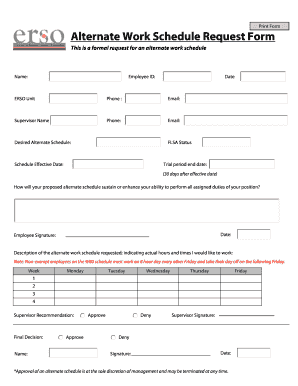
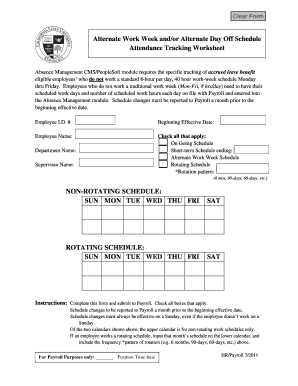
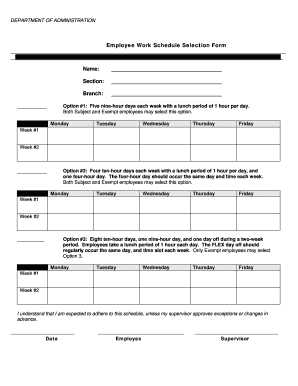
Related Forms



Get the latest insights from our blog


If you believe that this page should be taken down, please follow our DMCA take down process
here
.
This form may include fields for payment information. Data entered in these fields is not covered by PCI DSS compliance.