
Last updated on
Oct 19, 2026

Get the free Self-Declaration of Income Worksheet
We are not affiliated with any brand or entity on this form

Fill out
Complete the form online in a simple drag-and-drop editor.

eSign
Add your legally binding signature or send the form for signing.

Share
Share the form via a link, letting anyone fill it out from any device.

Export
Download, print, email, or move the form to your cloud storage.
Why pdfFiller is the best tool for your documents and forms


End-to-end document management
From editing and signing to collaboration and tracking, pdfFiller has everything you need to get your documents done quickly and efficiently.
Accessible from anywhere
pdfFiller is fully cloud-based. This means you can edit, sign, and share documents from anywhere using your computer, smartphone, or tablet.
Secure and compliant
pdfFiller lets you securely manage documents following global laws like ESIGN, CCPA, and GDPR. It's also HIPAA and SOC 2 compliant.
What is Income Worksheet
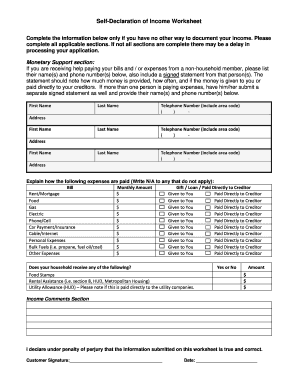
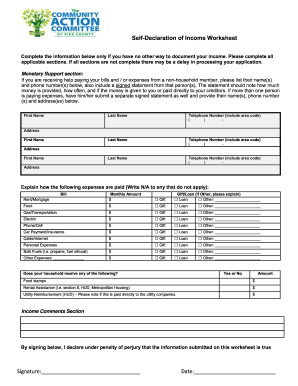
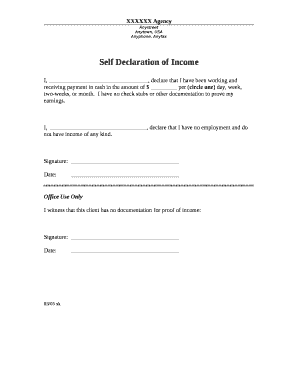
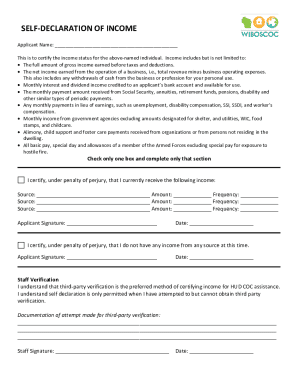
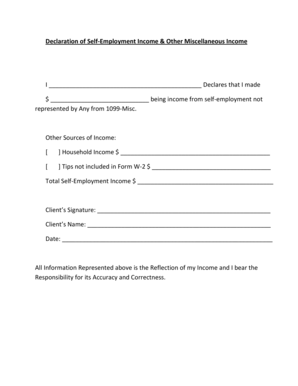
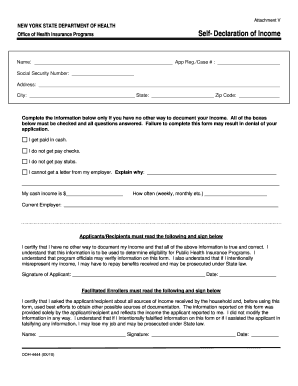
The Self-Declaration of Income Worksheet is a personal form used by applicants to document income when conventional documentation is unavailable.
pdfFiller scores top ratings on review platforms




Who needs Income Worksheet?
Explore how professionals across industries use pdfFiller.

Income Worksheet is needed by:
-
Individuals applying for financial assistance
-
Household members reporting income for assistance programs
-
Applicants needing to demonstrate financial hardship
-
People required to confirm income under penalty of perjury
-
Users needing to outline household expenses and support
-
Anyone lacking standard income documentation
Comprehensive Guide to Income Worksheet
What is the Self-Declaration of Income Worksheet?
The Self-Declaration of Income Worksheet is a crucial document designed to provide a clear declaration of income when other forms of income documentation are unavailable. This worksheet is commonly used in situations such as applying for financial assistance or documenting household income for various assistance programs. Accurately documenting income is essential, especially for applicants who do not have access to typical forms of documentation, such as pay stubs or tax returns.
Purpose and Benefits of the Self-Declaration of Income Worksheet
This worksheet serves a vital purpose for applicants seeking financial assistance. By utilizing this income documentation form, applicants can effectively declare their household income and expenses, thus ensuring accurate assessments by assistance programs. One significant aspect is the penalty of perjury declaration, which emphasizes the importance of honesty when submitting income details.
-
Facilitates access to financial assistance programs.
-
Helps applicants accurately represent their financial situation.
-
Demonstrates commitment to truthful reporting under penalties of perjury.
Who Needs the Self-Declaration of Income Worksheet?
This form is intended for various individuals and households who may find themselves in need of assistance programs. Common scenarios prompting the use of the Self-Declaration of Income Worksheet include job loss, changes in household income, or situations where typical documentation is unavailable. Understanding the requirements of this form is particularly important for applicants trying to access various forms of financial support.
-
Individuals applying for government benefits.
-
Households experiencing economic hardship.
-
People receiving monetary support but lacking documentation.
Required Documents and Supporting Materials for the Self-Declaration of Income Worksheet
When completing the Self-Declaration of Income Worksheet, it's crucial to provide necessary supporting documents to substantiate the income claims made. Commonly, individuals may need to gather items such as past-due bills and evidence of monetary support or assistance. Ensuring that this paperwork is both thorough and accurate can expedite the application process for financial assistance.
-
Past-due bills to demonstrate financial needs.
-
Documentation of any monetary support received.
-
Proof of assistance programs, if applicable.
How to Fill Out the Self-Declaration of Income Worksheet Online (Step-by-Step)
Filling out the Self-Declaration of Income Worksheet online is a straightforward process. Start by accessing the appropriate platform to complete the form. Focus on each section meticulously, ensuring all requested information is filled out without omissions. After completion, it is crucial to review each entry for accuracy before final submission to prevent errors.
-
Access the online Self-Declaration of Income Worksheet.
-
Enter all required personal and income information.
-
Double-check each section for completeness and accuracy.
-
Submit the form as per the stipulated requirements.
Common Errors and How to Avoid Them
Completing the Self-Declaration of Income Worksheet can lead to common pitfalls if not done carefully. Frequent mistakes include leaving sections incomplete or providing inaccurate information. To mitigate these errors, applicants should take the time to double-check all entries and instructions carefully before submitting the form.
-
Ensure all required fields are filled in.
-
Review the information for accuracy and completeness.
-
Keep instructions handy for correcting any errors post-submission.
How to Sign the Self-Declaration of Income Worksheet
Signing the Self-Declaration of Income Worksheet is an important step that can be completed via digital options or traditional wet signatures. Signing under penalty of perjury signifies the seriousness of the information being provided, reinforcing the need for accuracy in the application. You must ensure that the signature is valid to avoid complications with the submission process.
-
Select the preferred signing method (digital or physical).
-
Understand the implications of signing under penalty of perjury.
-
Check that the signature adheres to the requirements specified on the form.
Submission Methods for the Self-Declaration of Income Worksheet
Once the form is completed and signed, various submission methods are available. Applicants can submit the Self-Declaration of Income Worksheet online, via mail, or in person, depending on the program's requirements. It's crucial to be aware of important deadlines and processing times for each submission method to ensure timely application for assistance.
-
Submit online for faster processing.
-
Mail the form to the designated agency address.
-
Consider submitting in person if assistance is needed.
Security and Compliance When Using the Self-Declaration of Income Worksheet
While handling sensitive information, users can rest assured that appropriate security measures are in place. pdfFiller employs robust security protocols and complies with regulations such as HIPAA and GDPR, ensuring data protection throughout the document management process. It's essential to prioritize the safeguarding of personal information when filling out the Self-Declaration of Income Worksheet.
-
Utilizes 256-bit encryption for data protection.
-
Meets SOC 2 Type II compliance standards.
-
Adheres to HIPAA and GDPR regulations regarding sensitive information.
Get Started with pdfFiller for Your Self-Declaration of Income Worksheet
pdfFiller's platform simplifies the process of completing the Self-Declaration of Income Worksheet. Users can take advantage of key features that facilitate filling out, editing, and signing the form, all in a cloud-based environment. The convenience of managing documents online enhances the experience and assures users of a streamlined process.
-
Edit text and images directly within the pdf.
-
Utilize the eSign feature for easy signing.
-
Experience the efficiency of cloud-based document management.
How to fill out the Income Worksheet
-
1.Access the Self-Declaration of Income Worksheet on pdfFiller by searching for its title in the platform's template library.
-
2.Open the form by clicking on it, allowing the pdfFiller interface to load with your selected document.
-
3.Review the form's sections so you are familiar with the information you will need to provide.
-
4.Gather necessary information like income amounts, monthly expenses, current assistance programs, and any past due bills you wish to explain.
-
5.Begin filling out the fields one by one, inputting data where it fits in the form, and using checkboxes for expenses as indicated.
-
6.If additional information is needed, use the provided space to explain any non-payment situations clearly.
-
7.Once completed, go through each section to ensure all information is accurate and nothing has been left out.
-
8.Use pdfFiller’s reviewing tools to check for errors or omissions in your entries, which can help prevent common mistakes.
-
9.Finalize the form by adding your signature in the designated area, as this is required under penalty of perjury.
-
10.After reviewing everything, save your progress on pdfFiller, and choose the option to download or submit the form electronically as per your requirements.

Who is eligible to fill out the Self-Declaration of Income Worksheet?
Individuals who are experiencing financial difficulties and need to document their income for assistance programs are eligible to fill out this form. It is particularly useful for those unable to provide traditional income documentation.
What is the deadline for submitting the form?
Deadlines for submitting the Self-Declaration of Income Worksheet can vary based on the specific assistance program. It is important to check the requirements of your program to ensure timely submission.
How should I submit the completed form?
The completed Self-Declaration of Income Worksheet can be submitted electronically through pdfFiller by following the submission instructions provided on the platform after filling out the form.
What documents do I need to accompany this form?
While not all assistance programs require additional documents, you may need to provide supporting evidence of your income, such as past due bills or explanations of financial support situations.
What common mistakes should I avoid when filling out the form?
Common mistakes include leaving sections blank, failing to sign the form, and not providing adequate explanations for non-payment situations, which can lead to processing delays.
How long does it take for the form to be processed?
Processing times can vary depending on the organization handling the application. Generally, allow several weeks for processing; it’s advisable to check with the specific program for expectations.
Is notarization required for this form?
No, notarization is not required for the Self-Declaration of Income Worksheet. However, you must sign it under penalty of perjury, ensuring that the information provided is accurate.



Get the latest insights from our blog


If you believe that this page should be taken down, please follow our DMCA take down process
here
.
This form may include fields for payment information. Data entered in these fields is not covered by PCI DSS compliance.