
Last updated on
Oct 31, 2026

Get the free Oil Change Receipt Template
We are not affiliated with any brand or entity on this form

Fill out
Complete the form online in a simple drag-and-drop editor.

eSign
Add your legally binding signature or send the form for signing.

Share
Share the form via a link, letting anyone fill it out from any device.

Export
Download, print, email, or move the form to your cloud storage.
Why pdfFiller is the best tool for your documents and forms


End-to-end document management
From editing and signing to collaboration and tracking, pdfFiller has everything you need to get your documents done quickly and efficiently.
Accessible from anywhere
pdfFiller is fully cloud-based. This means you can edit, sign, and share documents from anywhere using your computer, smartphone, or tablet.
Secure and compliant
pdfFiller lets you securely manage documents following global laws like ESIGN, CCPA, and GDPR. It's also HIPAA and SOC 2 compliant.
What is Oil Receipt
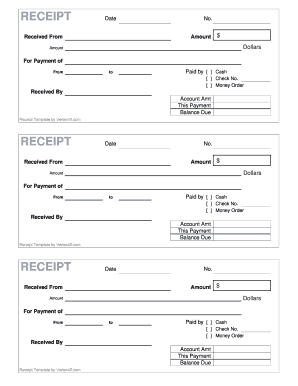
The Oil Change Receipt Template is a receipt template used by automotive service providers to document oil change services performed on a customer’s vehicle.
pdfFiller scores top ratings on review platforms




Who needs Oil Receipt?
Explore how professionals across industries use pdfFiller.

Oil Receipt is needed by:
-
Automotive service providers
-
Mechanics conducting oil changes
-
Car maintenance businesses
-
Independent automotive technicians
-
Vehicle service centers
-
Fleet management companies
-
Car dealerships offering service
Comprehensive Guide to Oil Receipt
What is the Oil Change Receipt Template?
The Oil Change Receipt Template serves as an essential document for automotive service providers to definitively record oil change services rendered. This template includes critical fields like customer information and vehicle details, ensuring clarity and professionalism in transactions. For both service providers and customers, having a well-structured automotive service receipt enhances communication and establishes trust.
Purpose and Benefits of Using the Oil Change Receipt Template
The primary purpose of the Oil Change Receipt Template is to facilitate accurate legal and financial record-keeping for automotive businesses. Utilizing this template not only reinforces the professionalism of the service but also simplifies the tracking of car maintenance history for all involved parties. Its structured design makes it easy for businesses to maintain comprehensive records.
-
Supports legal compliance and record-keeping.
-
Promotes professionalism in automotive services.
-
Helps customers track their vehicle maintenance schedules.
Key Features of the Oil Change Receipt Template
This template is designed with user-friendliness in mind, featuring fields for both authorized signatures and payment details. It includes customizable blank fields and checkboxes, allowing service providers to tailor the receipt according to their specific needs. Additionally, printable versions are available, making it convenient for distribution.
-
Customizable fields for personalized use.
-
Options for printability for ease of distribution.
-
Includes areas for signatures to validate the transaction.
Who Needs the Oil Change Receipt Template?
The Oil Change Receipt Template is primarily utilized by various stakeholders in the automotive industry. It is ideal for automotive service centers and independent mechanics looking to maintain organized records. Moreover, car owners and fleet managers can greatly benefit from using this template to ensure accountability in their maintenance activities.
-
Automotive service centers requiring reliable documentation.
-
Independent mechanics for maintaining customer records.
-
Car owners and fleet managers for tracking service activities.
How to Fill Out the Oil Change Receipt Template Online (Step-by-Step)
Completing the Oil Change Receipt Template online is straightforward. Users should begin by gathering all necessary information before starting. The form typically requires details about the vehicle and specifics about the service performed to ensure accuracy.
-
Enter customer information, including name and contact details.
-
Provide relevant vehicle details such as make, model, and VIN.
-
List the services provided and the date of service.
-
Input payment details and any applicable taxes.
-
Ensure an authorized signature is included.
Common Mistakes and How to Avoid Them When Using the Oil Change Receipt Template
When filling out the Oil Change Receipt Template, there are several common errors to watch for. Frequently, users may omit important information or incorrectly enter details regarding payments. By reviewing the form thoroughly before submission, these mistakes can be minimized.
-
Check for missing customer or vehicle details.
-
Verify payment information and totals before finalizing.
-
Double-check the signature field for completion.
How to Sign and Submit the Oil Change Receipt Template
The process of signing and submitting the Oil Change Receipt Template can be done digitally or traditionally. Users have the option to employ electronic signatures, which can enhance speed and convenience. After signing, the completed document can be saved and printed for physical delivery or sent via email to customers.
-
Choose between electronic and traditional signatures.
-
Save the document in preferred formats for easy access.
-
Distribute the receipt via email or physical copy as required.
Security and Compliance with the Oil Change Receipt Template
Users of the Oil Change Receipt Template can rest easy knowing that robust security measures are in place to protect sensitive information. pdfFiller employs 256-bit encryption and adheres to compliance standards such as HIPAA and GDPR, ensuring the privacy and data protection of users.
-
Utilizes 256-bit encryption for document security.
-
Complies with prevalent data protection regulations.
-
Provides guidelines on safely storing and managing documents.
Real-life Example of a Completed Oil Change Receipt Template
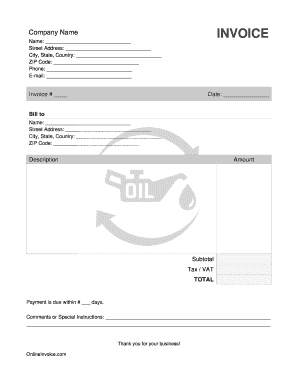
A visual reference can significantly assist users in understanding how to use the Oil Change Receipt Template effectively. By providing a sample filled-out receipt complete with annotations, users can see what each section looks like when properly filled out, highlighting the advantages of utilizing a template over creating a receipt from scratch.
-
Illustrates accurate completion of key fields.
-
Demonstrates best practices in record-keeping.
Start Using the Oil Change Receipt Template with pdfFiller Today!
pdfFiller makes it easy for users to create, fill, and customize the Oil Change Receipt Template online. With several user-friendly features, editing and signing documents has never been simpler, allowing users to manage their automotive records with ease.
How to fill out the Oil Receipt
-
1.To access the Oil Change Receipt Template on pdfFiller, visit the website and log in or create an account if you don’t have one.
-
2.Once logged in, use the search bar to type in 'Oil Change Receipt Template' and select it from the results to open the document.
-
3.Before starting to fill out the form, gather all necessary information such as customer name, contact details, vehicle details, service provided, payment information, and authorized signature.
-
4.Begin filling out the form by clicking on each blank field to enter customer and service provider information. Use pdfFiller's interactive features to check boxes and input details easily.
-
5.Use the toolbar to adjust text size and font if necessary, ensuring that all entries are clear and easy to read.
-
6.Once all required fields are filled out, review the entire document for any errors or missing information. Ensure that the signatures are included if required.
-
7.Finally, save your completed form by clicking on the save icon. You can also download a copy to your device or submit it directly through pdfFiller's submission options.

Who can use the Oil Change Receipt Template?
The Oil Change Receipt Template is primarily designed for automotive service providers, mechanics, and any businesses performing oil changes on customers' vehicles. Essentially, any entity needing to document oil change services can utilize this template.
Are there any deadlines for submitting this receipt?
Typically, there are no strict deadlines for submitting an oil change receipt as it serves as a record of service provided. However, it is best practice to provide the receipt immediately upon completion of the service for customer convenience.
What information is required to fill out the receipt?
To complete the Oil Change Receipt Template, you will need customer and service provider details, vehicle specifics, and accurate payment information. Additionally, gathering any necessary signatures at the time of service is crucial.
How do I submit the Oil Change Receipt Template once completed?
Upon completion, you can submit the Oil Change Receipt Template directly through pdfFiller's options to send it to your customer or choose to download it for personal records or to deliver it in person.
What common mistakes should I avoid when using this form?
Common mistakes include failing to gather all necessary information before filling out the template, omitting required signatures, and not reviewing the document for accuracy before saving or submitting.
How long does it take to process an oil change receipt?
The Oil Change Receipt Template does not require formal processing time, as it is an internal document. However, ensure you provide it promptly to your customers for their records.
Can I edit the Oil Change Receipt Template after saving it?
Yes, you can edit the Oil Change Receipt Template after saving it on pdfFiller. Simply open the saved document, make necessary changes, and save again for future use.
Related Forms




Get the latest insights from our blog



If you believe that this page should be taken down, please follow our DMCA take down process
here
.
This form may include fields for payment information. Data entered in these fields is not covered by PCI DSS compliance.