
Last updated on
Nov 7, 2026
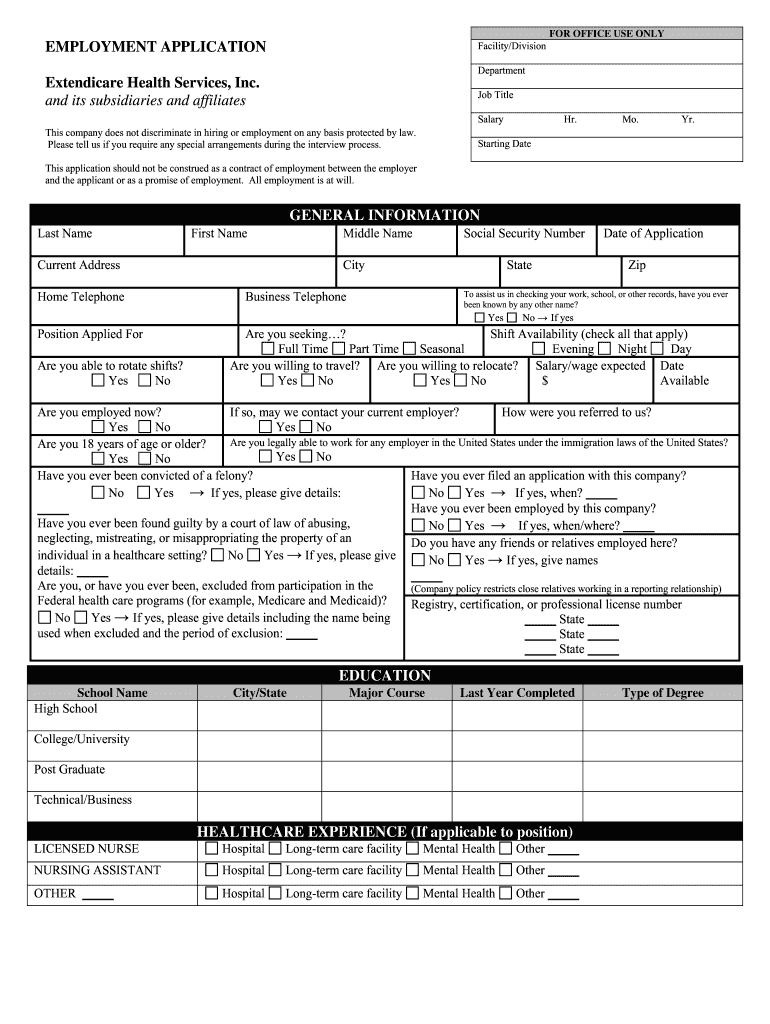
Get the free Employment Application Form
We are not affiliated with any brand or entity on this form

Fill out
Complete the form online in a simple drag-and-drop editor.

eSign
Add your legally binding signature or send the form for signing.

Share
Share the form via a link, letting anyone fill it out from any device.

Export
Download, print, email, or move the form to your cloud storage.
Why pdfFiller is the best tool for your documents and forms


End-to-end document management
From editing and signing to collaboration and tracking, pdfFiller has everything you need to get your documents done quickly and efficiently.
Accessible from anywhere
pdfFiller is fully cloud-based. This means you can edit, sign, and share documents from anywhere using your computer, smartphone, or tablet.
Secure and compliant
pdfFiller lets you securely manage documents following global laws like ESIGN, CCPA, and GDPR. It's also HIPAA and SOC 2 compliant.
What is Employment Application
The Employment Application Form is a document used by Extendicare Health Services, Inc. to collect information from job applicants for various employment opportunities.
pdfFiller scores top ratings on review platforms




Who needs Employment Application?
Explore how professionals across industries use pdfFiller.

Employment Application is needed by:
-
Job seekers applying for positions at Extendicare Health Services
-
Human resources departments in healthcare facilities
-
Recruiters looking for potential healthcare employees
-
Students seeking internships in the healthcare sector
-
Individuals transitioning into healthcare careers
Comprehensive Guide to Employment Application
What is the Employment Application Form?
The Employment Application Form serves as a critical document for Extendicare Health Services, Inc. and its subsidiaries during the hiring process. This form plays a vital role in ensuring that applicant information is comprehensively presented and easily accessible.
It collects essential details including personal information, employment history, education, and references. Importantly, the applicant must sign the form as a certification of the truthfulness of the provided information and acceptance of the terms of employment.
Purpose and Benefits of the Employment Application Form
Completing the Employment Application Form benefits job applicants significantly. A structured format allows for organized presentation of relevant information, enhancing clarity for hiring managers.
This form streamlines the hiring process for both applicants and employers, minimizing the risks of omitted data. By using this template, applicants can ensure that all necessary information has been provided, offering a more thorough overview of their candidacy.
Key Features of the Employment Application Form
The Employment Application Form includes several user-friendly features designed to enhance the applicant’s experience. With fillable fields and checkboxes, the form makes inputting information straightforward and efficient.
Additionally, clear instructions guide applicants through each section, including the critical certification area which underscores the importance of honesty and accuracy in submissions. The form’s online capabilities via pdfFiller further simplify the process, allowing easy access and utility for candidates.
Who Needs the Employment Application Form?
This form is essential for job seekers aiming to work with Extendicare Health Services and its affiliates. Various healthcare employment contexts necessitate its use, ranging from nursing positions to administrative roles within the organization.
Roles that require this application form involve a diverse range of responsibilities, making it crucial for those pursuing employment within the healthcare sector to familiarize themselves with its components.
How to Fill Out the Employment Application Form Online
Filling out the Employment Application Form online is a straightforward process. Applicants can access the form through pdfFiller, which provides a user-friendly interface for completion.
-
Open the Employment Application Form in pdfFiller.
-
Fill out the sections, including personal information, employment history, education, and references.
-
Review the form for accuracy and completeness before submitting it.
Ensuring that all sections are correctly filled out is crucial for a successful application submission.
Common Errors and How to Avoid Them
Applicants often encounter pitfalls when completing the Employment Application Form. Common mistakes include missing fields, incorrect information, and failure to provide sufficient documentation.
-
Always double-check all entries for accuracy.
-
Ensure all sections of the form are completed to avoid omissions.
Taking the time to review the form thoroughly before submission can help prevent these common errors and enhance the application’s quality.
Digital Signature Requirements for the Employment Application Form
Understanding the signing process is crucial for applicants. Digital signature options are legally recognized and can simplify the submission of the Employment Application Form.
Compared to traditional wet signatures, digital signatures offer greater convenience and security. Candidates can complete the signing process using pdfFiller, ensuring compliance with legal standards.
Where to Submit the Employment Application Form
Submitting the Employment Application Form can be done via various channels. Applicants have the option to submit their forms online or in physical locations.
-
For online submissions, follow the prompts on pdfFiller to complete the process.
-
If submitting physically, check the specific locations or contact methods for sending applications.
-
Be aware of any associated fees or processing times that may differ by jurisdiction.
What Happens After You Submit the Employment Application Form?
Once the Employment Application Form is submitted, it enters a review process conducted by hiring managers. Applicants should be prepared for potential follow-up communications to schedule interviews.
Additionally, understanding the timeline for application review and possible feedback can help manage expectations during the hiring process.
Empowering Your Job Search with pdfFiller
Utilizing pdfFiller for your employment applications can greatly enhance your experience. With security features to safeguard sensitive information, users can edit, fill, and eSign documents confidently.
The convenience of a cloud-based platform allows applicants to access their forms anywhere, simplifying the application process. Streamline your job search today by leveraging the robust tools offered by pdfFiller.
How to fill out the Employment Application
-
1.Begin by accessing the Employment Application Form on pdfFiller. Use the search feature by typing in the form's name or browse through employment forms.
-
2.Open the form by clicking on the appropriate link. You will see the fillable fields displayed in the pdfFiller interface.
-
3.Ensure you have all the necessary information at hand before you start filling out the form. Gather your personal details, educational history, employment records, and references.
-
4.Navigate the document by clicking on each fillable field. Enter your information in the designated areas, making sure to follow the instructions provided within the form.
-
5.As you fill out the fields, use the checkboxes where applicable. Be thorough to avoid any incomplete sections.
-
6.Confirm that you have completed all required fields, including your personal statement and the certification section where you acknowledge the truthfulness of your information.
-
7.Once you have filled out the form, review all your entries carefully. Look for any errors or missing information that may need correction.
-
8.When satisfied with your form, save your changes directly in pdfFiller. You can choose to download a copy of the completed form or submit it electronically if the option is available.

What is the eligibility requirement for submitting the Employment Application Form?
Anyone interested in a job position at Extendicare Health Services is eligible to submit the Employment Application Form. Ensure you meet the job requirements specified in the job postings.
Is there a deadline for submitting the Employment Application Form?
Deadlines may vary depending on the job posting. It is advisable to submit your application as soon as possible to ensure consideration for the position.
How can I submit the Employment Application Form once completed?
After completing the form on pdfFiller, you can save and download it to your device. Depending on the application process of Extendicare, you may also submit it directly through a specified online platform or by email.
What supporting documents do I need to include with the Employment Application Form?
Typically, you may need to provide a resume, cover letter, and references. Ensure that you check the specific job listing for any additional required documents to increase your chances.
What are common mistakes to avoid when filling out the Employment Application Form?
Common mistakes include leaving sections blank, providing false information, and failing to follow instructions clearly. Double-check your entries before submission to ensure accuracy.
How long does it take to process the Employment Application Form?
Processing times can vary. It usually takes a week or two for human resources to review applications and contact potential candidates for interviews. Be patient after submission.
What should I do if I encounter technical issues while using pdfFiller?
If you experience technical issues, ensure your internet connection is stable. You can also consult pdfFiller support or their help center for troubleshooting guidance.
Related Content
Related Forms
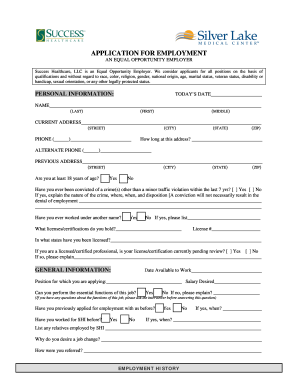
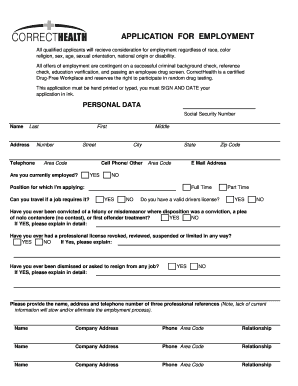
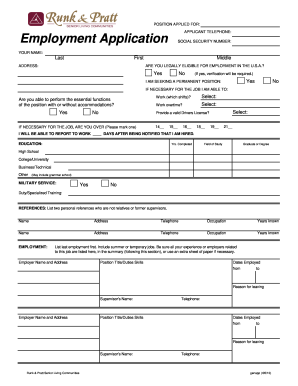

Get the latest insights from our blog


If you believe that this page should be taken down, please follow our DMCA take down process
here
.
This form may include fields for payment information. Data entered in these fields is not covered by PCI DSS compliance.