Free Organizational Chart Word Templates
Get eSignatures done in a snap

Prepare, sign, send, and manage documents from a single cloud-based solution.

What are Organizational Chart Templates?

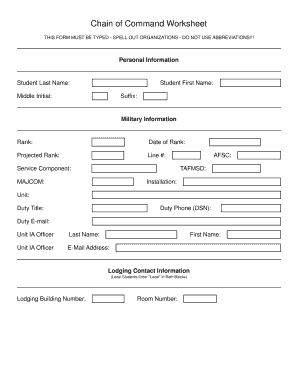
Organizational chart templates are visual representations of a company's structure, showing the relationships and hierarchy between employees and departments. These templates provide a clear and easy-to-understand way to visually display the organization's setup.

What are the types of Organizational Chart Templates?

There are several types of organizational chart templates available, including hierarchical, matrix, flat, and functional. Each type caters to different organizational structures and purposes, allowing users to choose the template that best fits their needs.

Hierarchical Organizational Chart
Matrix Organizational Chart
Flat Organizational Chart
Functional Organizational Chart

How to complete Organizational Chart Templates

Completing organizational chart templates is a simple process that involves filling in the positions, names, and reporting relationships within the organization. Users can customize the template to match their company's structure and hierarchy, making it easy to create a tailored organizational chart.

01
Fill in position titles
02
Include employee names
03
Connect positions with reporting lines

pdfFiller empowers users to create, edit, and share documents online. Offering unlimited fillable templates and powerful editing tools, pdfFiller is the only PDF editor users need to get their documents done.
Thousands of positive reviews can’t be wrong

Read more or give pdfFiller a try to experience the benefits for yourself
5.0
KEEP UP THE GREAT CUSTOMER SERVICE AND PROVIDING HOPE FOR PEOPLE WHO DO NOT ACCE...
KEEP UP THE GREAT CUSTOMER SERVICE AND PROVIDING HOPE FOR PEOPLE WHO DO NOT ACCESS TO A STAPLES IN THERE HOUSE.
PATRICIA P P
4.0
The templates are really helpful.
What do you like best? The templates are really helpful. It can automatically be saved with new information. What do you dislike? The signateure date and initialling has to clicked for each time. Would like to be able to just click the option and repeat that option several times without selecting it. What problems are you solving with the product? What benefits have you realized? Can send out contracts and paperwork. Re-formatted the paperwork to be filled out electronically and it's much clearer.
User in Architecture & Planning
5.0
I like how simple it is to navigate fields.
What do you like best? I like how simple it is to navigate fields. The program is really good about identifying editable fields in all documents. What do you dislike? I think they can improve the downloading/saving function. There seem to be more steps than one would expect. Recommendations to others considering the product: If you are looking for software that is simple and allows you to edit PDF files easily, this is your program. I feel the least amount of pain when renewing my subscription. For me, it is a must-have tool. What problems are you solving with the product? What benefits have you realized? Zero lag time in legal documents or any documents that require redlining, editing, etc.
User in Retail