





Time Sheet Templates - Page 3
Get eSignatures done in a snap

Prepare, sign, send, and manage documents from a single cloud-based solution.

What are Time Sheet Templates?

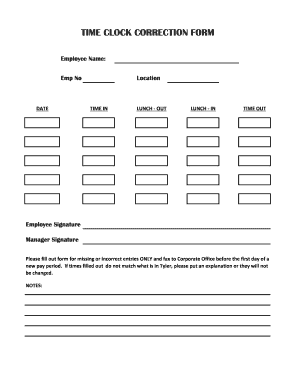
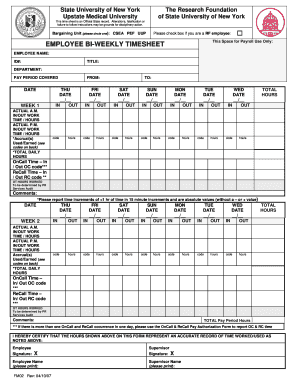
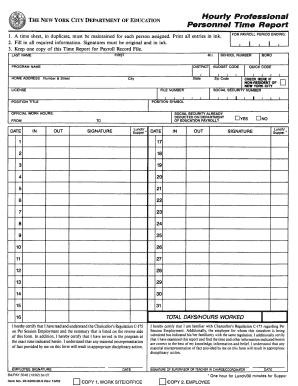
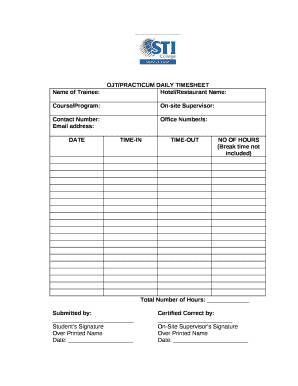
Time Sheet Templates are pre-designed documents that allow users to record and track the time spent on various tasks or projects. These templates provide a structured format for entering time-related information, making it easier to organize and analyze your work hours.

What are the types of Time Sheet Templates?

There are several types of Time Sheet Templates available, each catering to different needs and preferences. Some common types include:

Weekly Time Sheet Template
Bi-weekly Time Sheet Template
Monthly Time Sheet Template
Project-based Time Sheet Template

How to complete Time Sheet Templates

Completing Time Sheet Templates is a straightforward process that involves filling in relevant details accurately. Follow these steps to effectively complete a Time Sheet Template:

01
Enter the date and your personal details at the top of the template
02
List down the tasks or activities you worked on during the specified time period
03
Record the start and end times for each task, along with any breaks taken
04
Calculate total hours worked for each day or task
05
Review and double-check the entries for accuracy
06
Submit the completed Time Sheet Template to the appropriate individual or department

pdfFiller empowers users to create, edit, and share documents online. Offering unlimited fillable templates and powerful editing tools, pdfFiller is the only PDF editor users need to get their documents done.
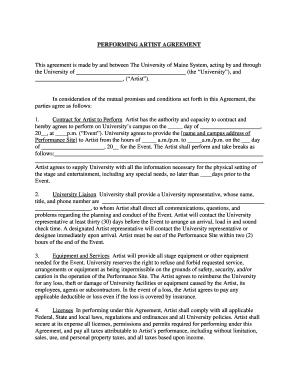
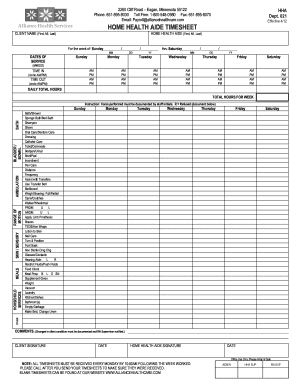
Video Tutorial How to Fill Out Time Sheet Templates

Thousands of positive reviews can’t be wrong

Read more or give pdfFiller a try to experience the benefits for yourself
5.0
Easy to use and the online chat and.
Easy to use and the online chat and… Easy to use and the online chat and other customer service options are so quick and responsive.
Church of the Redeemer
5.0
Very professional, highly recommended.
Very professional, highly recommended. I needed to create some fillable PDFs for a course I'm running and PDFfiller allowed me to do that with ease. I needed a bit of guidance on how to do it from their person in the chat box (who was very helpful and efficient) and, once they showed me what to do (it was easy), the software was great and pretty intuitive and allowed me to create fillable boxes neatly and easily - it gives you guidelines so you can line them up with each other. It's a pity they don't do a "one-off" fee of $5 or something, rather than a subscription because it's not something I need regularly, so I'd have been happy to just pay a little something toward using it, rather than signing up for the 30 day free trial. Highly recommended. Very professional. Lisa Cherry Beaumont of LisaCherryBeaumont.com
Lisa Beaumont
5.0
Blogger - PDF Filler Online use without having to download anything onto your co...
Blogger - PDF Filler Online use without having to download anything onto your computer. If you are a blogger you have too much on your desktop already! Easy to use. No need to have other software to fill-in your PDFs (contracts, flyers, etc.). This can be used online on any computer. You can even have docs e-signed. There's also a free trial. I do not have anything bad to say about it. It was easy to use. I will continue to use and refer people to it.
Ashley A.
4.0
I like the site very much.
I like the site very much. One issue is that some of the emails were not delivered because of security issues with email receiver.
Don G.

Questions & answers

A Microsoft Word timesheet template is a document where employees list, track, and submit their regular, overtime, and other work hours for various pay periods.
How to Create a Timesheet in Microsoft Excel Download an Excel Timesheet Template. Prepare the Timesheet Template. Enter Identifying Information. Enter the Rates of Pay. Enter the Employee's Hours Worked. Calculate and Enter the Type of Hours Worked. Verify Your Information and Save Your Timesheet.
0:00 0:25 How to Create Timesheets in Microsoft Word 2010 - YouTube YouTube Start of suggested clip End of suggested clip Select. New look over to the right of office comm. Click type timesheets press ENTER review theMoreSelect. New look over to the right of office comm. Click type timesheets press ENTER review the results select the timesheet that you desire select download.
Excel monthly timesheet The template offers a day-by-day tracking framework but also gives you a monthly and quarterly snapshot for keeping track of employee time. Use the template for each employee and enter the number of hours every individual has worked from Monday to Friday.