





Purchase Order Templates - Page 2

Get eSignatures done in a snap

Prepare, sign, send, and manage documents from a single cloud-based solution.

What are Purchase Order Templates?

Purchase Order Templates are pre-designed forms or layouts that companies use to create and control their purchasing process. These templates help streamline the ordering process, ensuring accuracy, consistency, and efficiency in purchasing goods or services.

What are the types of Purchase Order Templates?

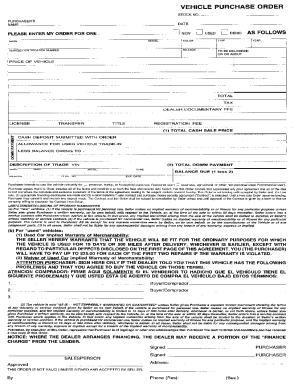
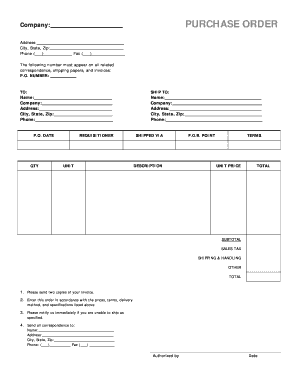
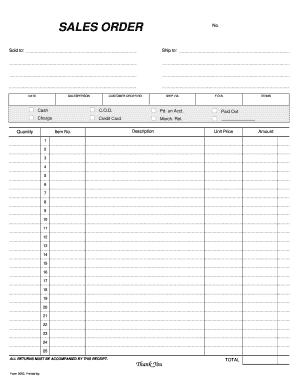
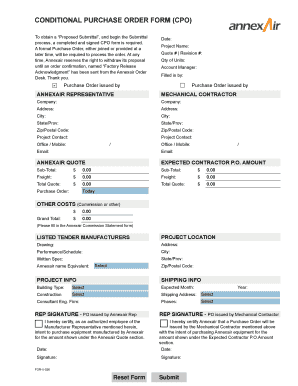
There are several types of Purchase Order Templates available, including: Standard Purchase Order - used for one-time purchases, Blanket Purchase Order - for recurring purchases, Planned Purchase Order - for future orders, Contract Purchase Order - for long-term agreements, and Electronic Purchase Order - for digital transactions.

Standard Purchase Order
Blanket Purchase Order
Planned Purchase Order
Contract Purchase Order
Electronic Purchase Order

How to complete Purchase Order Templates

Completing Purchase Order Templates is a simple process that involves filling in the required information accurately. Here are the steps to complete a Purchase Order Template:

01
Enter the vendor's information, including name, address, and contact details.
02
Specify the details of the items or services being ordered, including quantity, price, and delivery date.
03
Add any special instructions or terms and conditions related to the purchase.
04
Review the completed Purchase Order Template for accuracy and completeness before submitting it to the vendor.

pdfFiller empowers users to create, edit, and share documents online. Offering unlimited fillable templates and powerful editing tools, pdfFiller is the only PDF editor users need to get their documents done.
Video Tutorial How to Fill Out Purchase Order Templates

Thousands of positive reviews can’t be wrong

Read more or give pdfFiller a try to experience the benefits for yourself
5.0
I really like this program.
I really like this program. It is easy to use, how ever it could simplify it's way of organizing pages. Overall, I like this tool.
Alexandra E
5.0
PDFfiller support team is very professional and quick to resolve issues in a tim...
PDFfiller support team is very professional and quick to resolve issues in a timely manner. Would definitely recommend this product.
Natalie T
5.0
I didn't realize how much use I would.
I didn't realize how much use I would… I didn't realize how much use I would make of this program, or the range of functions that it offers. I just got the free-version at first because I needed a digital signature. But now, as an academic, I find I use it all the time to share and to sign documents: now that everything is online and we have limited contact, this has become more important. I can't say that I've mastered or even noticed all the file features this program offers, but almost every time I use it I discover something new. Well worth the money!
bill new
5.0
PDF Filler-Sign, Send and Relax As a user of PDF Filler, I have found I can do s...
PDF Filler-Sign, Send and Relax As a user of PDF Filler, I have found I can do so much and I try to when put to the challenge. I have many ways to adjust files and docs to my needs or the needs of my Agency or Management. My fault lies in my own lack of knowledge sometimes or my being scared to try to edit or sign something. Yet I can do so much more than I actually have to it amazes me. It is nice when I have to work on the go and don't have a lot of traditional options as i would use before-print, fill, sign,fax-etc. Stuff like that. I get great simplified organization here and it is right on point.I will keep growing and using this over time. It is the only way to play for me with needing to sign documents while on the go or out of my home area. Today with covid-19 shutdowns, I am at the mercy of technology more than ever.And I am not the tech type guy. I have to try, fail, try again and learn if all is well. Sometimes, I will get a document on my mobile that says sign and send back right away. I get confused on my Google options, other things I use and I have 2 phones and can easily get lost on both. PDF Filler works so easily and involves virtually nothing. I still get lost at times or can't get what I am aiming for on one of my personal devices. That is my error. The interface and expansions and lack for separate software actually are great here. Least liked features or issues are at my own fault here. It is pretty solid.
JEFF K.

Questions & answers

0:00 7:14 Excel Tips (How to Create PO / Purchase Order) - YouTube YouTube Start of suggested clip End of suggested clip Welcome to the virtual office training today we will learn how to create vo purchase order inMoreWelcome to the virtual office training today we will learn how to create vo purchase order in Microsoft Excel just go to the file new on office template such box just type purchase order. And press
Tips on how to fill PO template: At the top right corner, fill in the Purchase order number. Enter order date as the date you order items and the delivery date as the expected date of delivery. In the item details table, include details like item description, quantity, and rate. The amount column gets auto-filled.
Create Your Own Purchase Order To help you kickstart your purchase order creation and optimization process, you can use these ready-to-use purchase order templates. Learn how to create purchase orders quickly with all the resources Visme has in store for you.
Open a blank Excel spreadsheet. Click on the "New" tab in the top left corner of the software. Select the "Purchase orders" option from the list that appears. Click on the template that matches the type of PO you plan to create.
How to create a purchase order in Word Open Microsoft Word. Open Microsoft Word and, under New Document, type in 'Purchase Order'. Format the page size. Add the company logo. Add the company slogan. Create a title. Add company information. Add contact information. Include the date.
Open a new Word document and select a template You can open Microsoft Word by clicking on the program on your desktop. Navigate to "New Document" and type "Purchase Order" into the search bar. This task prompts Word to display various templates, and you can pick whichever one you prefer.