





Philhealth Login - Page 2
Get eSignatures done in a snap

Prepare, sign, send, and manage documents from a single cloud-based solution.

What is Philhealth login?

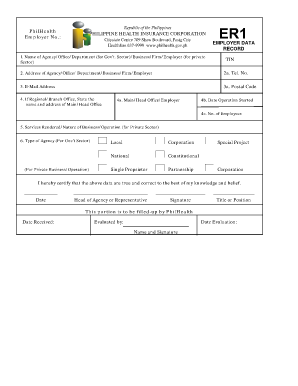
Philhealth login is the portal where members can access their account information, submit claims, and avail of the benefits offered by Philhealth. It is a secure platform that allows users to manage their healthcare needs conveniently online.

What are the types of Philhealth login?

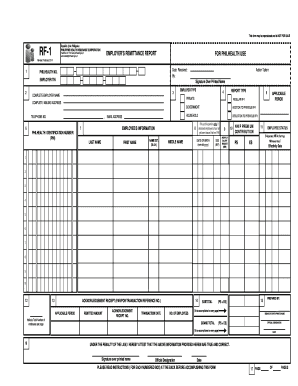
There are two types of Philhealth login: individual login and employer login. Individual login is for those who are members of Philhealth and want to access their personal account. Employer login is for companies or organizations that need to manage the Philhealth accounts of their employees.

Individual login
Employer login

How to complete Philhealth login

Completing Philhealth login is easy and straightforward. Follow these steps to access your account:

01
Go to the Philhealth website
02
Click on the 'Login' button
03
Enter your username and password
04
Click 'Submit' to access your account

pdfFiller empowers users to create, edit, and share documents online. Offering unlimited fillable templates and powerful editing tools, pdfFiller is the only PDF editor users need to get their documents done.
Video Tutorial How to Fill Out Philhealth login

Thousands of positive reviews can’t be wrong

Read more or give pdfFiller a try to experience the benefits for yourself
5.0
My handwriting is atrocious this is just what I need.
My handwriting is atrocious this is just what I need. Although they should make it a little easier placing cursor where you want
Ellen M.
5.0
PDFfiller is an absolute great product.
PDFfiller is an absolute great product. It has eased my workload greatly. It has eased so many tasks..Thank you
Cynthia J.
4.0
Useful form creation and library tools Makes confirming client changes and work...
Useful form creation and library tools Makes confirming client changes and work ideas more fluid with notifications of form signing. Wide tool set and excellent selection of preexisting forms. So many forms and flexibility to edit and create and cross share forms with clients, and the addition of the iOS app makes for a great always on solution and current information. Price is ok, for single users but for larger firms it may be a consideration. So far no other issues
Rimi A.
4.0
Great online resource for signing and completing PDF files - I can send document...
Great online resource for signing and completing PDF files - I can send documents to people for review and signing directly from the website. - PDFfiller works with our Dropbox account so I can upload files directly from Dropbox. - The more advanced features of PDFfiller require a monthly subscription, though it isn't expensive considering all of the features that are included (custom branding, signature authentications, etc.).
Chris W.

Questions & answers

0:39 2:45 Tutorial on how to fill up PhilHealth Form - YouTube YouTube Start of suggested clip End of suggested clip Last name first name p.m. extension is there any. And the middle name.MoreLast name first name p.m. extension is there any. And the middle name.
1. PhilHealth online registration (currently not available). Step 1: Access the PhilHealth Electronic Registration System. ... Step 2: Fill out the PhilHealth online registration form. ... Step 3: Upload the PhilHealth requirements. ... Step 4: Check your email for a confirmation message. ... Step 5: Wait for your PhilHealth number.
Using your smart device, you can visit www.philhealth.gov.ph then head to online services located at the upper right side of your mobile phone's screen. At the member inquiry, just type in your Personal Identification Number (PIN) and your password to view your contribution.
The PhilHealth number online inquiry service is available to all members. Simply email a request with your complete name and birthdate to actioncenter@philhealth.gov.ph. If you can attach an image of your valid ID, that would be better, as it helps PhilHealth to confirm your identity.
Here's how: Step 1: Visit PhilHealth website and click the Online Services link. ... Step 2: Click the Register link in the Electronic Registration section under Membership. ... Step 3: Once you reached the PhilHealth Electronic Registration System page, click Proceed. ... Step 4: Fill out the PhilHealth online application form.
How to Get Philhealth MDR Form Online in 2 Minutes (with Pictures) Step 1: Visit Philhealth Online Services. ... Step 2: Select Member Inquiry. ... Step 3: Register or Log in to your Account. ... Step 4: Choose MDR Printing. ... Step 5: Print out your MDR Form.
Here's How to Enroll your PIN in Philhealth Member Portal Visit the Philhealth portal to enroll your account. ... Go to Online Services. ... Go to Member Portal. ... Start Creating your Online Account. ... Fill out Member Portal Account Creation. ... Activate your Philhealth Account. ... Log in to your online Philhealth Account.
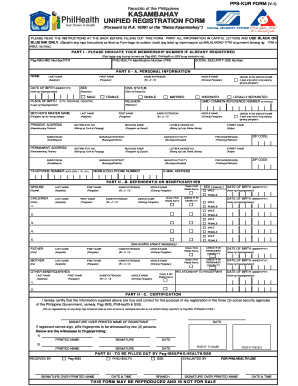
3 Easy Steps to Download and Print the Philhealth Forms Step 1: Visit the official website of Philhealth. At the home page navigation menu, go to “Download.” It is located at the rightmost part of the green navigation menu next to “online services.” ... Step 2: Select and Download the form. ... Step 3: Print the PhilHealth forms.
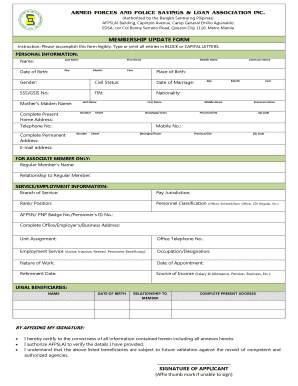
Guide to Updating Your PhilHealth Membership Online #1 – Download the PhilHealth Member Registration Form (PMRF). ... #2 – On the upper right-hand side of the form, check the box, “For Updating.” #3 – Fill out the form with the necessary revisions. ... #4 – Send the accomplished form via email to ofp@philhealth.gov.ph.
Be A Member Fill out two (2) copies of the PhilHealth Member Registration Form (PMRF); Submit duly accomplished PMRF to the OSCA in the city or municipality where the elderly resides. Await Member Data Record and Identification card issued by PhilHealth through OSCA.
Members can now download PhilHealth MDR online from the official website of PhilHealth, hence a total convenience.
Here's how: Step 1: Visit PhilHealth website and click the Online Services link. ... Step 2: Click the Register link in the Electronic Registration section under Membership. ... Step 3: Once you reached the PhilHealth Electronic Registration System page, click Proceed. ... Step 4: Fill out the PhilHealth online application form.