





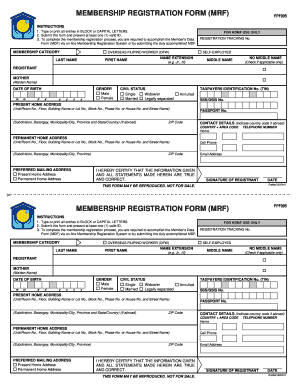
Pag-ibig Registration Form - Page 2
Get eSignatures done in a snap

Prepare, sign, send, and manage documents from a single cloud-based solution.

What is Pag-ibig registration form?

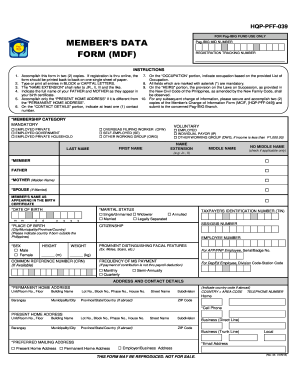
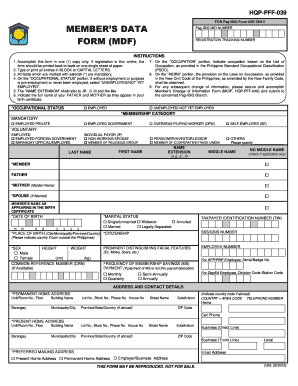
The Pag-ibig registration form is a document required by the Home Development Mutual Fund (HDMF) in the Philippines for individuals and companies who want to become members of the Pag-ibig Fund. This form is essential for availing of the benefits and services provided by Pag-ibig.

What are the types of Pag-ibig registration form?

There are different types of Pag-ibig registration forms depending on the type of membership you are applying for. Some common types include: 1. Member's Data Form (MDF) 2. Employer's Data Form (EDF) 3. Online Membership Registration Form

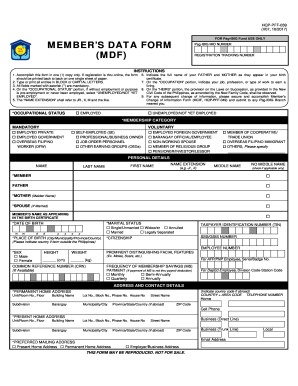
Member's Data Form (MDF)
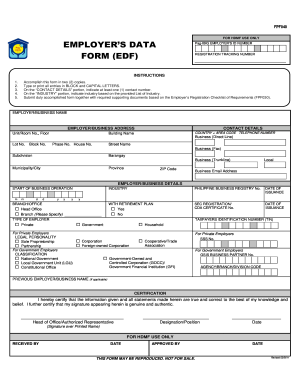
Employer's Data Form (EDF)
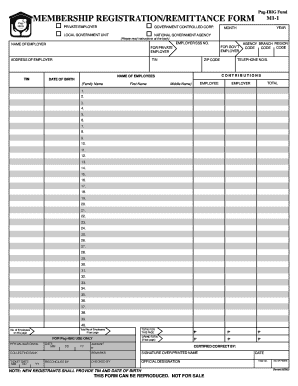
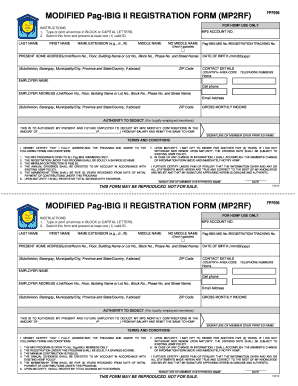
Online Membership Registration Form

How to complete Pag-ibig registration form

Completing the Pag-ibig registration form is a simple process that involves providing accurate and up-to-date information. Here are some steps to help you fill out the form correctly:

01
Fill in your personal details such as name, address, contact information, and identification number.
02
Indicate your preferred type of membership and contribution amount.
03
Submit the form along with any required supporting documents to the nearest Pag-ibig office.

pdfFiller empowers users to create, edit, and share documents online. Offering unlimited fillable templates and powerful editing tools, pdfFiller is the only PDF editor users need to get their documents done.
Video Tutorial How to Fill Out Pag-ibig registration form

Thousands of positive reviews can’t be wrong

Read more or give pdfFiller a try to experience the benefits for yourself
5.0
Pdffiller has by far the best support.
Pdffiller has by far the best support… Pdffiller has by far the best support team that I have ever experienced. They can be contacted day or night to help resolve any problem or question I have had. They are fast and provide answers promptly. They even send links or videos to show you how to solve the problem. Pdffiller is great for sending fillable and signable documents used in the medical field because they offer hippa compliance, encryption and secure cloud storage. I highly recommend pdffiller.
Sandi Hatfield
5.0
Totally satisfied with both product and customer service.
Totally satisfied with both product and customer service. I recently found out I was paying for two separate accts., and I contacted PDFFiller and they were able to straighten it out for me, I am very satisfied with both their product, and their customer service.
Joan Kraskey
5.0
So grateful I found a means to include my actual signature which was mandatory,...
So grateful I found a means to include my actual signature which was mandatory, and it was simple to apply.
Lydia
5.0
Great customer service Great customer service, and the software allowed me to ed...
Great customer service Great customer service, and the software allowed me to edit documents that I needed to sign and scan without access to anpronter
Mr Humphreys

Questions & answers

We've listed down 5 easy steps to accomplishing your Pag-IBIG online registration below: Step 1: Go to the Pag-IBIG Fund's website. ... Step 2: Proceed to membership registration. ... Step 3: Fill out your name and birth date. ... Step 4: Fill out the application form. ... Step 5: Submit your application.
2. Using Mobile Phone Download the Member's Data Form and click the file. Open the pdf file in Adobe Fill & Sign app. Tap the boxes to fill-in the details. Continue completing the details of your MDF. For the signature, tap the pen symbol. Then, sign for your signature. Select your signature.
Pag-IBIG Website Online Registration Steps Go to the Pag-IBIG Fund website, hover your mouse over the E-Services tab on the menu, and click on the Membership Registration link. ... Click the Continue button. Enter your complete name and birth date. ... Fill out the required fields on the online registration form.
If you already have a Pag-IBIG MID number or RTN, you may request a printed copy of your MDF at the nearest Pag-IBIG Member Services Office. That's the only way to retrieve your Pag-IBIG MDF and MID number. Just present your valid ID and RTN if you have it.
Pag-IBIG Website Online Registration Steps Go to the Pag-IBIG Fund website, hover your mouse over the E-Services tab on the menu, and click on the Membership Registration link. ... Click the Continue button. Enter your complete name and birth date. ... Fill out the required fields on the online registration form.
HDMF Online Registration System - Welcome Page. Welcome to the Pag-IBIG Fund Online Registration System! This system caters New members of the Fund who intends to register their member's information. Click Continue to register.
Forms from Pag-IBIG: Claim of Provident Benefit. Membership Registration. Pag-IBIG HOUSING LOAN (for developer assisted application) Pag-IBIG HOUSING LOAN (For Direct or Retail Loan Application) Pag-IBIG HOUSING LOAN (For Pag-IBIG Express Take-Out Window -Developer-Assisted Application) Pag-IBIG MULTI-PURPOSE LOAN.
Send an email to Pag-IBIG via contactus@pagibigfund.gov.ph email address and request for a copy of your Pag-IBIG MDF form. Download the MDF form online, print the form, and hand-written the details.
How To Register With Pag-IBIG Online: 5 Steps. Access the Pag-IBIG Fund Online Registration System. Before you start, make sure you're using the latest version of your browser. ... Accomplish the pre-registration form. ... Fill out the online registration form. ... Print the Member's Data Form (MDF). ... Verify your Pag-IBIG number.
Pag-IBIG Online Services. This service enables individual to register with the Fund and secure their Pag-IBIG Membership ID Number or update their registration information.