





Website Design Request Form Templates - Page 4
Get eSignatures done in a snap

Prepare, sign, send, and manage documents from a single cloud-based solution.

What are Website Design Request Form Templates?

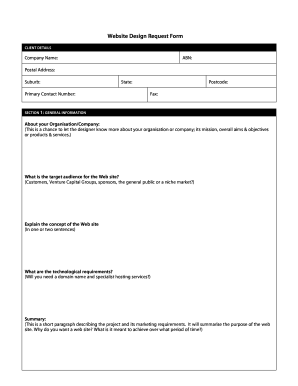
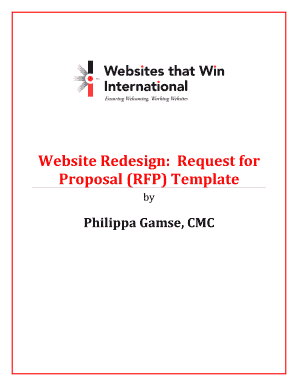
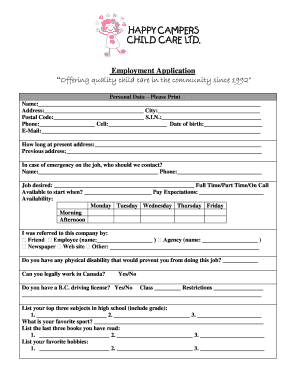
Website Design Request Form Templates are pre-designed forms that allow individuals or businesses to request website design services. These templates streamline the process by providing a structured format for clients to communicate their requirements to designers.

What are the types of Website Design Request Form Templates?

There are various types of Website Design Request Form Templates available, including: Basic Website Design Request Form, E-commerce Website Design Request Form, Portfolio Website Design Request Form, Custom Website Design Request Form.

Basic Website Design Request Form
E-commerce Website Design Request Form
Portfolio Website Design Request Form
Custom Website Design Request Form

How to complete Website Design Request Form Templates

Completing a Website Design Request Form Template is simple and efficient. Follow these steps to ensure a successful submission: 1. Fill in your contact information accurately. 2. Describe your website design needs clearly and concisely. 3. Specify any specific preferences or requirements you have. 4. Attach any relevant files or documents that may help the designer understand your vision.

01
Fill in contact information
02
Describe design needs clearly
03
Specify preferences and requirements
04
Attach relevant files or documents

pdfFiller empowers users to create, edit, and share documents online. Offering unlimited fillable templates and powerful editing tools, pdfFiller is the only PDF editor users need to get their documents done.

Video Tutorial How to Fill Out Website Design Request Form Templates

Thousands of positive reviews can’t be wrong

Read more or give pdfFiller a try to experience the benefits for yourself
5.0
I like that PDF Filler is user friendly and it's easy to navigate.
What do you like best? I like that PDF Filler is user friendly and it's easy to navigate. I love that I can create a template and then just fill in what I need to for each customer and we can send them a form digitally for them to sign. What do you dislike? Occasionally customer's take a while to sign a document because they think it is spam. Recommendations to others considering the product: Easy to use program. Creat templates you can use over and over which is great! What problems are you solving with the product? What benefits have you realized? It's a fast, easy way to be able to send documents for our customers to sign without having to sign in person. We have also been able to streamline some of our processes better by using PDF Filler to create documents.
Emily Heim
5.0
PDF is accessible and gives me the tools I need to edit, review and send docs.
What do you like best? PDF is accessible and gives me the tools I need to edit, review and send docs. I like the ability to change my signature and erase as needed. What do you dislike? Sometimes erasing can be problematic, but nothing a little patience can't deal with. Would be nice to be able to erase large segments, sort of like making a large text box. Recommendations to others considering the product: It's great. What problems are you solving with the product? What benefits have you realized? Basically getting and sending signatures. Saves quite a bit of time and of course, the wait for something to get thru the snail mail.
User in Computer Software
5.0
It.
What do you like best? It’s really user friendly. I use it all the time. What do you dislike? I don’t have anything. Very happy with it. What problems are you solving with the product? What benefits have you realized? Love correcting documents on this.
Kristen McGee
5.0
Great!
Great! Just don't have the finances to pay for it! Great, handy wee programme, shame I don't have the finances to pay for it but if I did - I would
H MOORE

Questions & answers

With these forms, you can establish a formal way to collect, track, implement, and evaluate work requests. Freelance graphic designers or agencies can use these forms to control the entire project cycle from start to finish. Busy freelancers and agencies need to manage requests from various clients at once.
Gathering requirements is a bit like a checklist of all the things your solution needs to do or be. It's a key document where everyone can see what the project is, what the problem is and how they hope to solve it. It involves a lot of research, lots of interviews and reading – aside from lots of writing things down.
The Design Request Form template is used to request design projects by any team or department of your organization. You can save time and better organize design projects by clearly stating the scope of work, expected delivery date and details beforehand.
Request forms allow you to capture work requests as they come in. These forms also enable you to establish a formal process for submitting, tracking, evaluating, and implementing those requests.
Here goes a good structure for a requirement document: Purpose. User personas. User stories (features) Website structure. Page descriptions. Wireframes. Non-functional requirements.
a) Requester's name, contact information, and signature (if required). b) Description of the request, including the purpose and details of what is being requested. c) Date of the request. d) Any relevant background information or supporting documentation, such as a budget or project plan.