
Last updated on
Nov 17, 2026

DOT Form 1631 2009-2026 free printable template
We are not affiliated with any brand or entity on this form

Fill out
Complete the form online in a simple drag-and-drop editor.

eSign
Add your legally binding signature or send the form for signing.

Share
Share the form via a link, letting anyone fill it out from any device.

Export
Download, print, email, or move the form to your cloud storage.
Why pdfFiller is the best tool for your documents and forms


End-to-end document management
From editing and signing to collaboration and tracking, pdfFiller has everything you need to get your documents done quickly and efficiently.
Accessible from anywhere
pdfFiller is fully cloud-based. This means you can edit, sign, and share documents from anywhere using your computer, smartphone, or tablet.
Secure and compliant
pdfFiller lets you securely manage documents following global laws like ESIGN, CCPA, and GDPR. It's also HIPAA and SOC 2 compliant.
What is DOT Form 1631
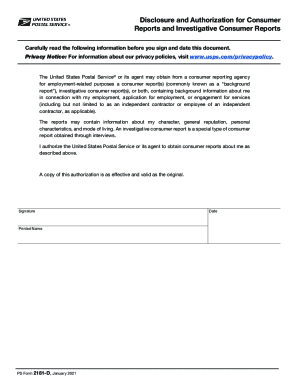
The DOT Form 1631 Disclosure Authorization is a government document used by the U.S. Department of Transportation to obtain consumer and credit reports for employment-related evaluations.
pdfFiller scores top ratings on review platforms




Simple and does what it says it will do.
I'm finding this software extremely efficient. How can I get more training so I can learn to be very proficient with your program?
Who needs DOT Form 1631?
Explore how professionals across industries use pdfFiller.

DOT Form 1631 is needed by:
-
Job applicants seeking employment with the U.S. Department of Transportation
-
Employees applying for promotion or reassignment within government roles
-
Individuals applying for positions requiring access to classified information
-
Employers conducting background checks for government employment
-
Human resources personnel involved in the hiring process
Comprehensive Guide to DOT Form 1631
What is the DOT Form 1631 Disclosure Authorization?
The DOT Form 1631 is a critical disclosure authorization form utilized by the U.S. Department of Transportation. Its primary purpose is to obtain consumer and credit reports for employment screening, which is essential in evaluating candidates' fitness for various positions, including those that involve access to sensitive information.
This form requires specific fields to be completed, including the applicant's signature, date, social security number, and the organization they are currently associated with. Proper completion of the DOT Form 1631 ensures compliance with employment background check regulations.
Purpose and Importance of the DOT Form 1631 Disclosure Authorization
The DOT Form 1631 is vital for candidates seeking employment with the U.S. Department of Transportation and related sectors. Its role in the employment screening process helps organizations assess potential employees' qualifications and manage access to sensitive information.
By having candidates complete this disclosure authorization form, employers can ensure that they carry out comprehensive employment background checks, adhering to necessary legal requirements for transparency and safety in the workplace.
Who Needs to Complete the DOT Form 1631 Disclosure Authorization?
Typically, job applicants, current employees undergoing background checks, and individuals seeking promotions are required to complete the DOT Form 1631. This form is essential for anyone whose role directly affects the Department of Transportation’s operations or involves sensitive data.
Understanding who needs to fill out this document is essential for ensuring compliance with background investigation procedures, thereby supporting organizational integrity and security.
How to Fill Out the DOT Form 1631 Disclosure Authorization Online (Step-by-Step)
Filling out the DOT Form 1631 digitally via pdfFiller is straightforward. Follow these steps to complete the form accurately:
-
Access the DOT Form 1631 on pdfFiller.
-
Begin by entering your full name in the designated field.
-
Provide your social security number as required.
-
Sign the form using the e-sign feature.
-
Enter the date of your signature.
-
Submit the form electronically or follow instructions for printing and mailing if necessary.
Make sure all information is accurate to avoid processing delays.
Common Errors and How to Avoid Them when Completing the DOT Form 1631
While completing the DOT Form 1631, applicants often make common mistakes that can lead to submission issues. Some typical errors include:
-
Missing signatures or dates
-
Incorrectly entered social security numbers
-
Leaving fields blank that are required
To avoid these mistakes, thoroughly review the completed form before submission. Double-check all entries to ensure accuracy and completeness, which is crucial for successful processing.
Submission Methods for the DOT Form 1631 Disclosure Authorization
There are multiple methods available to submit the completed DOT Form 1631. Options include:
-
Online submission through pdfFiller for a quick and secure process
-
Printing out the form and mailing it to the relevant department
Ensure you follow any specific delivery requirements or document confirmation processes as dictated by your organization or the Department of Transportation.
What Happens After You Submit the DOT Form 1631 Disclosure Authorization
After you submit the DOT Form 1631, the evaluation process of your application begins. The Department of Transportation will review the information provided as part of the background check.
To check the status of your application post-submission, follow the specific guidelines provided by your employer to ensure timely updates.
Why Choose pdfFiller to Complete Your DOT Form 1631 Disclosure Authorization
pdfFiller offers unique features that streamline the completion of the DOT Form 1631. With capabilities such as secure e-signing, cloud-based editing, and robust data protection, users can confidently handle sensitive information.
The platform ensures compliance with security standards, which is crucial when dealing with government employment forms.
Sample of a Completed DOT Form 1631 Disclosure Authorization
Providing a sample of the fully completed DOT Form 1631 can be helpful for users. Each section of the form should typically include:
-
Applicant's full name
-
Correctly entered social security number
-
Submission date
-
Signature of the applicant
This example serves as a useful reference to guide users in filling out their authorization forms accurately.
Take Control of Your Employment Process
Utilizing pdfFiller for completing the DOT Form 1631 Disclosure Authorization can significantly simplify your employment process. The platform emphasizes convenience, safety, and efficiency, empowering candidates to take control of their career paths.
Start your journey towards employment with ease by leveraging modern digital tools designed for your success.
How to fill out the DOT Form 1631
-
1.Access the DOT Form 1631 Disclosure Authorization on pdfFiller by searching for it in the pdfFiller form database or by entering the form name in the search bar.
-
2.Once you have opened the form, familiarize yourself with the fillable fields including the signature, date, social security number, and current organization assigned.
-
3.Before you start filling out the form, gather all necessary information such as your social security number and details about your current organization.
-
4.Use your mouse or touchpad to click on each fillable field and enter the required information. You can also use the 'Tab' key to navigate between fields more efficiently.
-
5.Make sure to read the instructions provided within the form carefully to avoid any errors while filling it out, especially regarding the applicant's signature and required dates.
-
6.After completing all fields, review the form thoroughly to ensure all entries are accurate and complete. Check for any missing information that might be required.
-
7.Once you are satisfied with your entries, you can save the form on pdfFiller, download it for offline use, or submit it directly through pdfFiller’s submission options.

What are the eligibility requirements for the DOT Form 1631?
The DOT Form 1631 is generally needed for job applicants in positions that involve employment with the U.S. Department of Transportation. Ensure you are filling it out as part of an application process for conformity with employment or promotional criteria.
Are there deadlines for submitting the DOT Form 1631?
While specific deadlines may vary depending on job postings, you should submit the DOT Form 1631 as soon as requested by your employer or during the application process to avoid any delays in evaluation.
How do I submit the completed DOT Form 1631?
You can submit the completed DOT Form 1631 electronically through pdfFiller if that's an option provided by your employer. Alternatively, you may need to print and physically deliver or mail it to the appropriate HR department.
What supporting documents are required with this form?
Typically, no additional supporting documents are required with the DOT Form 1631 itself. However, be prepared to provide identification or additional employment-related documents if specifically requested by your employer.
What common mistakes should I avoid when filling the DOT Form 1631?
Common mistakes include forgetting to sign the form, leaving fields blank, and providing incorrect social security numbers. Always double-check your entries to ensure accuracy.
How long does processing take for the DOT Form 1631?
Processing times can vary based on your employer's human resources department workflow. Generally, expect a few days to weeks for any evaluations that require background checks or consumer reports.
Is notarization required for the DOT Form 1631?
No, notarization is not required for the DOT Form 1631. You simply need to provide your signature and necessary information as stated on the form.
Related Forms

Related Catalogs
Get the latest insights from our blog


If you believe that this page should be taken down, please follow our DMCA take down process
here
.
This form may include fields for payment information. Data entered in these fields is not covered by PCI DSS compliance.