
Last updated on
Nov 7, 2026
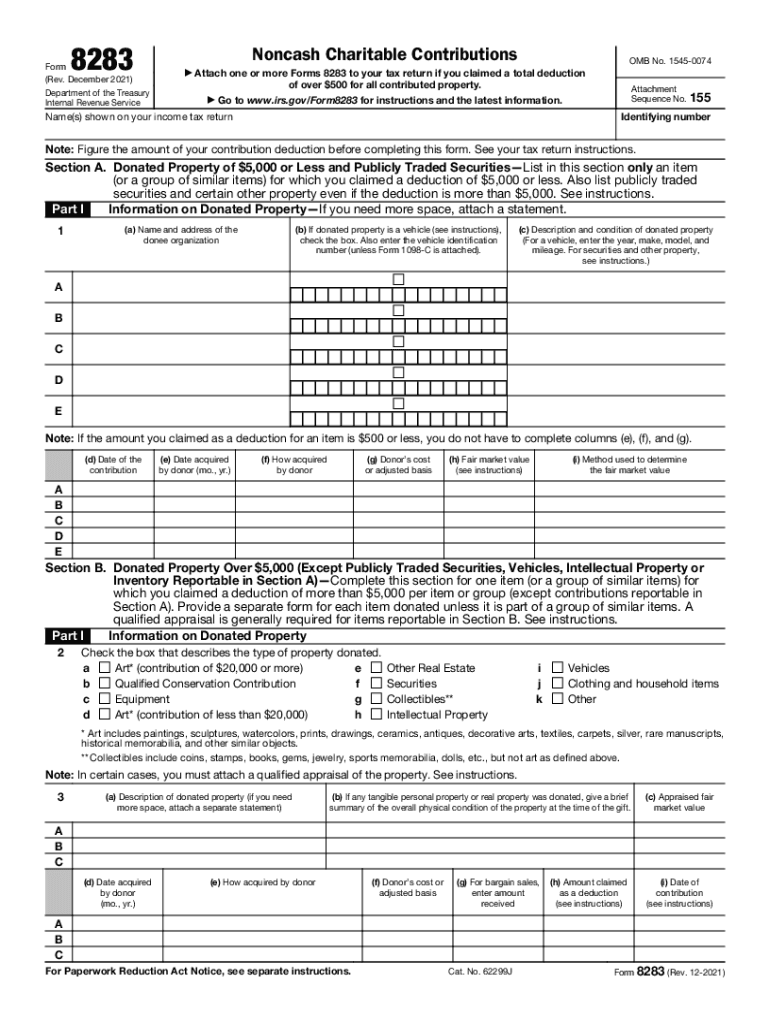
IRS 8283 2021 free printable template
pdfFiller is not affiliated with IRS

Fill out
Complete the form online in a simple drag-and-drop editor.

eSign
Add your legally binding signature or send the form for signing.

Share
Share the form via a link, letting anyone fill it out from any device.

Export
Download, print, email, or move the form to your cloud storage.
Why pdfFiller is the best tool for your documents and forms


End-to-end document management
From editing and signing to collaboration and tracking, pdfFiller has everything you need to get your documents done quickly and efficiently.
Accessible from anywhere
pdfFiller is fully cloud-based. This means you can edit, sign, and share documents from anywhere using your computer, smartphone, or tablet.
Secure and compliant
pdfFiller lets you securely manage documents following global laws like ESIGN, CCPA, and GDPR. It's also HIPAA and SOC 2 compliant.
What is IRS 8283
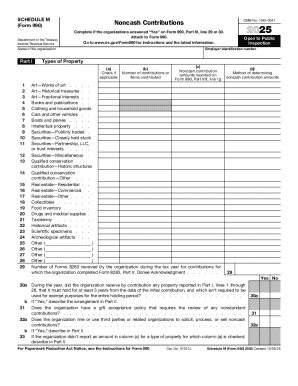
The IRS Form 8283 Noncash Charitable Contributions is a tax form used by US taxpayers to report noncash charitable donations exceeding $500.
pdfFiller scores top ratings on review platforms




I am using it on free 30 day. Until now, working great!! The best part is how I can literally edit any text that I wrote just by click and it is super easy to make changes to any text that I write using pdf filler.
I like that it saves my input on the forms, so I can copy the old one and create anew updated document to send client.
PDF filler is a very user friendly product! A+
Saves so much time and easy to use. Does about everything you could need!! Great product!!!!
Directions for completing fillable forms were very clear, easy to follow, and concise. This is a great product for someone who is in need of fillable forms on a regular basis. Highly recommended.
Fast and easy to use!
Fast and easy to use!
Who needs IRS 8283?
Explore how professionals across industries use pdfFiller.

IRS 8283 is needed by:
-
US taxpayers making noncash charitable donations
-
Donors seeking charitable contribution deductions
-
Appraisers valuing noncash donations
-
Donee organizations receiving donations
-
Tax professionals assisting with tax filings
Comprehensive Guide to IRS 8283
What is IRS Form 8283 Noncash Charitable Contributions?
IRS Form 8283 is a crucial document for U.S. taxpayers reporting noncash charitable contributions valued at over $500. This form plays a significant role in accurately reporting charitable contributions while ensuring compliance with IRS regulations. A thorough understanding of fair market value is essential as it directly impacts the taxpayer's charitable contribution deduction. Notably, for contributions exceeding $5,000, a qualified appraisal is mandatory to validate the claimed value of the contribution.
Purpose and Benefits of IRS Form 8283
The primary function of IRS Form 8283 is to facilitate tax deductions for donors who provide noncash gifts, which may include property, stocks, or other assets. By utilizing this form, taxpayers are assured compliance with IRS requirements when reporting substantial contributions. This process not only benefits the donors but also protects the integrity of the donee organization, allowing both parties to maintain accurate records and adhere to tax regulations.
Who Needs IRS Form 8283?
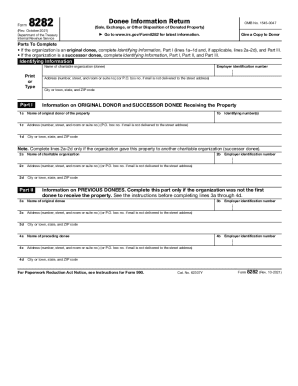
IRS Form 8283 is essential for several key stakeholders involved in charitable donations. Taxpayers donating noncash items valued at over $500 must complete this form to ensure proper reporting. Additionally, appraisers are responsible for providing accurate valuations of the donated property when necessary. Donee organizations must also acknowledge receipt of the contributions, ensuring all documented processes are complete and compliant with IRS guidelines.
Eligibility Criteria for IRS Form 8283
To determine eligibility for filling out IRS Form 8283, it’s crucial to identify the types of noncash contributions that require reporting. Donations exceeding $5,000 necessitate a professional appraisal to establish their fair market value. Furthermore, specific individuals must sign the form, outlining the responsibilities of the donor, the appraiser, and the donee organization, ensuring clear accountability in the reporting process.
How to Fill Out IRS Form 8283 Online (Step-by-Step)
Filling out IRS Form 8283 can be streamlined by following a clear step-by-step approach. Begin by entering the donor’s information, followed by a detailed description of the property and its fair market value. The cost basis of the donated property is also required. Utilizing tools like pdfFiller can simplify this process, allowing users to easily edit and save their forms. Pay close attention to common field requirements to avoid mistakes during completion.
Common Errors and How to Avoid Them
When completing IRS Form 8283, it’s vital to be aware of potential errors that could lead to processing complications or even audits. Common mistakes include inaccurate fair market value calculations and incomplete fields. To mitigate these risks, ensure all required information is accurately provided and double-check calculations. Regularly reviewing your entries can significantly reduce the chances of errors and uphold compliance with IRS standards.
Submission Methods for IRS Form 8283
After completing IRS Form 8283, it can be submitted to the IRS through various methods. Taxpayers can choose to file their forms by mail or utilize electronic filing options. Understanding the expected response times for each method is important for tracking submissions and confirming receipt. Should corrections or amendments be necessary, knowing the appropriate steps to take is crucial for compliance.
Security and Privacy Considerations for Filing IRS Form 8283
When handling sensitive documents like IRS Form 8283, security is paramount. pdfFiller employs robust data protection practices, including encryption and compliance with regulations such as HIPAA and GDPR. By ensuring safe handling of tax documents, users can confidently fill out their forms without compromising personal information. Emphasizing the importance of data security is essential when managing sensitive tax documents.
Using pdfFiller to Simplify IRS Form 8283 Completion
Employing pdfFiller for IRS Form 8283 offers a range of advantages that enhance the filing experience. Key features include the ability to edit, eSign, and store documents securely in the cloud, making access easy for users. Numerous testimonials showcase successful experiences with pdfFiller for tax form completion. Leveraging these capabilities can significantly streamline the process, ensuring a smooth filing experience for all users.
Ready to Get Started with Your IRS Form 8283?
Timely filing of IRS Form 8283 is crucial for maximizing tax benefits related to noncash charitable contributions. Utilizing pdfFiller can provide a seamless and secure experience during the completion of the form. By taking advantage of this platform, users can simplify their filing process and ensure compliance with IRS guidelines.
How to Fill Out Small Business Tax Forms Online with pdfFiller
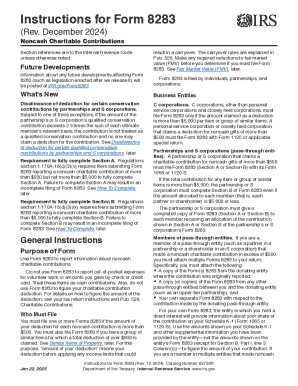
Struggling with your Schedule C or not sure how to file business taxes as a sole proprietor, LLC, or self-employed professional? This step-by-step pdfFiller tutorial walks you through completing IRS Schedule C quickly and accurately — no printing, no scanning, no stress. Whether you're handling small business tax deductions, tracking self-employed taxes, or preparing your full business tax return, pdfFiller makes it simple right in your browser.

How to fill out the IRS 8283
-
1.Access pdfFiller and search for 'IRS Form 8283' to locate the form.
-
2.Open the form to reveal the fillable fields and instructions.
-
3.Before filling out the form, gather necessary information, such as descriptions of the donated property, the donation date, fair market value, and donor's cost basis.
-
4.Use pdfFiller's text tools to fill in your information accurately. Click into each blank field to enter data.
-
5.Check boxes where applicable, which may include acknowledgments about the donation.
-
6.Review you have entered all information correctly, ensuring you include the taxpayer's signature in the designated area if required.
-
7.After completing the form, use pdfFiller’s features to finalize your document, making sure to double-check each section.
-
8.Save your filled form directly on pdfFiller or download it in your preferred format to attach it to your tax return.
-
9.If required, submit the form following your chosen method, either electronically or via mail.

Who needs to fill out IRS Form 8283?
Individuals who made noncash charitable contributions valued over $500 must complete IRS Form 8283. This includes taxpayers intending to claim a charitable deduction, appraisers validating property value, and donee organizations acknowledging receipt.
What information do I need to complete this form?
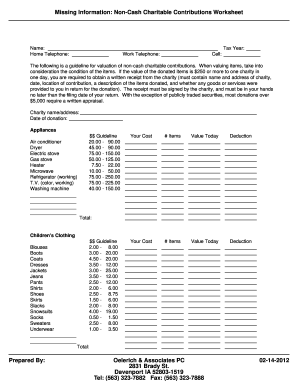
You'll need details about the contributed property, including its description, the donation date, fair market value, and the donor's cost basis. Ensure you also have the necessary appraisal documentation for donations over $5,000.
Is there a deadline for submitting Form 8283?
IRS Form 8283 must be submitted with your tax return for the year in which the donation was made. Ensure to check the annual tax filing deadline, usually falling on April 15th, unless extended.
How do I submit IRS Form 8283?
You can submit IRS Form 8283 by attaching it to your federal tax return when filed. Forms can be submitted electronically via tax software or physically mailed to the IRS, depending on your filing method.
What are some common mistakes to avoid when filling out this form?
Ensure accurate entries for fair market value and donor details. Also, avoid leaving required fields blank and ensure the donee's receipt is properly documented. Remember to sign the form where necessary.
What supporting documents do I need?
You may need an appraisal report for noncash donations over $5,000. Additionally, a receipt from the donee organization is required to prove that they received the donated property.
How long does it take to process Form 8283?
Processing times can vary based on numerous factors, including submission method and current IRS workload. Generally, expect processing to take several weeks after your tax return is filed.
IRS 8283 Form Versions
Related Content
Related Forms





Get the latest insights from our blog


If you believe that this page should be taken down, please follow our DMCA take down process
here
.
This form may include fields for payment information. Data entered in these fields is not covered by PCI DSS compliance.