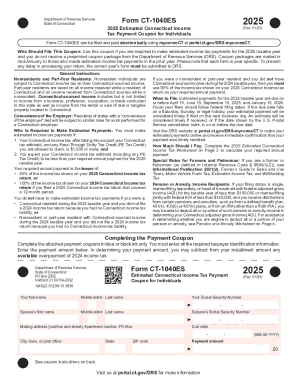
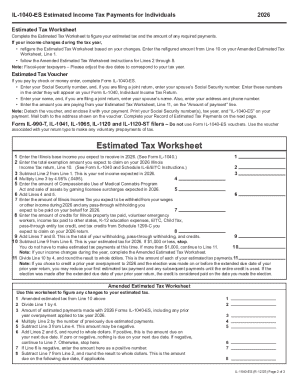
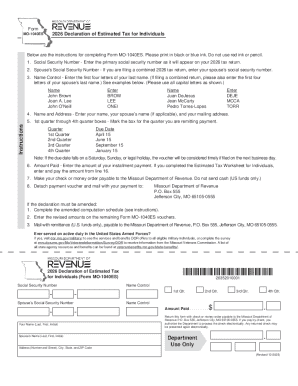
Form preview

IRS 1040-ES 2025 free printable template


Get Form
pdfFiller is not affiliated with IRS
Screenshot
Screenshot
Screenshot

Get, Create, Make, and Sign IRS 1040-ES

Edit your IRS 1040-ES online
Type text, complete fillable fields, insert images, highlight or blackout data for discretion, add comments, and more.
Screenshot
Add your legally-binding signature
Draw or type your signature, upload a signature image, or capture it with your digital camera.
Screenshot
Share your form instantly
Email, fax, or share your IRS 1040-ES via URL. You can also download, print, or export forms to your preferred cloud storage service.
Screenshot

Instructions and Help about IRS 1040-ES

How to edit IRS 1040-ES

To edit the IRS 1040-ES tax form, first download the form from the IRS website or a reliable tax-related resource. Once you have the PDF, you can utilize pdfFiller's editing tools to make necessary adjustments. These tools allow you to add or remove information as needed, ensuring your form is accurate before submission.

How to fill out IRS 1040-ES

To fill out the IRS 1040-ES tax form accurately, follow these steps:
01
Obtain the form from the IRS website or other official sources.
02
Provide your personal information, including your name, address, and Social Security number.
03
Calculate your estimated tax payments based on your expected income for the year.
04
Fill in the payment amounts for each quarter as specified on the form.
05
Sign and date the form before submission.

Latest updates to IRS 1040-ES

The IRS periodically updates the 1040-ES form, particularly in response to tax law changes. For the most recent updates, check the IRS website or the official notice regarding estimated taxes.

About IRS 1040-ES previous version

What is IRS 1040-ES?

IRS 1040-ES is a form used by U.S. taxpayers to estimate and pay their federal income tax for the upcoming tax year. This form is primarily for individuals who expect to owe $1,000 or more when they file their tax return and do not have sufficient withholding to cover their tax liability.

Who needs the form?

Taxpayers who typically need to file IRS 1040-ES include self-employed individuals, sole proprietors, partners, and S corporation shareholders who expect to owe tax of $1,000 or more. If you have income from sources that do not withhold taxes, such as rental income or investment gains, you should also consider using this form.

Components of the form

The IRS 1040-ES consists of a payment voucher and detailed instructions for computing estimated taxes. The form includes sections for your personal information, expected income, and calculations for each quarter's payment. It is essential to fill out each section correctly to ensure proper tax payment and avoid penalties.

What information do you need when you file the form?

When filing IRS 1040-ES, you need personal information such as your legal name, address, and Social Security number. You should also have your expected income figures, including wages, self-employment income, and other sources, as well as any deductions and credits you plan to claim, as these will help in calculating your estimated payment.

Where do I send the form?

Where to send IRS 1040-ES depends on your location. Generally, you will mail the completed form and payment to the address specified in the form instructions. If you file electronically, use the designated online platforms available to ensure proper receipt of your payments.

What is the purpose of this form?

The purpose of IRS 1040-ES is to facilitate the payment of estimated taxes for individuals whose income is not subject to withholding tax, such as self-employed individuals, freelancers, and other types of non-traditional earners. Completing and submitting this form ensures that taxpayers meet their tax obligations and avoid potential penalties for underpayment.

When am I exempt from filling out this form?

You may be exempt from filing IRS 1040-ES if you did not owe any tax last year or if your total tax liability for the current year is expected to be less than $1,000. Additionally, individuals whose withholding and refundable credits will cover their tax should not need this form.

What are the penalties for not issuing the form?

Failure to file IRS 1040-ES when required may result in penalties for underpayment of estimated taxes. The IRS imposes a penalty if you do not pay enough tax throughout the year, which can add up to several hundred dollars, depending on the amount owed and how late the payment is. Additionally, interest will accrue on any unpaid amounts.

Is the form accompanied by other forms?

IRS 1040-ES is typically not accompanied by other forms when you file it separately for estimated payments. However, if you are filing your annual return later in the year, you may need to include additional forms relevant to your tax situation, such as Schedule C for business income or Schedule SE for self-employment tax.

FAQ about IRS 1040-ES

If you realize there's an error on your IRS 1040-ES form after submission, you should file an amended return. Use Form 1040-X to correct the mistake. Be sure to follow IRS guidelines for amending and include a clear explanation of what you are correcting to avoid any processing delays.

To verify the status of your IRS 1040-ES submission, you can use the IRS 'Where's My Refund?' tool if you filed electronically. Alternatively, you may call the IRS directly for updates regarding your submission status. Keep your information ready for verification.

When filing your IRS 1040-ES, watch out for common errors such as incorrect personal information, math mistakes, and not signing your form if it’s paper-filed. Double-check that you've selected the correct estimated tax payment amount and reviewed all entries to reduce the likelihood of rejection.

If you receive a notice from the IRS regarding your IRS 1040-ES, carefully read the notice to understand the issue at hand. Respond promptly, providing any requested documentation and clarifications to resolve the matter effectively. Keep a record of all correspondence for future reference.

Yes, for e-filing your IRS 1040-ES, ensure that your software is IRS-approved and that you're using a compatible web browser. Additionally, stable internet connectivity is crucial to avoid interruptions during the e-filing process, which can help ensure your submission goes through without issues.

See what our users say

Read user feedback and try pdfFiller to explore all its benefits for yourself
very good and simple.
Ana
Great program incase you have an older… Great program incase you have an older computer or none PDF access.
Brenard Beamon
See what our users say
Trust Seal
Trust Seal
Trust Seal
Trust Seal
Trust Seal
Trust Seal
Trust Seal
Trust Seal
Rate free form
4.3
satisfied
52 votes

How to Fill Out Small Business Tax Forms Online with pdfFiller

Struggling with your Schedule C or not sure how to file business taxes as a sole proprietor, LLC, or self-employed professional? This step-by-step pdfFiller tutorial walks you through completing IRS Schedule C quickly and accurately — no printing, no scanning, no stress. Whether you're handling small business tax deductions, tracking self-employed taxes, or preparing your full business tax return, pdfFiller makes it simple right in your browser.

If you believe that this page should be taken down, please follow our DMCA take down process here .
This form may include fields for payment information. Data entered in these fields is not covered by PCI DSS compliance.