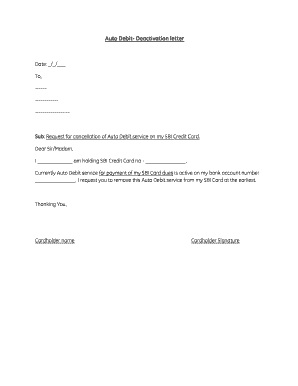
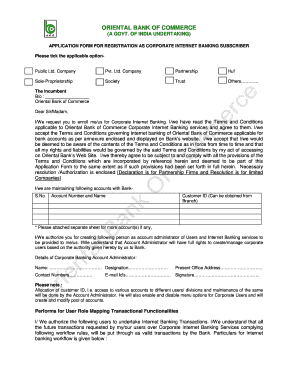
What is letter of application format?

A letter of application format is a standardized way of writing a letter that is used when applying for a job or a position. It includes specific sections and information that should be included to make the letter professional and effective.

What are the types of letter of application format?

There are several types of letter of application formats that can be used depending on the specific requirements and circumstances. Some common types include:

Traditional letter of application format: This is the most common format that includes a formal salutation, introduction, body paragraphs, and conclusion.
Email letter of application format: This format is used when sending the application via email. It usually has a more concise and direct structure.
Online application form format: Some companies provide online forms that need to be filled out instead of sending a traditional letter. These forms usually require specific information and follow a set format.

How to complete letter of application format

Completing a letter of application format involves several steps to ensure the document is professional and effective. Here are the steps to follow:

01
Start with a clear and professional heading that includes your contact information and the date.
02
Address the recipient with a formal salutation and introduce yourself.
03
Include a strong opening paragraph that grabs the reader's attention and explains your purpose.
04
Present your qualifications and experiences in a concise and organized manner in the body paragraphs.
05
Make sure to highlight relevant skills and achievements that are related to the job or position you are applying for.
06
End the letter with a strong closing paragraph expressing your enthusiasm and interest in the opportunity.
07
Proofread the letter carefully for any errors or typos before sending it.

pdfFiller empowers users to create, edit, and share documents online. Offering unlimited fillable templates and powerful editing tools, pdfFiller is the only PDF editor users need to get their documents done.


Video Tutorial How to Fill Out letter of application format

Thousands of positive reviews can’t be wrong

Read more or give pdfFiller a try to experience the benefits for yourself
5.0
It is very easy to use & the PDF stay in the system in case you want to go back...
What do you like best? It is very easy to use & the PDF stay in the system in case you want to go back to it. What do you dislike? I have no dislikes. It saves me so much time. What problems are you solving with the product? What benefits have you realized? I can very easily upload any PDF & undate it or make any change i need to make or just add some information to it.
Judy Krawczyk
5.0
I love the whiteout option and the text box.
What do you like best? I love the whiteout option and the text box. Also the drag option to move all text over. What do you dislike? I have no complaints at this time. Have had no issues since we first started using PDFiller. Recommendations to others considering the product: Purchase it. What problems are you solving with the product? What benefits have you realized? I am whiting out personal information, Printing documents with additional text not on it to avoid printing more than necessary.
Monalisa Aguilar
5.0
I usually dont like to take time to review but this one is warranted and a long...
What do you like best? I usually dont like to take time to review but this one is warranted and a long time coming. What I like best is how many hours it has saved us. We subscribe to several tools and PDFFiller is one of them that we use on a daily basis at the office. I cannot tell you how much time this has saved us especially while submitting proposals. We also love the fact that it has an inbuilt ability to send out e-signature similar to docusign so we do not have to subscribe to a separate service for that. If there is one tool that has given us a 100x return on our investment that is PDFFiller. I am also thankful to the PDFFiller team as they keep on innovating and adding new features. What do you dislike? Nothing really. Like I said above, this tool as delivered massive value to our company. What problems are you solving with the product? What benefits have you realized? Editing PDF docs, adding, merging, e-sign docs etc etc. Avoids us having to scan docs I mean it has a bunch of features that once you start using it you will be like WOW! This is one of the MUST HAVE productivity tools in your arsenal.
Thomas Bibby Varghese