Wedding Services Form Templates - Page 3
Get eSignatures done in a snap

Prepare, sign, send, and manage documents from a single cloud-based solution.

What are Wedding Services Form Templates?

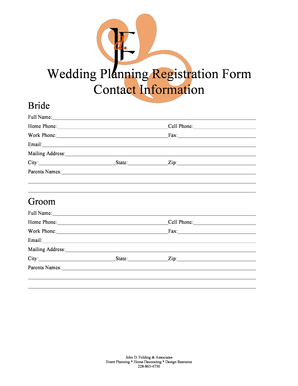
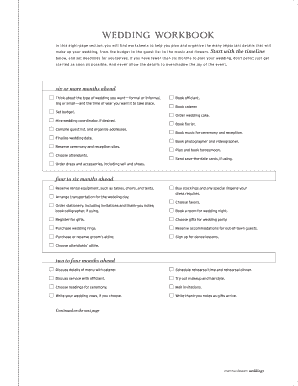
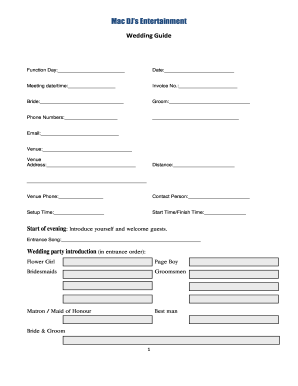
Wedding Services Form Templates are pre-designed documents that help streamline and organize the process of planning and executing various aspects of a wedding. These templates serve as guides for recording important information, collecting data, and ensuring all necessary details are accounted for.

What are the types of Wedding Services Form Templates?

There are several types of Wedding Services Form Templates available to meet different needs and requirements. Some common types include:

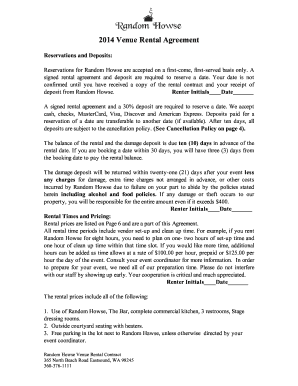
Venue Reservation Form
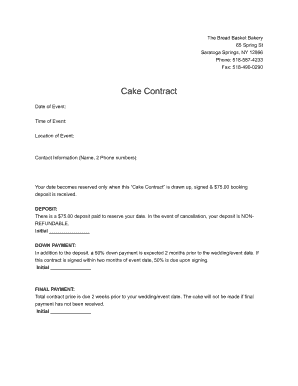
Catering Contract Template
Floral Design Proposal Form
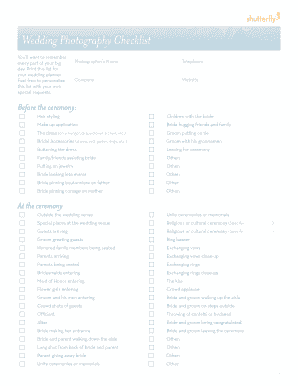
Photography Services Agreement
DJ/Band Booking Form
Wedding Day Timeline Template

How to complete Wedding Services Form Templates

Completing Wedding Services Form Templates is a straightforward process that involves filling in the necessary information and details. Here are some simple steps to help you complete these forms effectively:

01
Review the template instructions carefully before filling it out.
02
Enter accurate information in each designated field.
03
Double-check all entries for errors or omissions.
04
Save or print a copy of the completed form for your records.
05
Share the form with relevant parties as needed.

pdfFiller empowers users to create, edit, and share documents online. Offering unlimited fillable templates and powerful editing tools, pdfFiller is the only PDF editor users need to get their documents done.

Video Tutorial How to Fill Out Wedding Services Form Templates

Thousands of positive reviews can’t be wrong

Read more or give pdfFiller a try to experience the benefits for yourself
5.0
Just started using the PDF Filler, its a great application, easy to navigate, on...
Just started using the PDF Filler, its a great application, easy to navigate, one can get a lot of legal stuff done on it if you own a business and very affordable.
Bessem A.
5.0
I like the accessibility of the application.
What do you like best? I like the accessibility of the application. I can access from anywhere by just using my browser. What do you dislike? Sometimes the sizing is a bit tricky and I need to play around with the edits to make it work. What problems are you solving with the product? What benefits have you realized? I am able to take pdf documents, to which I have lost or never had the source file, and easily change them to what I need. Also, another great use is to fill-in forms in forms to which i only have hardcopy.
Administrator in Facilities Services
5.0
INTUITIVE EASE OF USE DOCUMENT STORAGE FOR EASY RETRIEVAL CLEAN LOOKING CHANGES.
What do you like best? INTUITIVE EASE OF USE DOCUMENT STORAGE FOR EASY RETRIEVAL CLEAN LOOKING CHANGES. What do you dislike? SOMETIMES THE MARGINS OR WORDS DO NOT LINE UP AND WHAT YOU SEE IS NOT EXACTLY WHAT YOU GET, REQUIRING ADDITIONAL CHANGES. What problems are you solving with the product? What benefits have you realized? INTERNATIONAL DOCUMENTS. PDFFILLER HAS ELIMINATED THE NEED TO DO MANUAL INVOICES OR ADDITIONAL INVOICES. YOU CAN ADD TO, CHANGE AND MEET INTERNATIONAL DOCUMENT REQUIREMENTS.
Phyllis Lopes
5.0
The customer support is phenomenal.
What do you like best? The customer support is phenomenal. They always answer quickly and fix whatever issue i have. The actual software does it's supposed to and increases my productivity x10. There are features included to import government forms easily or you can upload your own. The templates are easy to create and to make new documents using. What do you dislike? The amount of options can be overwhelming. It seems like the product can do so much and would take a long time to fully understand or use. The speed of the application is actually pretty fast but its not a literal immediate load time. Recommendations to others considering the product: Learn to import your forms directly from their bank of existing forms. Be careful when editing fields so that you don't overwrite existing functionality. If you need help don't hesitate to do a live chat and screen share. Their chat agents will fix any issue you have. I've had them help me multiple times. What problems are you solving with the product? What benefits have you realized? We use it to fill out government tax forms, specifically form 1098c for our nonprofit organization. The primary benefit is a secure place to share and store all our documents that we can search and edit when we need. This software saves us an immense amount of time. It provides a method to update and edit documents in minutes with recurring pages that would otherwise take 4x times longer fill out and complete. We generally only use this form an IRS form specifically but i can see the use case for many types of companies and situations.
Garrick Crouch

Questions & answers

The officiant can ask, “Who gives this woman to be married to this man?” The audience or her parents will answer, “She gives herself, but with her family's blessing.”
Are you in the market for invitation card templates for an upcoming wedding event? If so, have a go at our premium Wedding Invitation Templates you can download instantly for free. They are all easily editable in all versions of Microsoft Word. We have assorted designed wedding templates for you to avail.
The biggest difference between the wedding ceremony and wedding reception is the purpose of each event. The wedding ceremony's purpose is to officially and legally marry the couple. The wedding reception, on the other hand, is the party hosted to celebrate the couple's marriage.
Choose from wedding, graduation, and bar/bat mitzvah invitations, to holiday, birthday, bachelor party invites—and everything in between. After you download these professionally-designed templates, you can open them in a Word doc, then customize them with your own message, colors, and more.
Order Of Wedding Ceremony Processional. The processional begins with bridesmaids and groomsmen walking down the aisle, typically paired up. Opening Remarks. Next, come the opening remarks. Readings. Officiant Addresses the Couple. Exchange of Vows. Ring Exchange. Pronouncement of Marriage. The Kiss.
0:35 1:26 How to Make a Wedding Program on Microsoft Word : Using MS Word YouTube Start of suggested clip End of suggested clip So as you can see in word you have your basic template. With your wedding program. Which as you canMoreSo as you can see in word you have your basic template. With your wedding program. Which as you can see each of the fields are editable. And you can still insert your own custom pictures.