Free Business Letter Word Templates



What are Business Letter Templates?
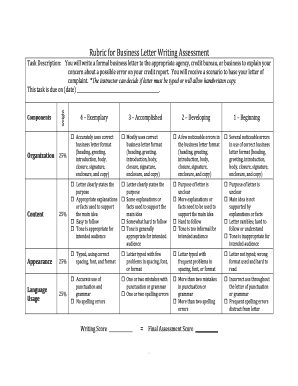
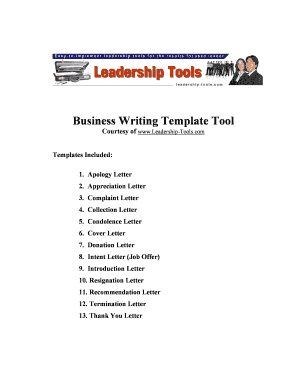
Business Letter Templates are pre-designed formats that individuals and companies can use to create professional and standardized business correspondence. These templates save time and effort by providing a structured layout for various types of business letters.
What are the types of Business Letter Templates?
There are several types of Business Letter Templates available, each suited for different purposes. Some common types include:
Formal Business Letter Templates
Informal Business Letter Templates
Thank You Letter Templates
Cover Letter Templates
Complaint Letter Templates
How to complete Business Letter Templates
Completing Business Letter Templates is easy and straightforward. Just follow these steps:
01
Open the chosen template in a PDF editor like pdfFiller.
02
Fill in the required information in the designated fields.
03
Customize the content to suit your needs by editing the text and formatting.
04
Review the completed letter for accuracy and professionalism.
05
Save, download, or share the letter as needed.
pdfFiller empowers users to create, edit, and share documents online. Offering unlimited fillable templates and powerful editing tools, pdfFiller is the only PDF editor users need to get their documents done.
Video Tutorial How to Fill Out Business Letter Templates
Thousands of positive reviews can’t be wrong
Read more or give pdfFiller a try to experience the benefits for yourself
Questions & answers
What is a business letter?
The generally accepted font is Times New Roman, size 12, although other fonts such as Arial may be used. When choosing a font, always consider your audience. Writing the Basic Business Letter - Purdue OWL purdue.edu https://owl.purdue.edu › professional_technical_writing purdue.edu https://owl.purdue.edu › professional_technical_writing
Why should I use a business letter format?
How to Format a Business Letter Write the date and your recipient's name, company, and address. Choose a professional greeting, like “Dear,”. Craft a compelling introduction. State your intent in the letter's body text. End your letter with a strong call-to-action. Choose a professional closing, like “Sincerely,”. How to Write a Business Letter That Won't Get Ignored - HubSpot Blog hubspot.com https://blog.hubspot.com › marketing › how-to-write-bus hubspot.com https://blog.hubspot.com › marketing › how-to-write-bus
How do I write a business letter?
How to Format a Business Letter Write the date and your recipient's name, company, and address. Choose a professional greeting, like “Dear,”. Craft a compelling introduction. State your intent in the letter's body text. End your letter with a strong call-to-action. Choose a professional closing, like “Sincerely,”.
What are the 7 parts of a business letter?
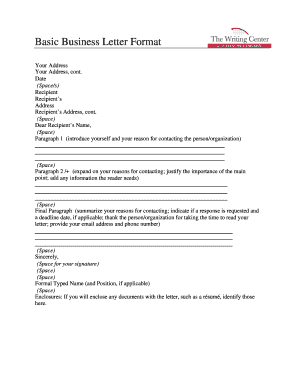
Parts of a Business Letter The Heading. The heading contains the return address with the date on the last line. Recipient's Address. This is the address you are sending your letter to. The Salutation. The Body. The Complimentary Close. The Signature Line. Enclosures.
What are the 4 types of business letter?
The types of business letter formats can include: Cover letters. Thank you letters. Complaint letters. Adjustment letters.
What is a basic business letter?
The seven parts of a business letter are: sender's address, date, recipient address, salutation, body, closing salutation and signature. If you have documents attached with the letter, include a list of enclosures after the signature.