Church Directory Form Templates - Page 2
Get eSignatures done in a snap

Prepare, sign, send, and manage documents from a single cloud-based solution.

What are Church Directory Form Templates?

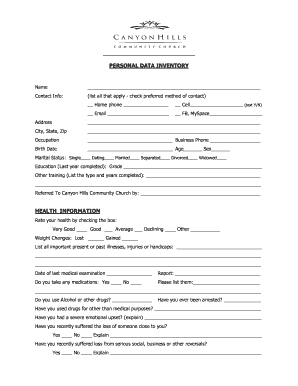
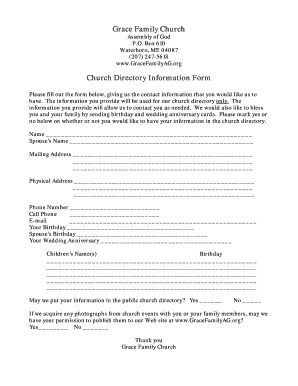
Church Directory Form Templates are pre-designed forms that help churches gather and organize information about their members in a convenient and structured way. These templates can include fields for names, contact information, family details, membership status, and more.

What are the types of Church Directory Form Templates?

There are various types of Church Directory Form Templates available to cater to different needs and preferences. Some common types include:

Basic Member Information Form
Family Details Form
Volunteer Sign-Up Form
Membership Renewal Form

How to complete Church Directory Form Templates

Completing Church Directory Form Templates is simple and straightforward. Here are some steps to help you fill out these forms accurately:

01
Download the desired template from a reliable source.
02
Fill in the required information such as names, contact details, and any other relevant details.
03
Ensure all information is accurate and up-to-date before submitting the form.

By using pdfFiller, you can easily create, edit, and share Church Directory Form Templates online. With a wide range of fillable templates and powerful editing tools, pdfFiller is the ultimate solution for all your document needs.


Video Tutorial How to Fill Out Church Directory Form Templates

Thousands of positive reviews can’t be wrong

Read more or give pdfFiller a try to experience the benefits for yourself
5.0
Kara was super helpful in resolving a.
Kara was super helpful in resolving a… Kara was super helpful in resolving a billing issue for me. It was resolved within minutes and she made the process so easy.
Kathleen Timbinaris
4.0
First time using the program.
First time using the program. Managed to figure out how to do what I wanted to do. If I can figure it out, most people should be able to also.
Patrick J J
5.0
I like the editor!
I like the editor! pdf filler is a simple way to stay on top of your files, workflow, and create your own templates. luv it!!
IME
5.0
It was something I needed temporarily.
It was something I needed temporarily. If I had a continuous need for this program, I would keep it and continue to use it. I really did enjoy the ease of this program.
Connie H

Questions & answers

How do I create a church directory? Set apart your timelines. Prepare the personnel. Create a membership information form. Sort out the forms. Prepare the directory form. Enter the member's information. Prepare for the photos phase. Use online forms.
Your member directory should contain as much information as possible about your people, such as phone numbers, email, ages, family makeup, small groups, and important dates like birthdays and anniversaries. This information will help you better know your members, manage your groups, and improve communication.
These are the steps: Create a simple form that all members fill out with contact information. Collect all the forms. Use word processing software to type all of the members' contact information. Create a cover page with a photograph of the church or the church's name or logo.
Getting Started in 5 Easy Steps Add a family or families as an administrator or editor. Add your church staff. Update your directory cover page. Prepare your directory for sharing. Share your directory.
Determine What Members' Details to Include. Family first and last names. Remember, some families have members with different last names, so you'll want to decide how to handle those. Address or Addresses. Phone numbers. Email Address. Birthdays. Anniversaries. Family Photos. Groups or Committees.
How To Create a Membership Directory (+ FREE Template) Choose Your Type of Membership Directory. Decide What To Include in Your Membership Directory. Find a Directory Tool That Suits Your Needs. Take Inspiration From This Membership Directory Template. Final Thoughts.