





Announce An Event Form Templates - Page 2
Get eSignatures done in a snap

Prepare, sign, send, and manage documents from a single cloud-based solution.

What are Announce an Event Form Templates?

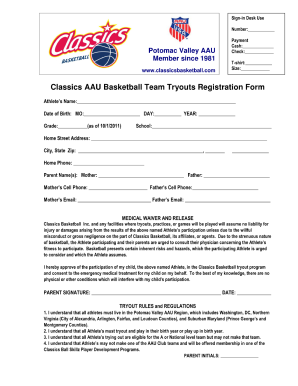
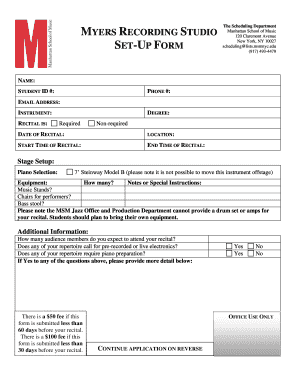
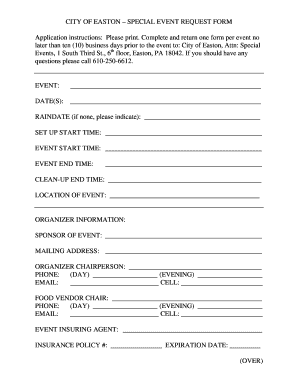
Announce an Event Form Templates are pre-designed documents that help users create professional and eye-catching event announcements. These templates save time and effort by providing a ready-made layout that can be easily customized to suit the specific event.

What are the types of Announce an Event Form Templates?

There are various types of Announce an Event Form Templates available to cater to different types of events. Some common types include:

Event invitation templates
Event announcement templates
Save the date templates
RSVP templates
Event poster templates

How to complete Announce an Event Form Templates

Completing Announce an Event Form Templates is a simple and straightforward process. Follow these steps to create a compelling event announcement:

01
Choose a template that best suits your event
02
Customize the template by adding event details such as date, time, location, and RSVP information
03
Add images or graphics to make the announcement visually appealing
04
Review and edit the content to ensure accuracy and professionalism
05
Save and share the completed form with your audience

pdfFiller empowers users to create, edit, and share documents online. Offering unlimited fillable templates and powerful editing tools, pdfFiller is the only PDF editor users need to get their documents done.
Video Tutorial How to Fill Out Announce an Event Form Templates

Thousands of positive reviews can’t be wrong

Read more or give pdfFiller a try to experience the benefits for yourself
5.0
I created an account with PDFfiller a couple days ago and have already used it n...
I created an account with PDFfiller a couple days ago and have already used it non stop, I am loving how easy it is to use.
Christian Z.
5.0
I love this app on so many levels has improved my life greatly and I no longer h...
I love this app on so many levels has improved my life greatly and I no longer have to worry about my terrible handwriting
Mele F.
4.0
With PDFfiller you can choose two ways of working;
What do you like best? With PDFfiller you can choose two ways of working; one free, with the classic restrictions on the amount of files per day, and another one of pay where you can use all the tools without limits of anything. When you just enter pdffiller draws attention to their environment, where they do not appear the common options of the type "word to pdf" or "pdf to jpeg", but directly asks to find the file with which you want to work. Here is where you find another novelty since you can upload your file, paste the URL where the file is, get it from your mail or request the document from a third party and everything from the same page facilitating the integration of the program to your daily use. Once you open a file you can see a toolbar that allows you to add add text, add check, insert images, underline words, delete, blackout, and of course, add watermark, making the environment become a text editor and not only in program to change the extension of the files. from the same page you can send to print, send via mail, share with social networks (fb and google), share the link and of course, save your file as pdf, word, excel or ppt. What do you dislike? If we stop to look at PDFfiller itself it does not contain negative aspects that are so important to correct, it would clearly be great if the whole system could be integrated into your networks and work for free, but it is also understood that the work and investment that made the creators of pdffiller should be rewarded in some way. Recommendations to others considering the product: totally recommendable If you're looking to convert files to and from pdf, this program works wonders, and if you want to edit some parts of your files, it works pretty well too. What problems are you solving with the product? What benefits have you realized? until recently I was using other programs when I had to work with pdf or convert files to pdf, but the truth is that pdffiller has necessary features to become one of my most used programs since within its tools it has a feature that allows blackout in those phrases or data that you do not want to reveal because they are confidential or sensitive, which is particularly useful for me when I have to make some presentations or present documents to external agents and I do not want to reveal all the data.
john ritchie
4.0
It was difficult to locate the correct form.
It was difficult to locate the correct form. The search engine seems weak. As I scrolled down the pages, they often skipped ahead.
Richard B.

Questions & answers

What To Include in an Event Announcement Email Date and time. Location. Event type (SKO, conference, training) Event format (virtual, in-person, hybrid) Title and description. Speakers. Sponsors. Keynotes (if they're locked down)
How do you write an announcement? Keep announcements clear, concise and with your audience in mind. Include only the most important information, like the date, time and location of an event or the details of the achievement you're celebrating. You may want to add a photo or illustration to go with the announcement.
How to write an email announcement Start with an introduction. Begin your email by introducing the announcement. Explain relevance to the readers. To create an effective announcement email, add context for the readers to show why your announcement is exciting for them. Write a call to action. Provide additional details.
Make sure to incorporate these main points so customers have all the information they need to determine whether or not they want to attend: Date and time. Location. Event type (SKO, conference, training) Event format (virtual, in-person, hybrid) Title and description. Speakers. Sponsors. Keynotes (if they're locked down)
When developing a good program or event announcement, make sure the release covers the following questions: What is the event or program? Where is it happening? When is it happening? Who is holding the event or program? Who is the intended audience? Why would someone want to attend?
[count] : a written or spoken statement that tells people about something : public or formal words that announce something. Many people were surprised by the government's announcement that there will be a cut in taxes. I heard an announcement on the loudspeaker saying that the store was closing in 10 minutes.