
Last updated on
Oct 23, 2026

Sample Independent Contractor Consultant Agreement free printable template
pdfFiller is not affiliated with any government organization

Fill out
Complete the form online in a simple drag-and-drop editor.

eSign
Add your legally binding signature or send the form for signing.

Share
Share the form via a link, letting anyone fill it out from any device.

Export
Download, print, email, or move the form to your cloud storage.
Why pdfFiller is the best tool for your documents and forms


End-to-end document management
From editing and signing to collaboration and tracking, pdfFiller has everything you need to get your documents done quickly and efficiently.
Accessible from anywhere
pdfFiller is fully cloud-based. This means you can edit, sign, and share documents from anywhere using your computer, smartphone, or tablet.
Secure and compliant
pdfFiller lets you securely manage documents following global laws like ESIGN, CCPA, and GDPR. It's also HIPAA and SOC 2 compliant.
What is Sample Independent Contractor Consultant Agreement
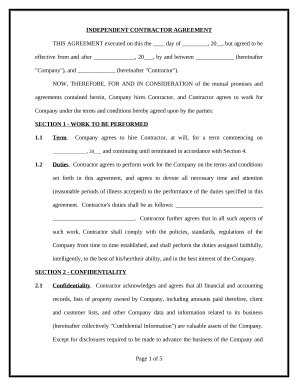
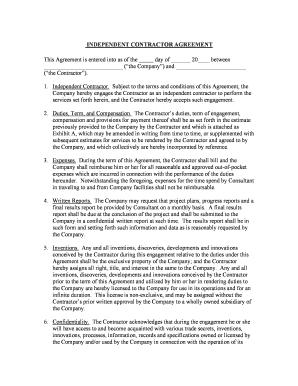
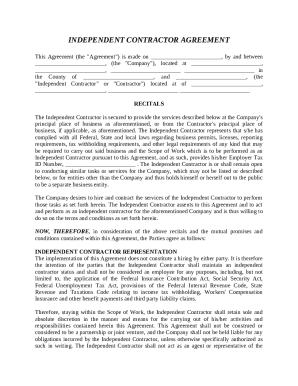
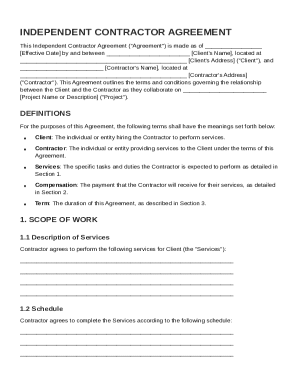
The Independent Contractor Agreement is a legal document used by nonprofits to outline the terms and conditions between the organization and an independent contractor or consultant.
pdfFiller scores top ratings on review platforms




Who needs Sample Independent Contractor Consultant Agreement?
Explore how professionals across industries use pdfFiller.

Sample Independent Contractor Consultant Agreement is needed by:
-
Nonprofit organizations hiring consultants
-
Independent contractors offering services
-
Legal professionals drafting contracts
-
Nonprofits needing formal agreements
-
Businesses seeking to outline service terms
-
Freelancers entering consulting arrangements
Comprehensive Guide to Sample Independent Contractor Consultant Agreement
What is an Independent Contractor Agreement?
An independent contractor agreement is a crucial legal document that establishes a formal relationship between a nonprofit organization and an independent contractor or consultant. This agreement outlines essential elements such as the specific services to be performed, payment terms, and confidentiality obligations. By clearly defining these aspects, both parties can maintain transparency and mutual understanding throughout their collaboration.
Key components often included in an independent contractor agreement are the detailed description of services, deadlines, compensation, and any confidentiality provisions necessary to protect sensitive information. These agreements may also specify the duration of the contract and liability terms.
Purpose and Benefits of Using an Independent Contractor Agreement
Utilizing an independent contractor agreement is essential for both nonprofit organizations and independent contractors, offering several benefits. Firstly, this agreement provides legal protection for both parties, ensuring that everyone is aware of their rights and responsibilities. By clearly delineating expectations, the agreement helps to prevent potential misunderstandings or disputes that could arise during the course of work.
Additionally, these agreements enable both parties to establish clear payment terms, which contribute to a smooth working relationship. They offer guidelines on payment schedules and methods, ensuring that contractors are compensated fairly and promptly.
Key Features of the Independent Contractor Agreement
The independent contractor agreement contains crucial features that ensure comprehensive coverage of the contractual relationship. The structure typically includes blank fields for entering parties' information, ensuring that the document is tailored to the specific agreement at hand. Important sections often cover details regarding the services provided, payment terms, and confidentiality clauses.
-
Signature lines for both the contractor and the nonprofit organization
-
Notarization fields when required to validate the agreement
-
Checkboxes to confirm acceptance of terms
Who Needs an Independent Contractor Agreement?
This agreement is vital for various groups. Nonprofit organizations looking to hire consultants or independent contractors must utilize this document to formalize the working relationship. Similarly, independent contractors seeking employment opportunities should ensure they have a written agreement in place to protect their rights and outline service expectations.
Common types of services often contracted include marketing expertise, event organization, and outreach programs, all of which can benefit from a structured agreement.
How to Fill Out the Independent Contractor Agreement Online
Completing an independent contractor agreement online can be achieved through a straightforward process. Here are the steps to follow when filling out the form:
-
Open the pdfFiller platform and select the independent contractor agreement template.
-
Enter relevant names and addresses in the designated fields.
-
Specify the services to be performed and the agreed payment terms.
-
Review the completed document for any errors or incomplete sections.
Once you have double-checked your details, you may proceed to save or submit the form as required.
How to Sign or Notarize the Independent Contractor Agreement
Signing the independent contractor agreement can be done in two primary ways. Users have the option to utilize digital signatures via pdfFiller or opt for traditional wet signatures. It's essential to choose the method that best suits the parties involved, ensuring legal compliance.
In cases where notarization is necessary, ensure that you follow the appropriate steps to have the document notarized, which may include scheduling an appointment with a notary public to validate your signatures.
Where to Submit the Independent Contractor Agreement
Submitting the independent contractor agreement typically involves specific requirements set by the nonprofit organization. It's important to check for any relevant deadlines and processing times associated with the submission, as well as potential fees involved.
-
Verify submission methods accepted by the organization
-
Confirm any required accompanying documents
Security and Compliance when Using the Independent Contractor Agreement
As sensitive information may be present in the independent contractor agreement, data security and compliance are paramount. pdfFiller ensures robust security measures, including 256-bit encryption and adherence to regulations such as HIPAA and GDPR. Users should prioritize secure storage and proper handling of these documents to maintain compliance with privacy guidelines.
What Happens After You Submit the Independent Contractor Agreement?
After submitting the independent contractor agreement, it’s crucial to understand the post-submission process. Users can track the status of their agreement and should be prepared for a review or acceptance timeframe communicated by the nonprofit organization.
Common reasons for rejection may include missing information or failure to meet specific criteria. To avoid these pitfalls, ensure that all details are accurate and conform to the requirements outlined in the agreement.
Create and Manage Your Independent Contractor Agreement with pdfFiller
pdfFiller provides users with an efficient platform to create, edit, and manage their independent contractor agreements. This user-friendly tool allows easy access to document sharing and organization capabilities, simplifying the form processing experience.
By harnessing the features offered by pdfFiller, users can effectively streamline their document management tasks, ensuring that their independent contractor agreements are precisely tailored to their needs.
How to fill out the Sample Independent Contractor Consultant Agreement
-
1.Access the Independent Contractor Agreement on pdfFiller by searching for the document in the template library or by visiting the direct link provided by your organization.
-
2.Once opened, familiarize yourself with the layout and identify all the required fields, such as names, addresses, and dates.
-
3.Gather necessary information beforehand, including the consultant's legal name, address, and specific details about the services to be rendered.
-
4.In pdfFiller, click on each blank field to input the required information. Use the instructions provided in the document as guidance for entering specific details correctly.
-
5.If checkboxes are available, click to indicate the agreement of terms where applicable, making sure to complete all sections relevant to your agreement.
-
6.Review the filled-out form carefully, ensuring all information is accurate and that both parties' names and signatures are included.
-
7.Once satisfied with your completed Independent Contractor Agreement, use the save function to keep a digital copy of the document.
-
8.If you need to submit the form, choose the submit option and follow the prompts to email the completed agreement or download it for your records.

Who needs to sign the Independent Contractor Agreement?
Both the nonprofit organization and the independent contractor must sign the Independent Contractor Agreement to validate the terms and conditions outlined in the document.
Is notarization required for this agreement?
Yes, the Independent Contractor Agreement may require notarization to ensure authenticity and provide legal validation of the signatures involved.
What is the purpose of this form?
The Independent Contractor Agreement serves to outline the specific terms of engagement, including services provided, payment terms, and confidentiality obligations between the nonprofit and the contractor.
How can I edit the form after filling it out?
You can easily edit the Independent Contractor Agreement on pdfFiller. Just open the saved document, make necessary changes, and save the updated version to reflect the current agreement.
What common mistakes should I avoid when completing the form?
Ensure all required fields are filled accurately, double-check the spelling of names, and verify that all terms are discussed and agreed upon before signing to avoid disputes.
Are there any deadlines associated with this form?
While there are no specific deadlines for filling out the Independent Contractor Agreement, it is advisable to complete and sign it as soon as possible to avoid any delays in starting the contracted work.
Can I use this document for different types of consulting services?
Yes, the Independent Contractor Agreement can be customized for various consulting services. Just ensure you specify the details relevant to the particular service in the agreement.
Related Content
Related Forms

Related Catalogs
Get the latest insights from our blog


If you believe that this page should be taken down, please follow our DMCA take down process
here
.
This form may include fields for payment information. Data entered in these fields is not covered by PCI DSS compliance.